Customer service and order packaging on your phone 📦












Detailed description
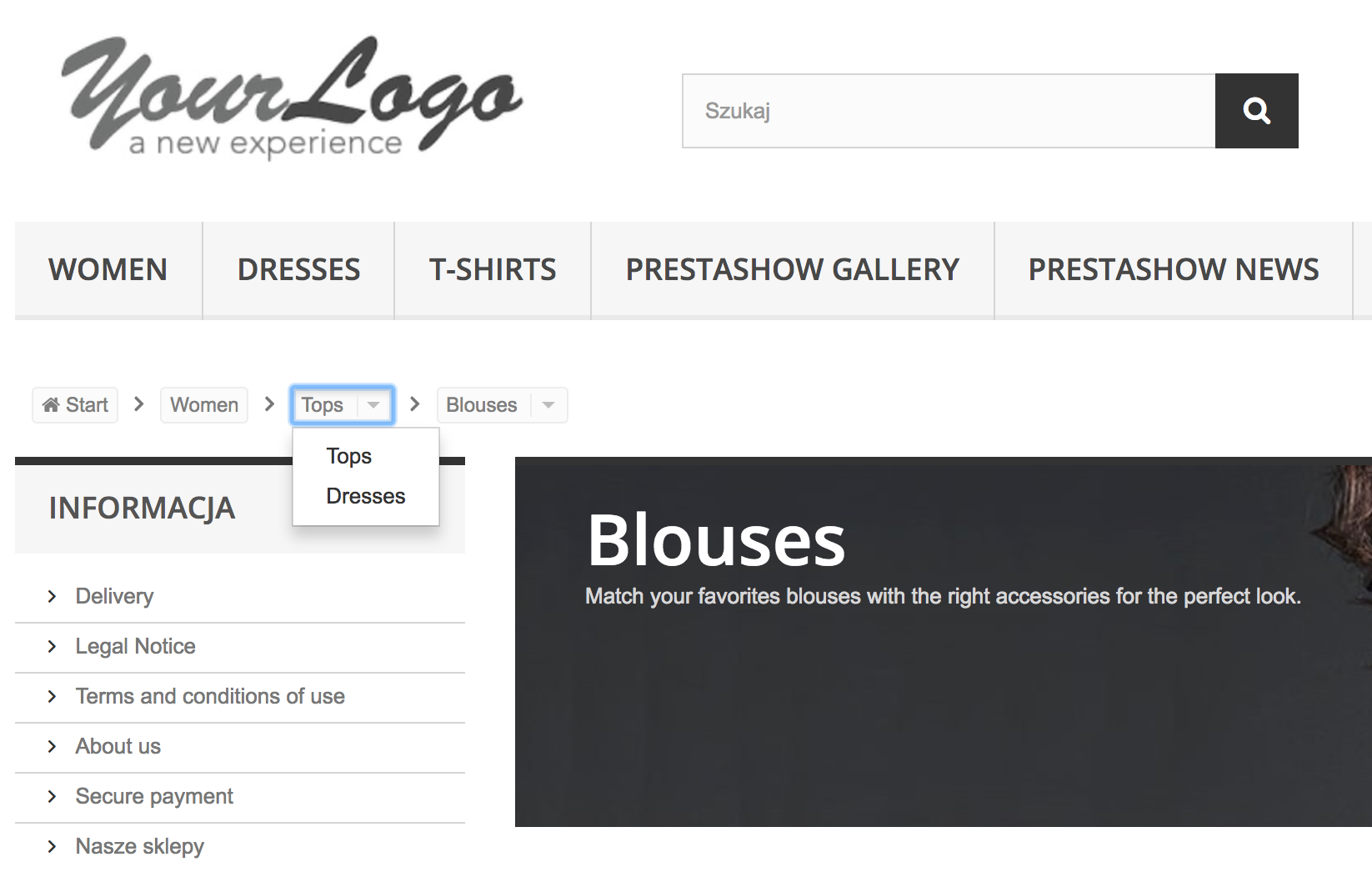
Breadcrumb is a graphical template element that indicates the current location of the customer in the online store. Links in the path of the navigation bar are separated by a separator, expand and make it easier to explore the store.
This module is a modern navigation bar that makes it easier to navigate the store on computers and mobile devices.
- Designed in accordance with Google Guidelines.
- Adds Schema and fills in the gaps in Rich Snippets of the navigation menu.
- Improves usability (UX) and SEO value of the store.
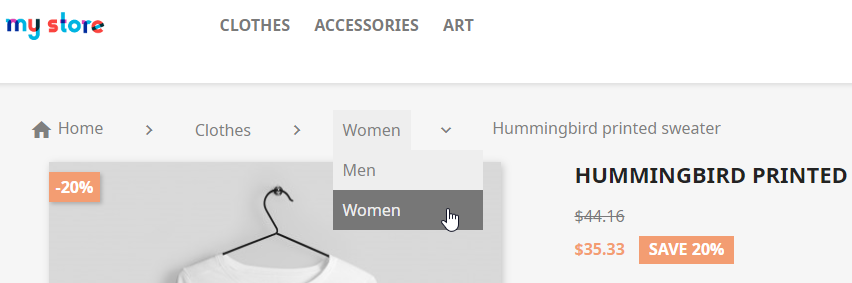
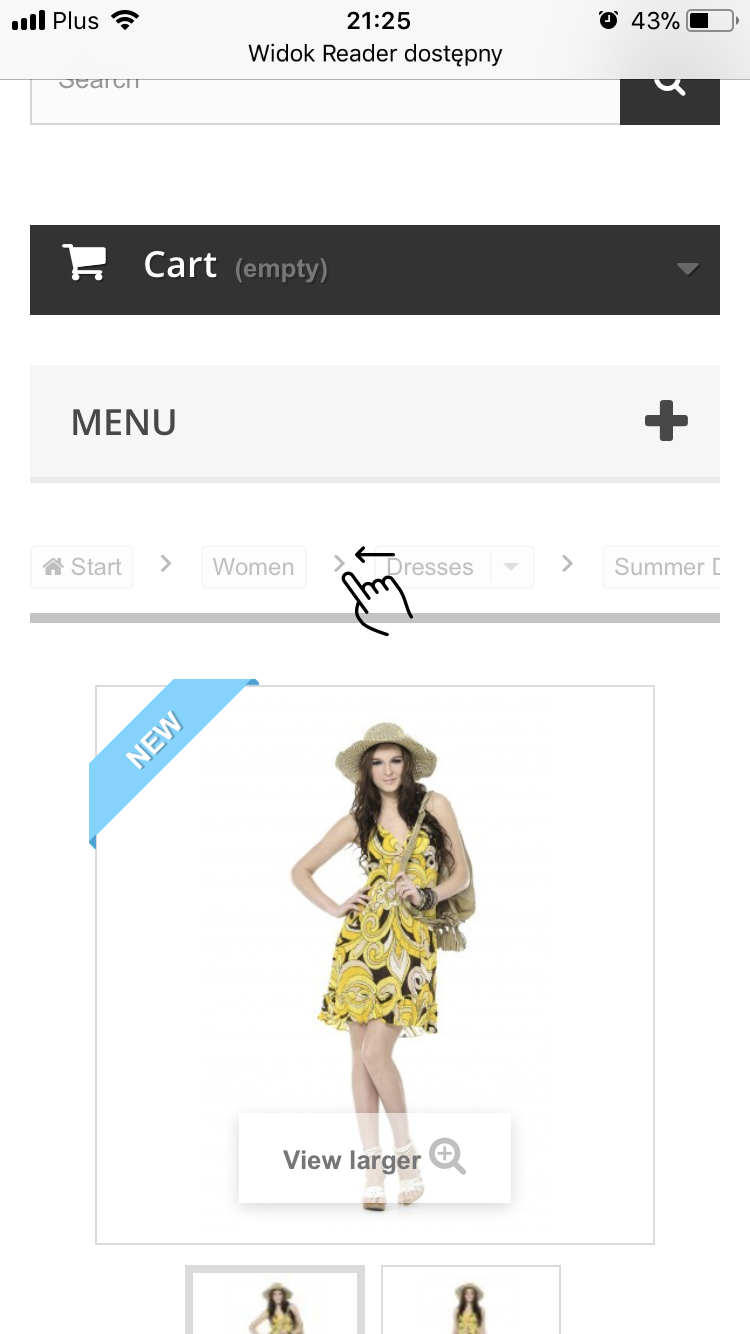
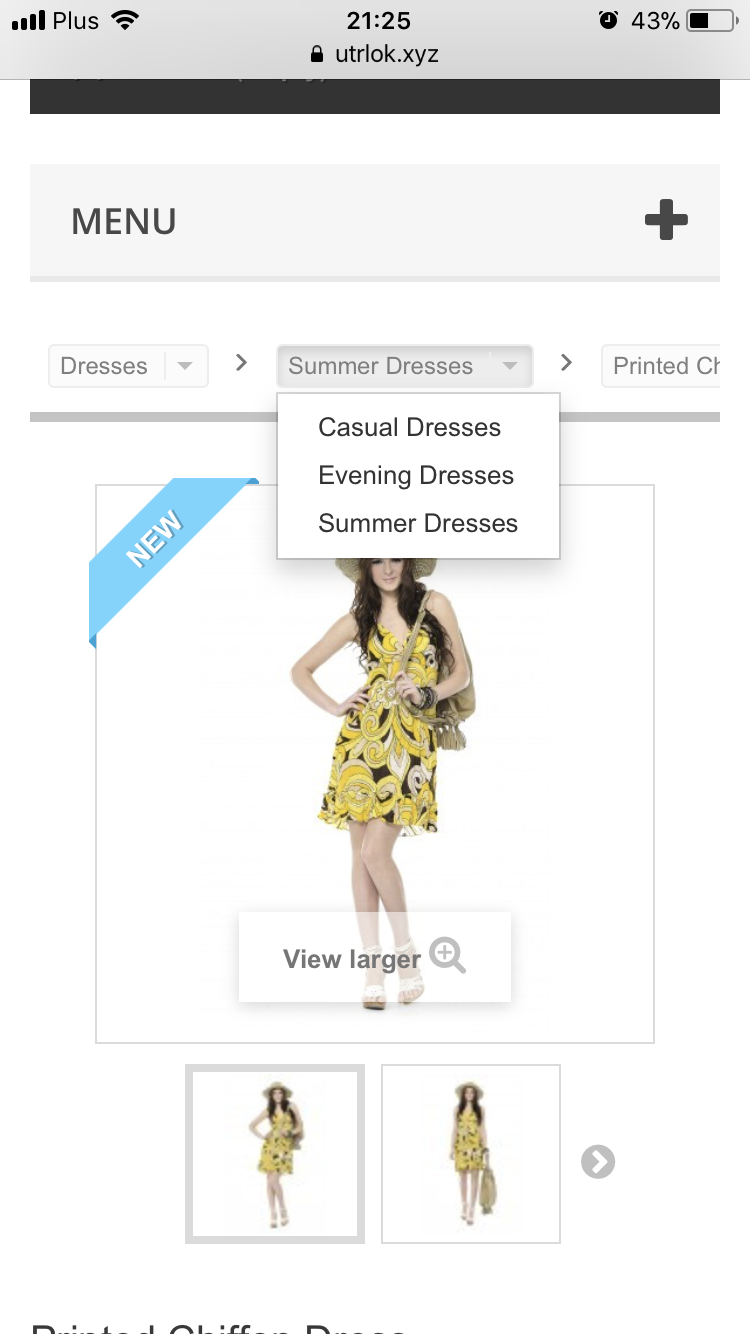
Excellent on mobile devices
UX BOOSTER
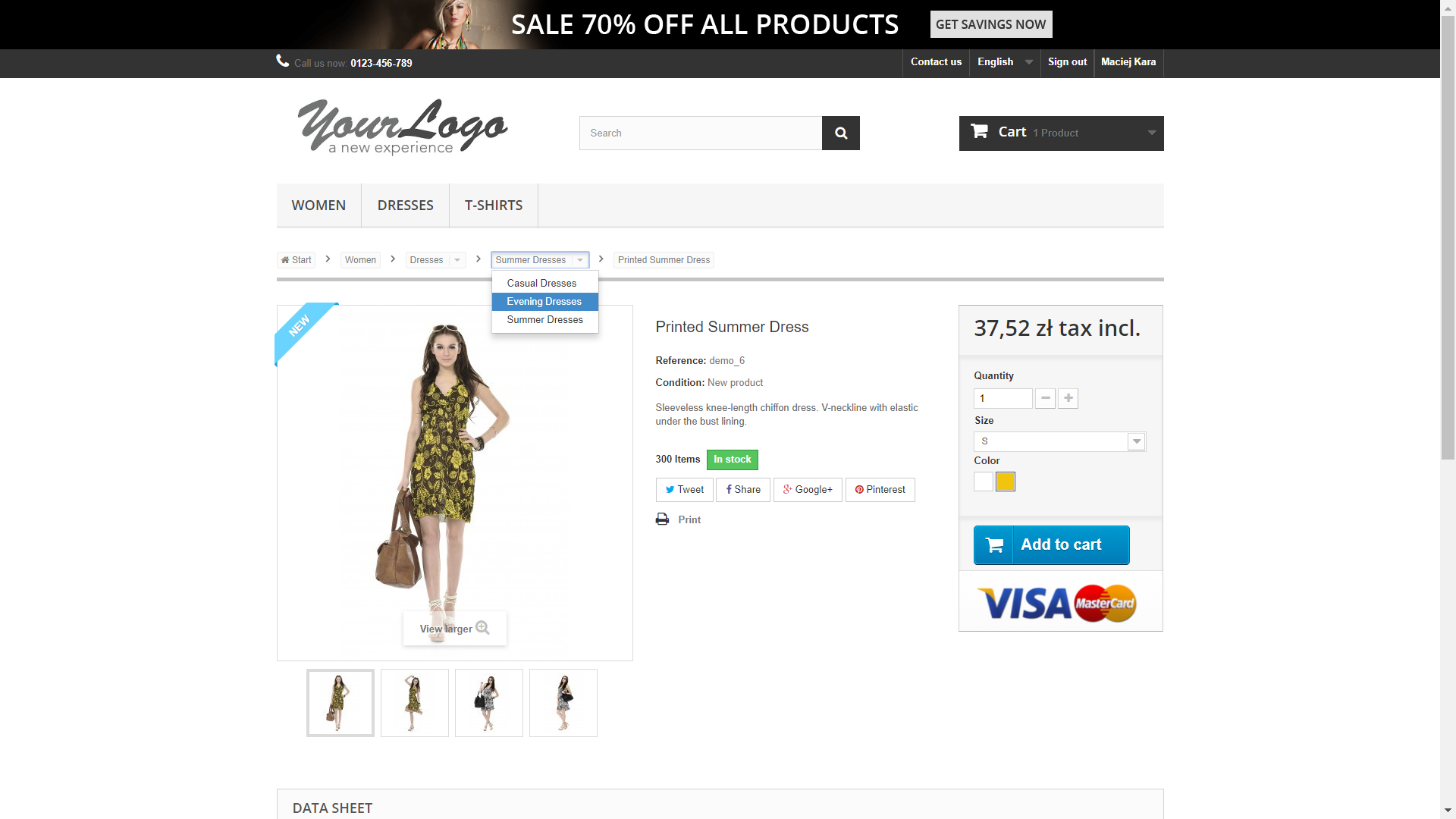
- With category drop-down and horizontal scrolling bar, the complete structure of the category and product catalog is always at hand.

Personalized appearance
UI BOOSTER
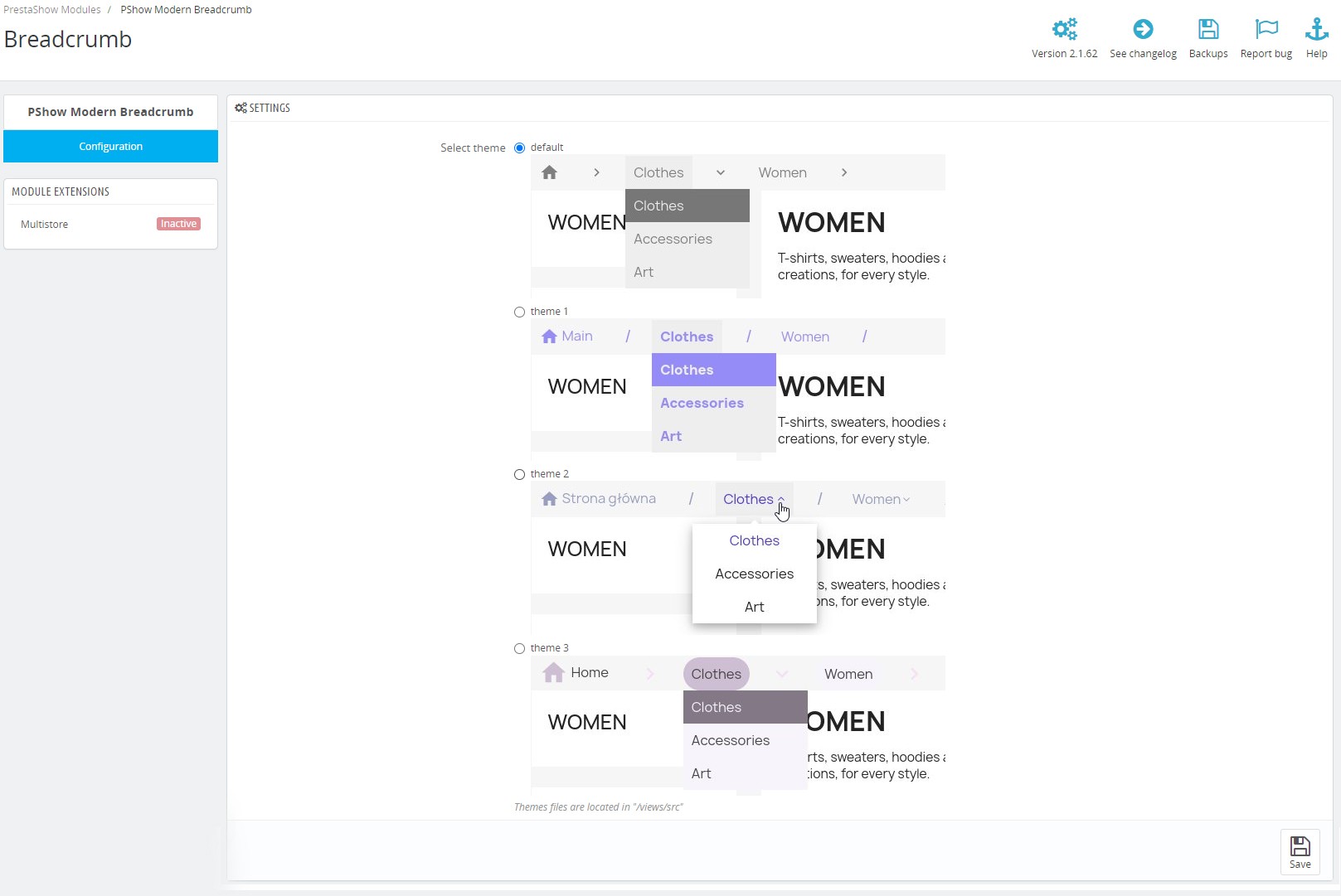
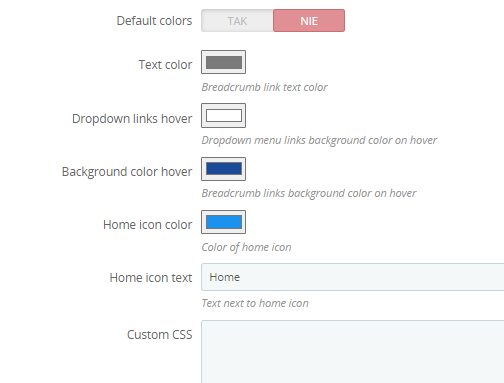
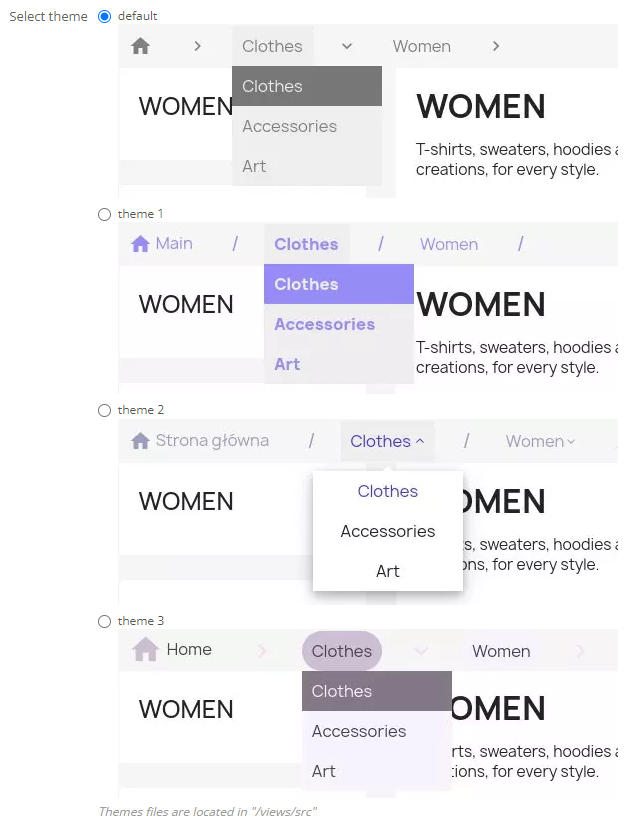
In the module you will find 4 navigation bar templates. The operation of the available looks and the possibility to personalize them from the module settings will give you the freedom to customize the breadcrumb for your store.
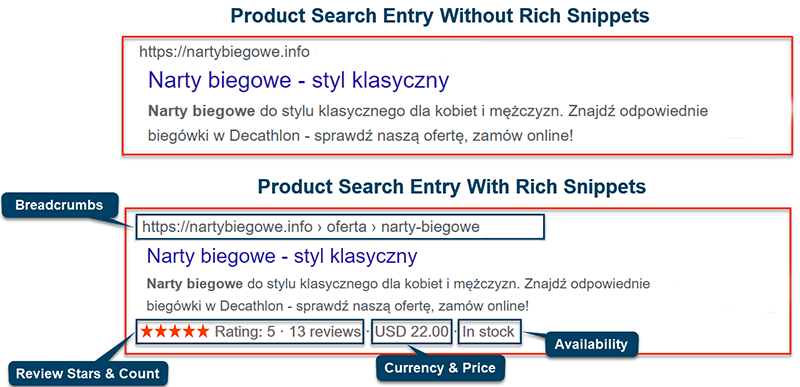
Rich Snippets navigation menu will improve visibility in search engines
SEO BOOSTER
The module supplements the Rich Snippets tags of the navigation menu on the store pages where it is displayed. This will improve PrestaShop's visibility in search results and make your store's results more interesting for the viewer.
Breadcrumb navigation bar will show on pages:
- Home page
- Search engine
- Category page
- Product page
- Login and registration
- My Account
- CMS pages
- Manufacturer page
- Order OPC and in multiple steps
If your store has errors or deficiencies in Rich Snippets (reviews, prices, stocks, etc.) - order a complete service: Schema Optimization - Rich Snippets for PrestaShop.

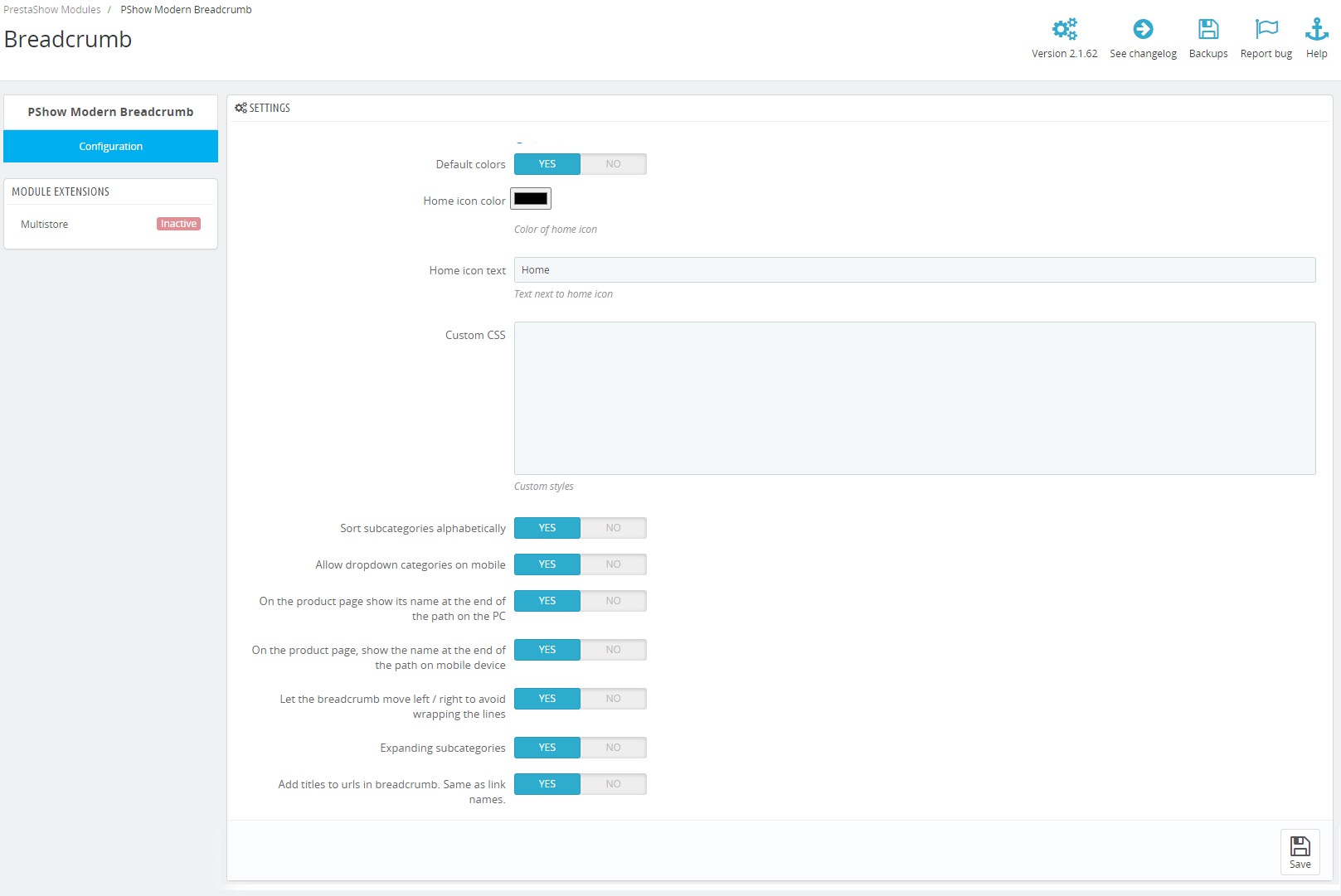
- Choose one of the available looks for the Breadcrumb Advanced navigation bar. Optionally, you can customize the default colors and content.
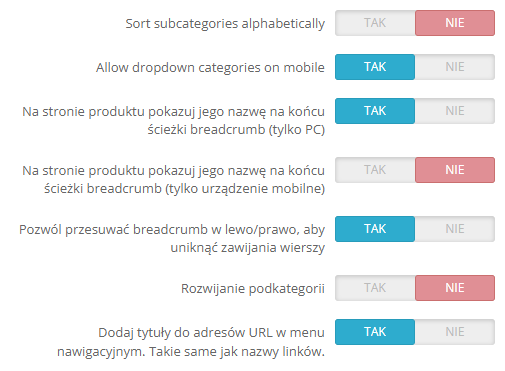
- Disable the last item - the product name on the product page. Not duplicating the content will positively affect the perception of the store in the UX layer. This setting can be controlled independently for Desktop and Mobile versions.
- Enable horizontal scrolling breadcrumb with touch support. This solution works perfectly on phones where the bar occupies a narrow space and responds to touch and scroll horizontally.
- Allow subcategories, manufacturers and CMS pages to expand directly from the breadcrumb bar. Items in the expanded bar can be sorted alphabetically or in the order you set up in the store.
Changelog (v2.4)
PSHOW MODERN BREADCRUMB CHANGELOG
==========
## v2.4.0 - 2026-08-19
### Added
- Other modules can now supply a ready-made breadcrumb path through the `pshow_forced_breadcrumb` template variable (a list of title/url items), rendered as-is instead of the automatic path. Used by PShow Blog to unify the blog breadcrumb with the site breadcrumb. Default behaviour is unchanged when the variable is not set.
## v2.3.2 - 2026-07-13
### Fixed
- BreadcrumbList structured data no longer emitted twice when breadcrumb renders in two layout slots (desktop + mobile); microdata appears only in the first render
- Home breadcrumb now uses an absolute URL instead of a relative path, fixing the structured data item URL shown in Google Search Console
- Last breadcrumb item (current page) uses itemprop="name" directly on the visible span instead of a separate meta tag, eliminating the stray href="#" in structured data
- CMS page breadcrumb label now prefers the page name field over meta_title when available (prevents long SEO titles from appearing in the breadcrumb)
## v2.3.1 - 2026-07-09
### Fixed
- Improved the appearance of the breadcrumb
- Removed unnecessary, unused CSS and JS code
## v2.3.0 - 2026-07-07
### Changed
- Category and subcategory breadcrumb dropdowns changed
## v2.2.0 - 2026-07-06
### Added
- Optional display of the product category subcategories on the product page
## v2.1.2 - 2024-02-13
### Fixed
- The problem with display the correct category path on the product page
## v2.1.1 - 2022-06-22
### Fixed
- The problem with rich snippets struture
## v2.1.0 - 2022-05-02
### Fixed
- The problem with undefined variable
## v2.0.0 - 2022-03-29
### Added
- Add new themes
- Allow to define custom colors in config
- Allow to define custom home icon text in config
- Allow to define custom CSS in config
### Changed
- Sort product subcategories alphabetically in the breadcrumb dropdown menu
### Performance
- Stop using JavaScript
### Fixed
- Brands breadcrumb on brand's page.
## v1.60.0 - 2022-03-21
### Fixed
- Added missing tags to improve compatibility with schema.org layouts
v1.59.0 - 11.12.2020
* redesign standard view
v1.58.0 - 30.11.2020
* breadcrumbs display issues fixed
!!!! ATTENTION !!!!
Please reinstall the module after the update to install the changes.
v1.57.0 - 05.05.2020
* fixes for new rich snippets struture
v1.56.0 - 29.01.2020
* added support for custom pages, e.g. from modules
v1.55.0
* bug fixes
v1.54.0
* bug fixes
v1.53.0
* adaptation module to the custom templates
v1.52.0
* bug fixes
v1.51.0
* improving the styles
v1.5.0
* Bug fixes
v1.4.0
* fixed bug - Bootstrap dropdown clipped by overflow container on mobile devices
* module adaptation for version 1.7
v1.3.0
* fixed bug - Bootstrap dropdown clipped by overflow container
* style fixes
v1.2.0
* adding option `Expanding subcategories` to module configuration
* adding scrollable breadcrumb on mobile devices
v1.1.0
* adding module configuration
* adding google microdata for breadcrumb (rich snippets)
* displaying breadcrumb on login page, registration, my account (and derivatives) and in the order/cart path
* adding missing translations
v1.0.0
* initial version
==========
## v2.4.0 - 2026-08-19
### Added
- Other modules can now supply a ready-made breadcrumb path through the `pshow_forced_breadcrumb` template variable (a list of title/url items), rendered as-is instead of the automatic path. Used by PShow Blog to unify the blog breadcrumb with the site breadcrumb. Default behaviour is unchanged when the variable is not set.
## v2.3.2 - 2026-07-13
### Fixed
- BreadcrumbList structured data no longer emitted twice when breadcrumb renders in two layout slots (desktop + mobile); microdata appears only in the first render
- Home breadcrumb now uses an absolute URL instead of a relative path, fixing the structured data item URL shown in Google Search Console
- Last breadcrumb item (current page) uses itemprop="name" directly on the visible span instead of a separate meta tag, eliminating the stray href="#" in structured data
- CMS page breadcrumb label now prefers the page name field over meta_title when available (prevents long SEO titles from appearing in the breadcrumb)
## v2.3.1 - 2026-07-09
### Fixed
- Improved the appearance of the breadcrumb
- Removed unnecessary, unused CSS and JS code
## v2.3.0 - 2026-07-07
### Changed
- Category and subcategory breadcrumb dropdowns changed
## v2.2.0 - 2026-07-06
### Added
- Optional display of the product category subcategories on the product page
## v2.1.2 - 2024-02-13
### Fixed
- The problem with display the correct category path on the product page
## v2.1.1 - 2022-06-22
### Fixed
- The problem with rich snippets struture
## v2.1.0 - 2022-05-02
### Fixed
- The problem with undefined variable
## v2.0.0 - 2022-03-29
### Added
- Add new themes
- Allow to define custom colors in config
- Allow to define custom home icon text in config
- Allow to define custom CSS in config
### Changed
- Sort product subcategories alphabetically in the breadcrumb dropdown menu
### Performance
- Stop using JavaScript
### Fixed
- Brands breadcrumb on brand's page.
## v1.60.0 - 2022-03-21
### Fixed
- Added missing tags to improve compatibility with schema.org layouts
v1.59.0 - 11.12.2020
* redesign standard view
v1.58.0 - 30.11.2020
* breadcrumbs display issues fixed
!!!! ATTENTION !!!!
Please reinstall the module after the update to install the changes.
v1.57.0 - 05.05.2020
* fixes for new rich snippets struture
v1.56.0 - 29.01.2020
* added support for custom pages, e.g. from modules
v1.55.0
* bug fixes
v1.54.0
* bug fixes
v1.53.0
* adaptation module to the custom templates
v1.52.0
* bug fixes
v1.51.0
* improving the styles
v1.5.0
* Bug fixes
v1.4.0
* fixed bug - Bootstrap dropdown clipped by overflow container on mobile devices
* module adaptation for version 1.7
v1.3.0
* fixed bug - Bootstrap dropdown clipped by overflow container
* style fixes
v1.2.0
* adding option `Expanding subcategories` to module configuration
* adding scrollable breadcrumb on mobile devices
v1.1.0
* adding module configuration
* adding google microdata for breadcrumb (rich snippets)
* displaying breadcrumb on login page, registration, my account (and derivatives) and in the order/cart path
* adding missing translations
v1.0.0
* initial version
Komentarze ()
The reviews posted on our store are not sponsored in any way. We also verify that they were added by customers who have purchased from us or guests. If you want to learn more about this topic please read our Regulations.
Super!
Rozwijane kategorie działają bardzo dobrze. Działa zgodnie z opisem. Polecam.
Moduł bardzo dobrze wygląda na mobile i desktop. Usługa instalacji wykonana w 2 dni.
polecam
Moduł podmienia standardowy bredcrumb i działa 100x lepiej. Można powyłączać niektóre elementy w sklepie, bo moduł podaje je szczególnie fajnie na mobile.
Bardzo fajny
Małe, a cieszy! :))
W porządku
Technical requirements
Technical Requirements
- PHP 7.1 - 8.x
- Server extension ionCube Loader
- PrestaShop Importer only: PHP libxml version > 2.9.3
- PrestaShop Facebook Integrator only: PHP 7.2 or higher
- PrestaShop VAT Validator only: PHP SOAP
Support & Updates
Support = Updates + HelpDesk
You get 90 days (3 months) access to the complete PrestaShow support package.
Module updates
Modules will inform you about available updates. Read the changelog and perform a 1-click module update directly from your store.
HelpDesk panel
This is the panel where we will provide you with help. On HelpDesk you can report problems, order free module installation and updates, and order modifications and custom programming work.
Extend support
After support expires, you can use the module without any restrictions. You can extend your support access at any time you need it.
Knowledge Base & FAQ
Free forever
The knowledge base is available to everyone. You will find module documentation as well as instructions, videos and answers to frequently asked questions.
License
Lifetime license for the module
- You can use the module without limitation in 1 store = 1 domain.
- You can use an additional domain, e.g. for developer copy.
- For a small fee you can change the domain for the module yourself.
Additional domains for Multistore
- All our modules support PrestaShop Multistore.
- Supporting unlimited domains for PrestaShop Multistore requires purchasing multistore support for the module.
Modifying the code
- The module code related to the integration with the store and the design (.tpl, .css, .js) has open source code and you can modify it freely.
- The module's source code (.php) is encrypted with ionCube, and modifying it will void the warranty.
No entries yet.