
























Kliknij by skopiować

PrestaShop Modules

73 modules for your PrestaShop store

PrestaShop modules from PrestaShow are premium solutions that expand your store's capabilities and help you grow your online sales faster. In main category, you'll find modules for PrestaShop that support SEO and Google visibility, XML, CSV and API integrations, analytics, advertising and remarketing, B2B sales, feedback handling, UX improvement, catalog management, process automation and eCommerce compliance.

Our modules for PrestaShop help you maintain your store's daily operations, increase conversions, better measure the results of your marketing efforts and create more convenient shopping experience for your customers. We're creating modules for stores that want to grow: through better visibility, more efficient operations, more control over data and more effective use of PrestaShop capabilities. We develop each module with real eCommerce needs in mind, providing technical support, documentation and convenient 1-click updates for all modules. You can read more about our technology at the bottom of the page...

PrestaShop Modules

PrestaShop Modules - Frequently Asked Questions (FAQ)

Can I install the PrestaShop module myself?

Yes. The module is installed from the admin panel (Modules → Upload Module), and in practice, this takes just a few minutes—most customers do it themselves using the documentation that comes with each module. After installation, you can install subsequent versions using the 1-click update system —just one click, and an automatic backup is created before every change. Note for stores developed by a team: if your store uses a version control system (e.g., Git) or separate development environments, coordinate module updates with your developer—updating directly on the production environment could cause a mismatch with the repository. Not sure how this works for you? Submit a ticket on our HelpDesk —describe your store and the issue you’re facing; if you have active module support, we’ll help you choose the safest approach.

I'm migrating my store to PrestaShop 8 or 9—will the modules work?

Yes. The modules support PrestaShop 1.6, 1.7, 8, and 9, so they work both before and after migration. Compatibility is listed on each module’s page, and you can filter the modules by your version on the product listing page. Check your module version—you may need to download the latest version of the module before updating.

New regulations are coming into effect (Omnibus, KSeF, EAA)—are the modules keeping up?

Yes—Omnibus is updated following changes in the interpretation of the directive, Cookies Manager is updated after the introduction of Consent Mode v2, and Invoices and E-Receipts are updated after the launch of KSeF. Updates are installed with a single click, and the system creates a backup before each update.

Customers are increasingly turning to ChatGPT instead of Google—how can a PrestaShop store be visible in AI?

The key is having a clear store data structure for AI crawlers. The llms.txt module automatically generates the /llms.txt file containing the store map for AI engines and updates it whenever the structure changes.

Can I test the module before purchasing it?

Selected modules have demo stores (front end and admin panel)—this information is available on the module's page. The module page also includes videos, configuration screenshots, and customer reviews.

Do the modules work with Multistore and multiple languages?

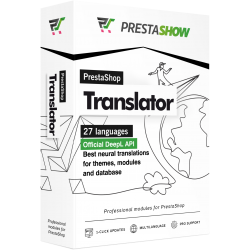
Yes—all of our modules support Multistore mode as well as multiple languages and currencies. You can further automate the translation of your store's content using the Translator module.

What kind of support do I receive after my purchase?

3 months of technical support from the HelpDesk, access to the knowledge base and documentation, and one-click updates. Access to updates and support can be extended. We describe how the documentation and HelpDesk work in the post at the bottom of the page.

By purchasing these modules, am I not becoming dependent on a single supplier (vendor lock-in)?

You won’t be left on your own with the module: we guarantee updates, compatibility with new versions of PrestaShop and PHP, and an exit plan in case the module is no longer developed. We explain exactly how we protect your store from this technological trapin our post on vendor lock-in.

Do the modules work together?

Yes—they are built on a shared framework (PrestaShow Skeleton), so they are integrated into a single process. For example: The Importer populates the catalog, Price Master manages prices, the AI Generator creates product descriptions, and Advanced Warehouses monitor inventory levels. We describe more examples of these integrations in our post on module collaboration.

Won't the additional modules slow down the store or hurt its SEO?

We develop modules in accordance with the PrestaShop standard, with a focus on performance and proper SEO semantics. However, PrestaShop is open source—every store has a different template and customizations, so individual conflicts cannot be 100% ruled out. That’s why we have HelpDesk: we analyze and fix any reported issues, and the fix is rolled out to all stores via an update. For highly customized implementations, we can adapt the module to your specific needs for a fee. We describe how we ensure code quality in the post at the bottom of the page.