Customer service and order packaging on your phone 📦















Detailed description
You pay for the module only once
Continuous and complete cookie handling is provided by the module, without using external services.
Automatic analysis of the store
The scripts perform automatic analysis of the store to detect all cookies used. No programming knowledge is required.
Modern technology in the module
The module uses the latest technological solutions and guarantees precision and data security - the handling of cookies is implemented in accordance with legal requirements and Google Guidelines good practices.
What are cookies in PrestaShop?
Cookies are small text files stored by an online store on the device of a customer visiting the store. Cookies store information about a user's activity on the site, and are used, among other things, to save login sessions, individual browsing preferences, or for tracking for marketing and analytical purposes. Proper management of cookies in an online store is key to the online store's compliance with data protection laws.
For customers of the store
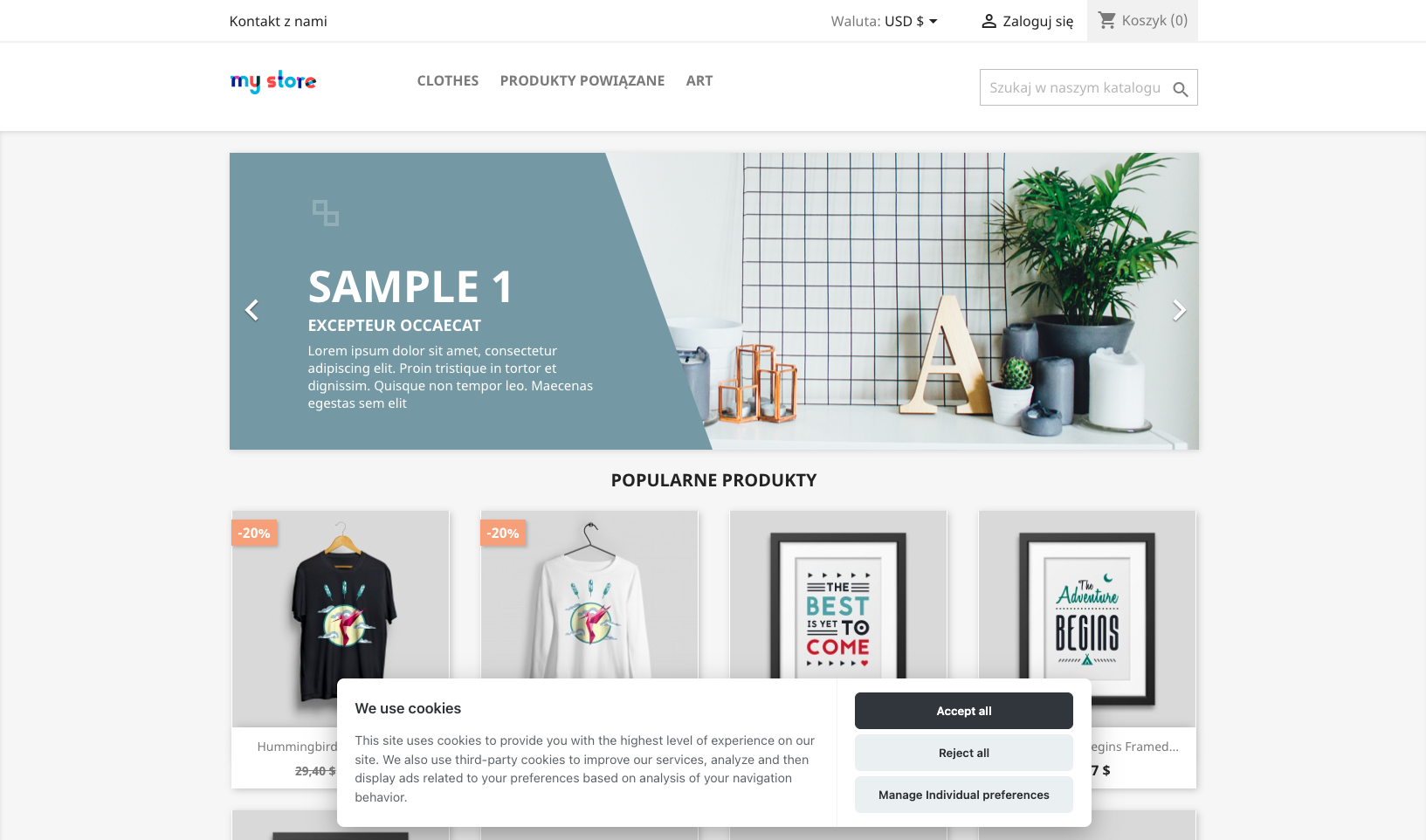
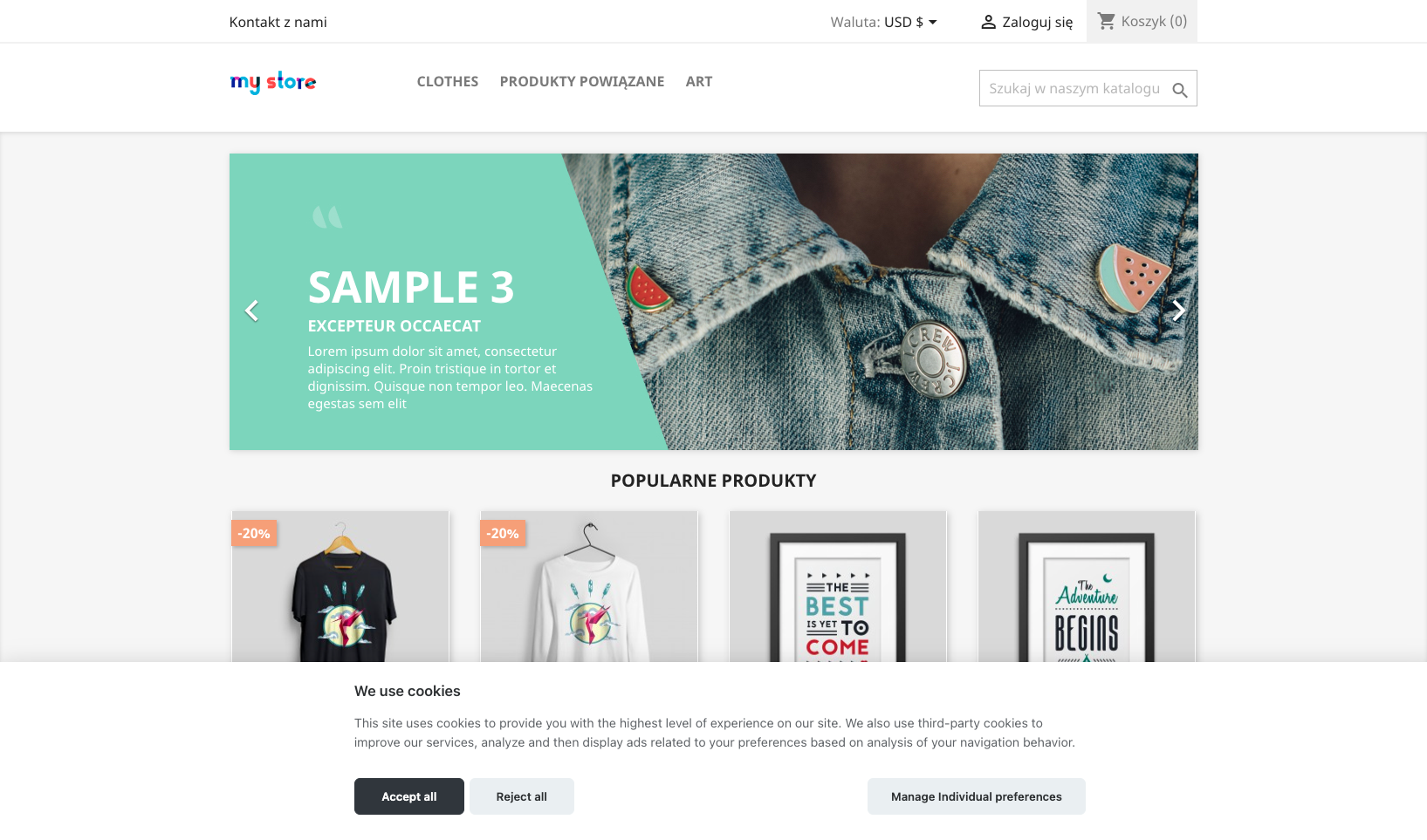
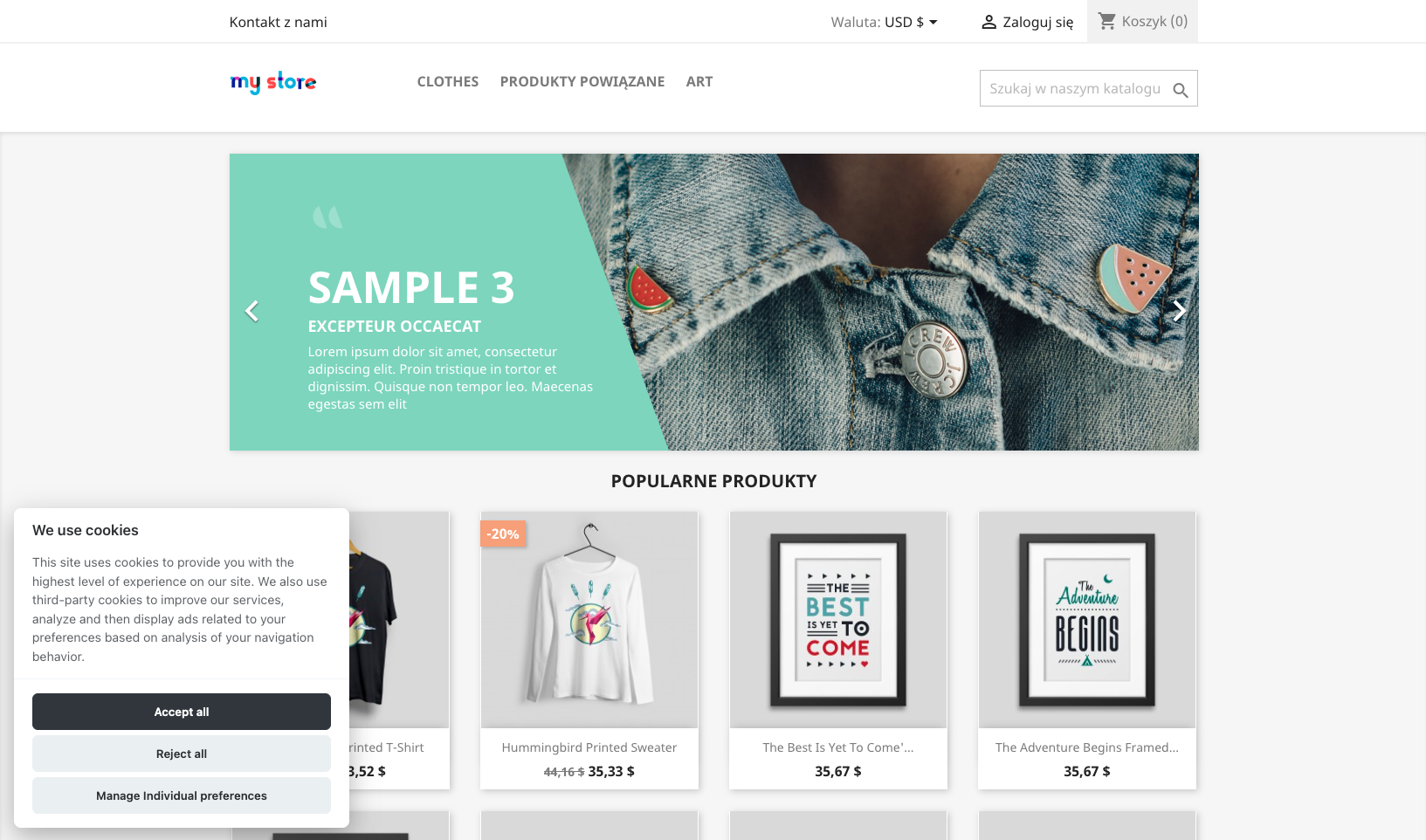
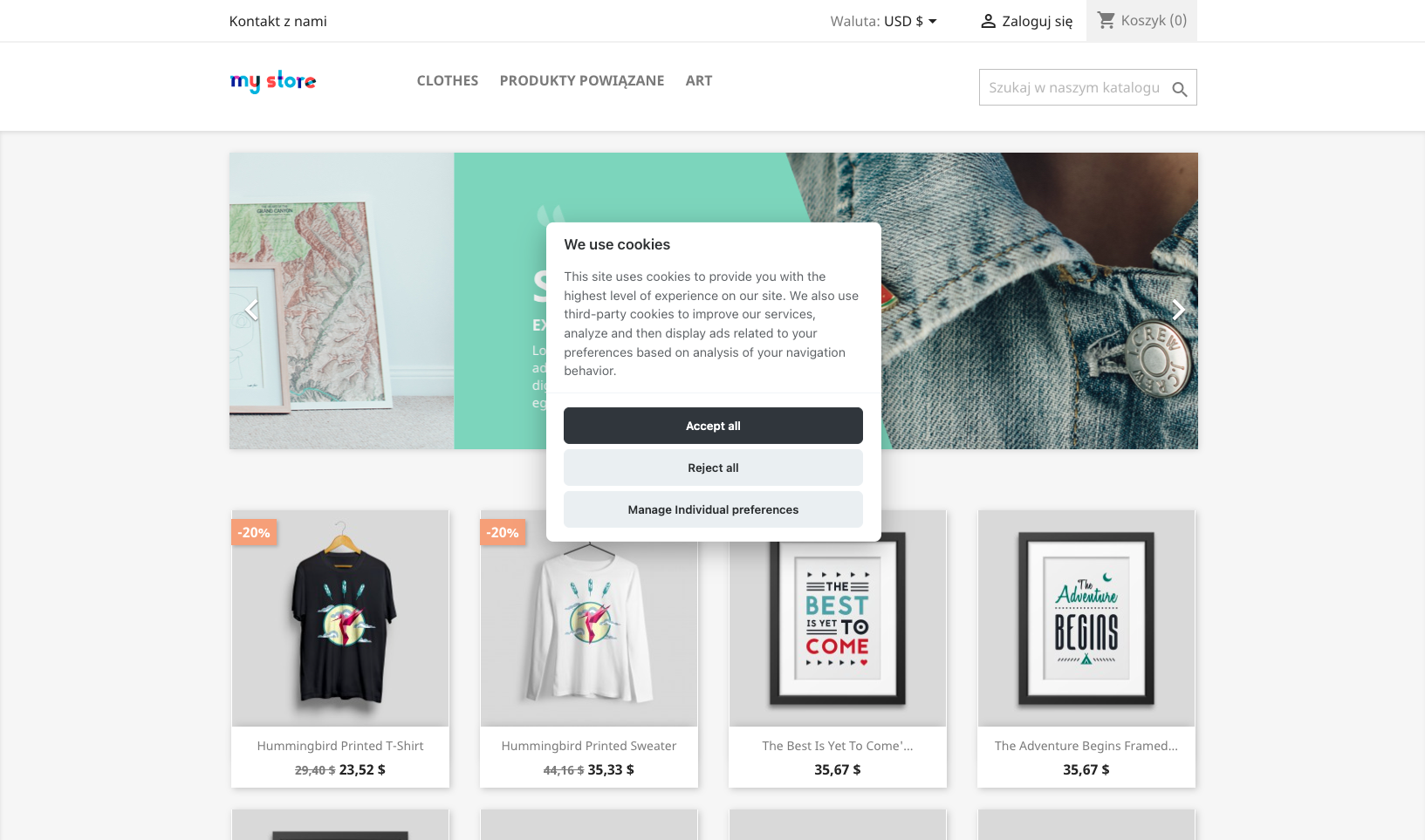
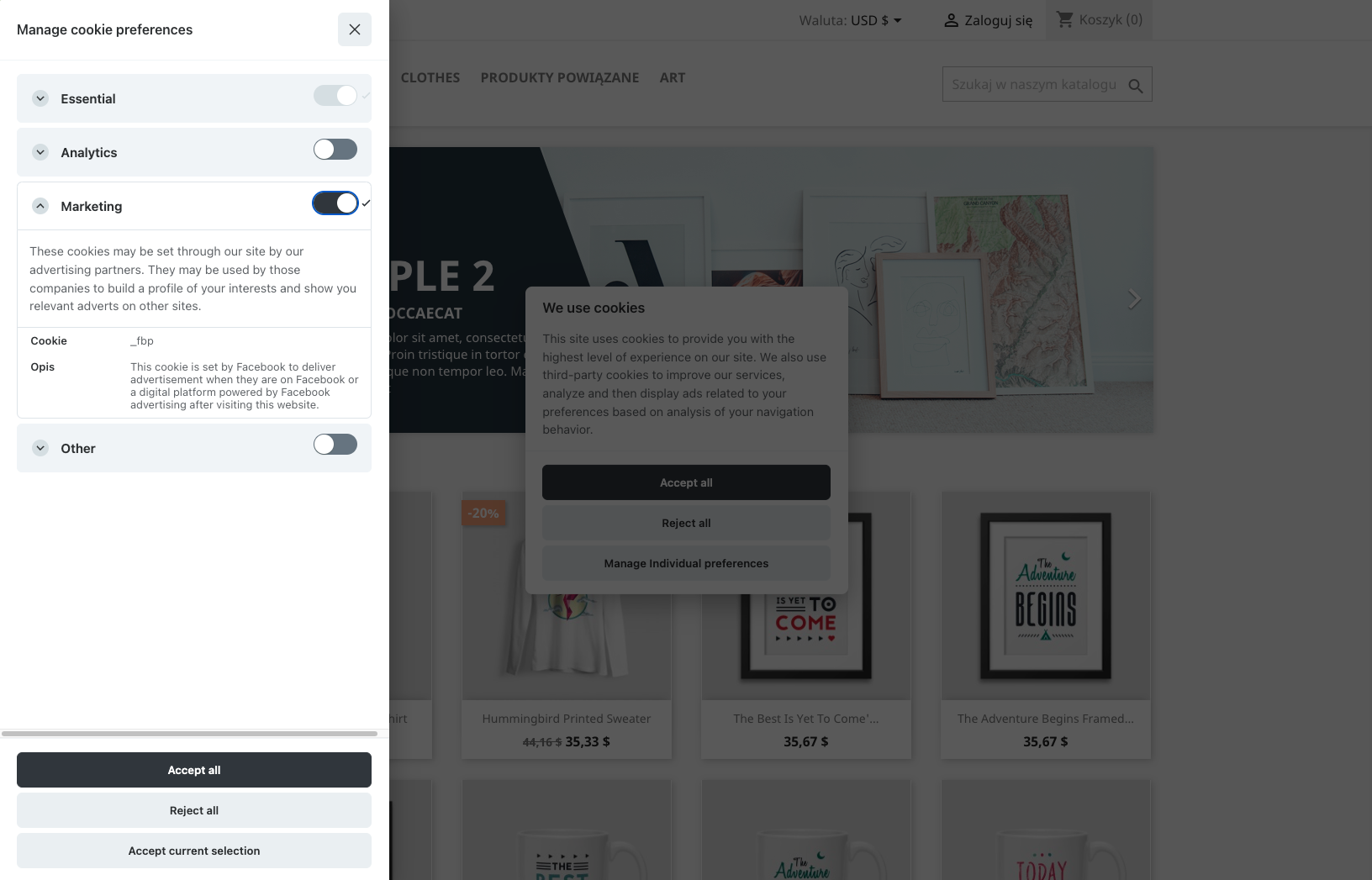
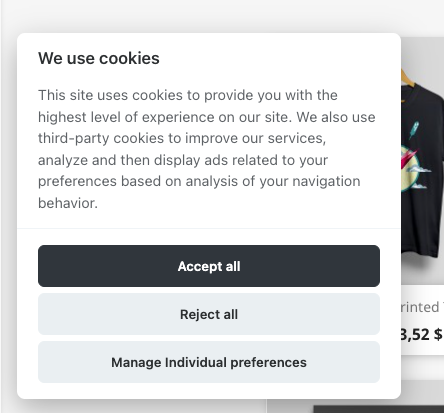
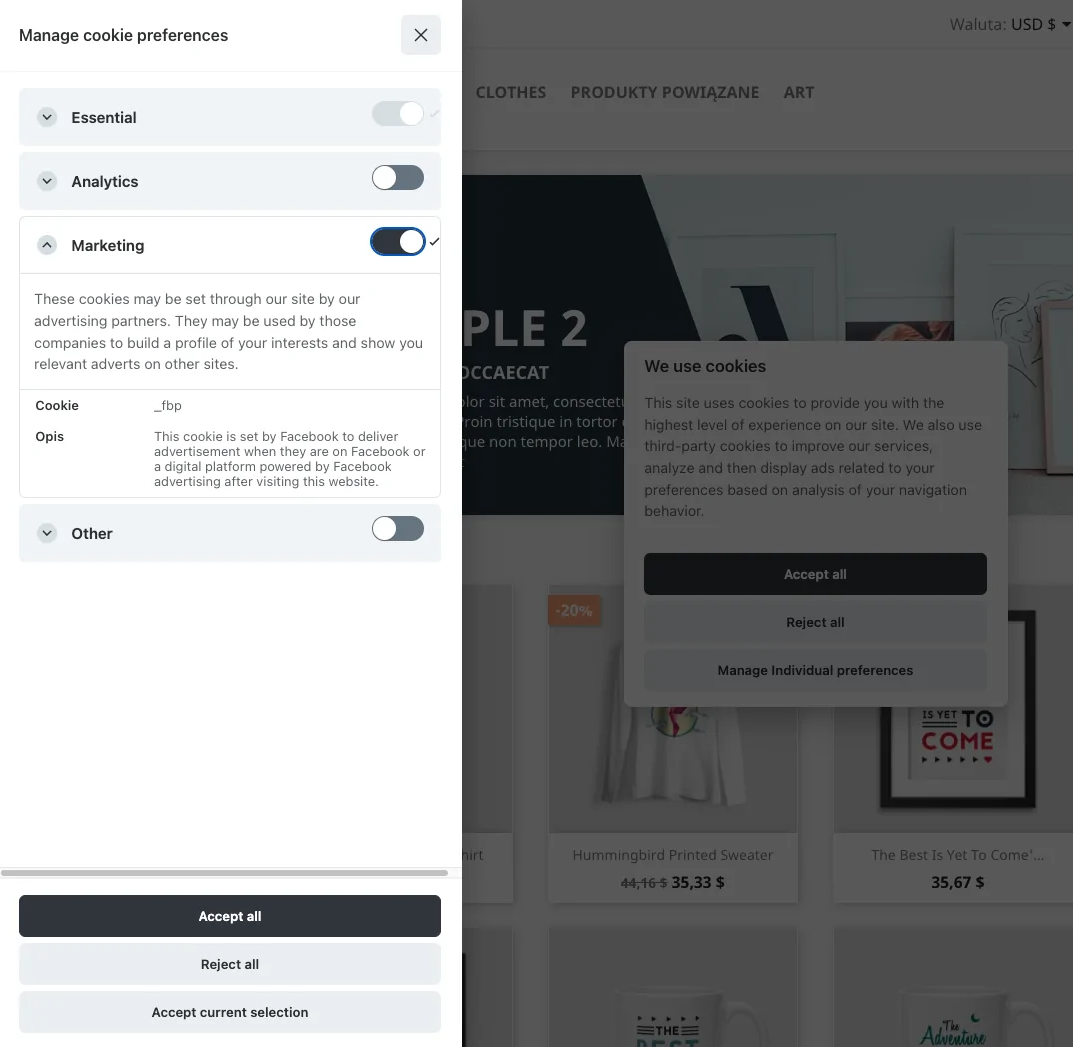
The customer can 1-click to select or personalize the choice of Cookies. Non-invasive messages facilitate quick decision-making. Customer can accept or reject all or selected cookies and reconfigure cookie choices.
For the administrator
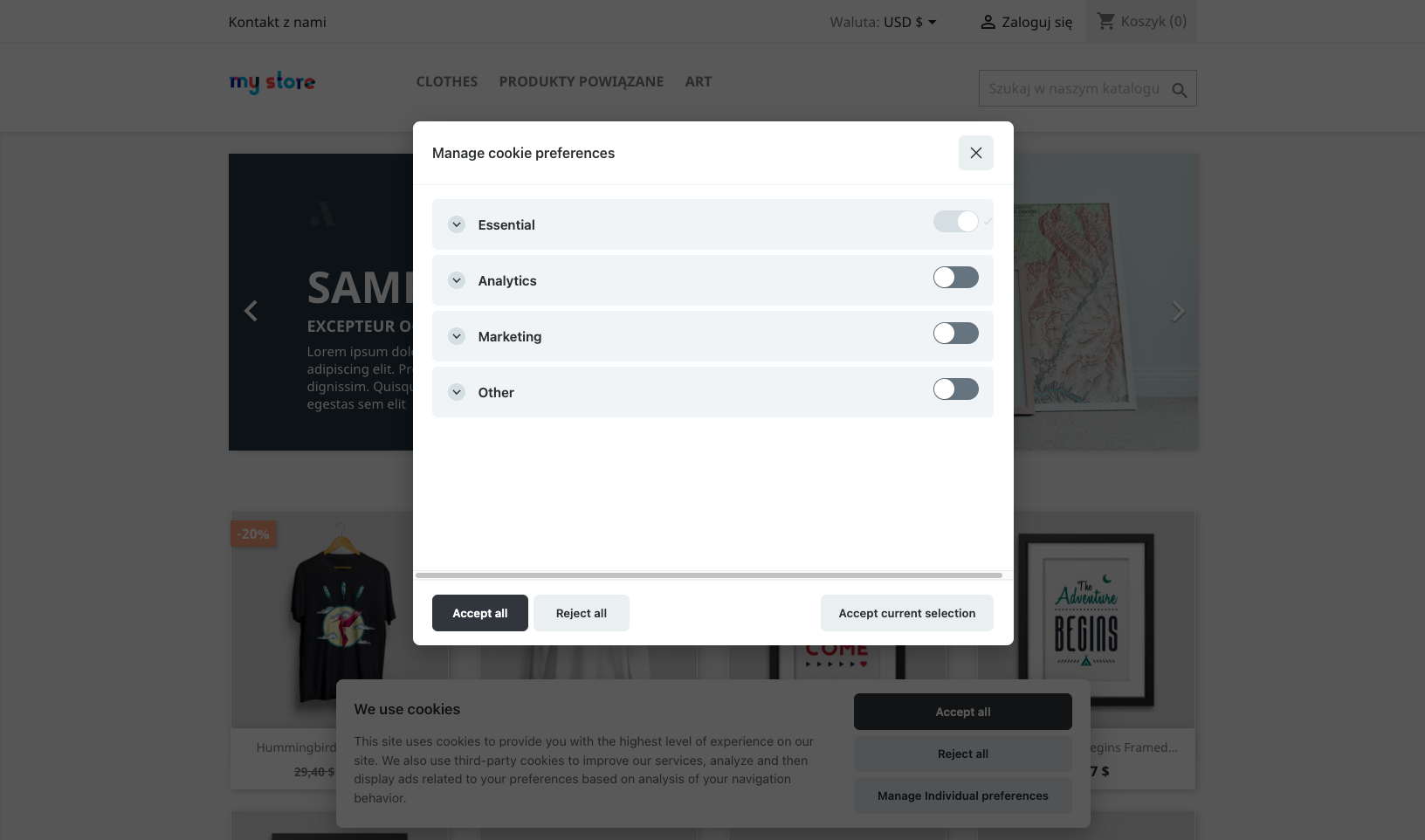
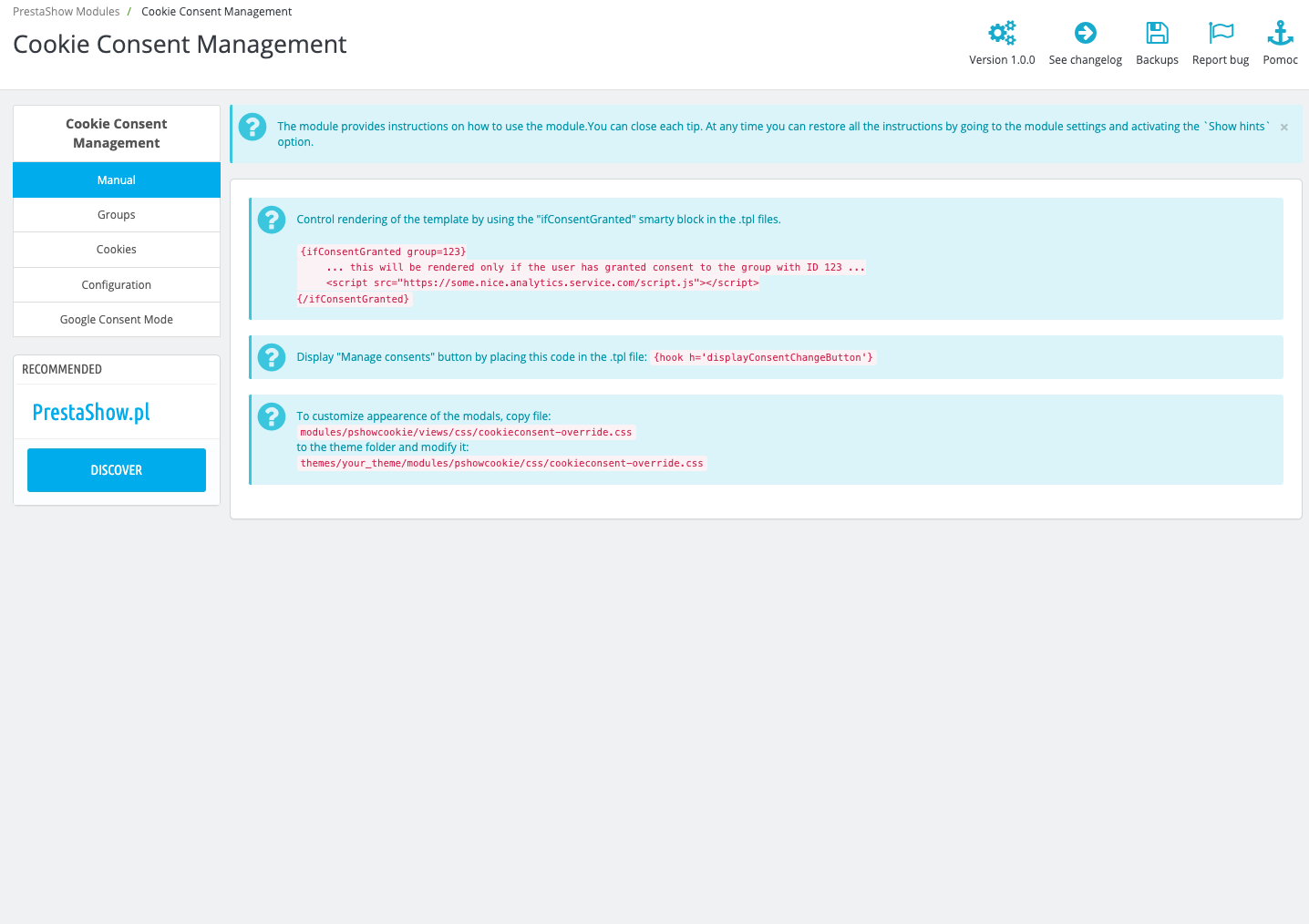
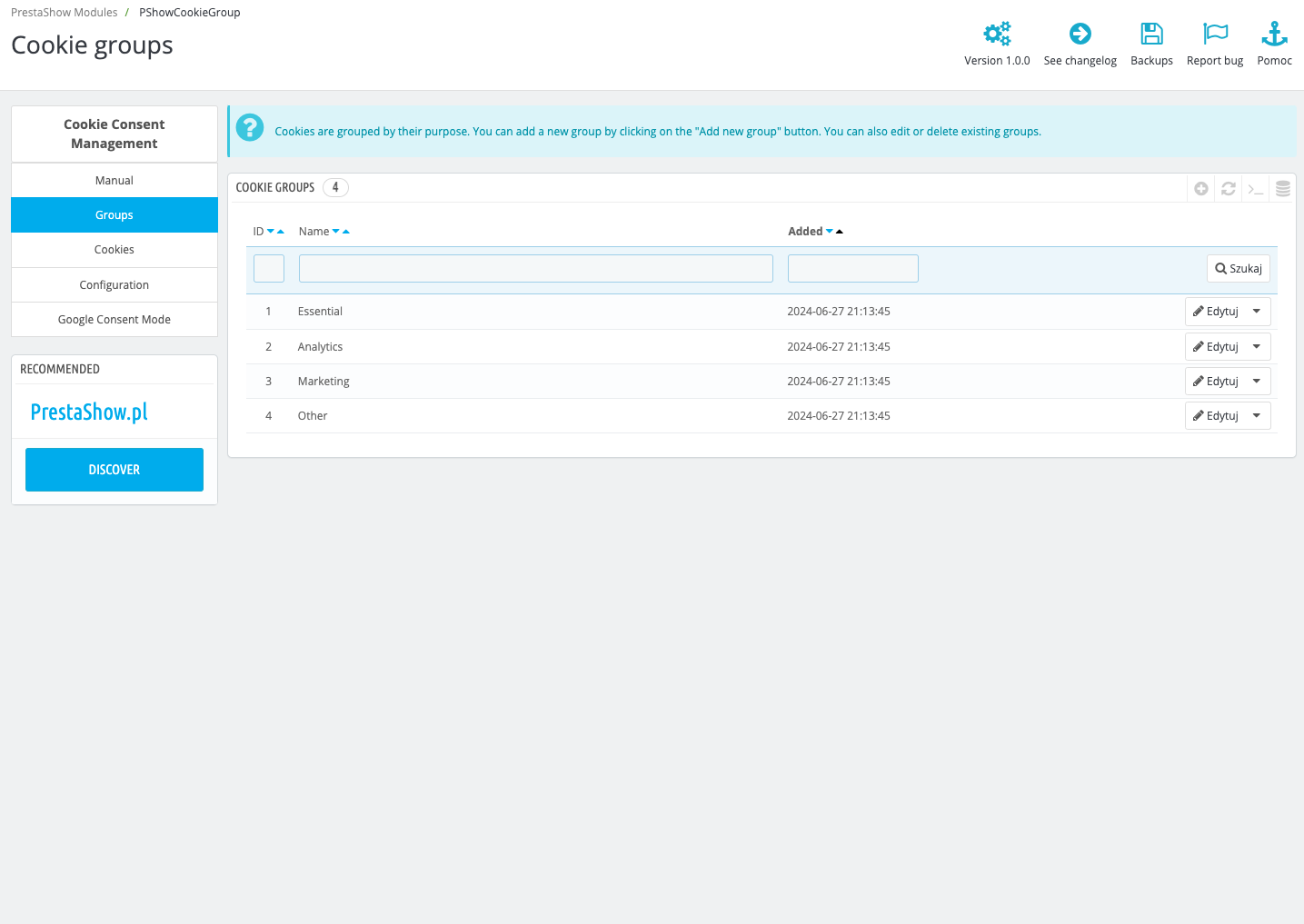
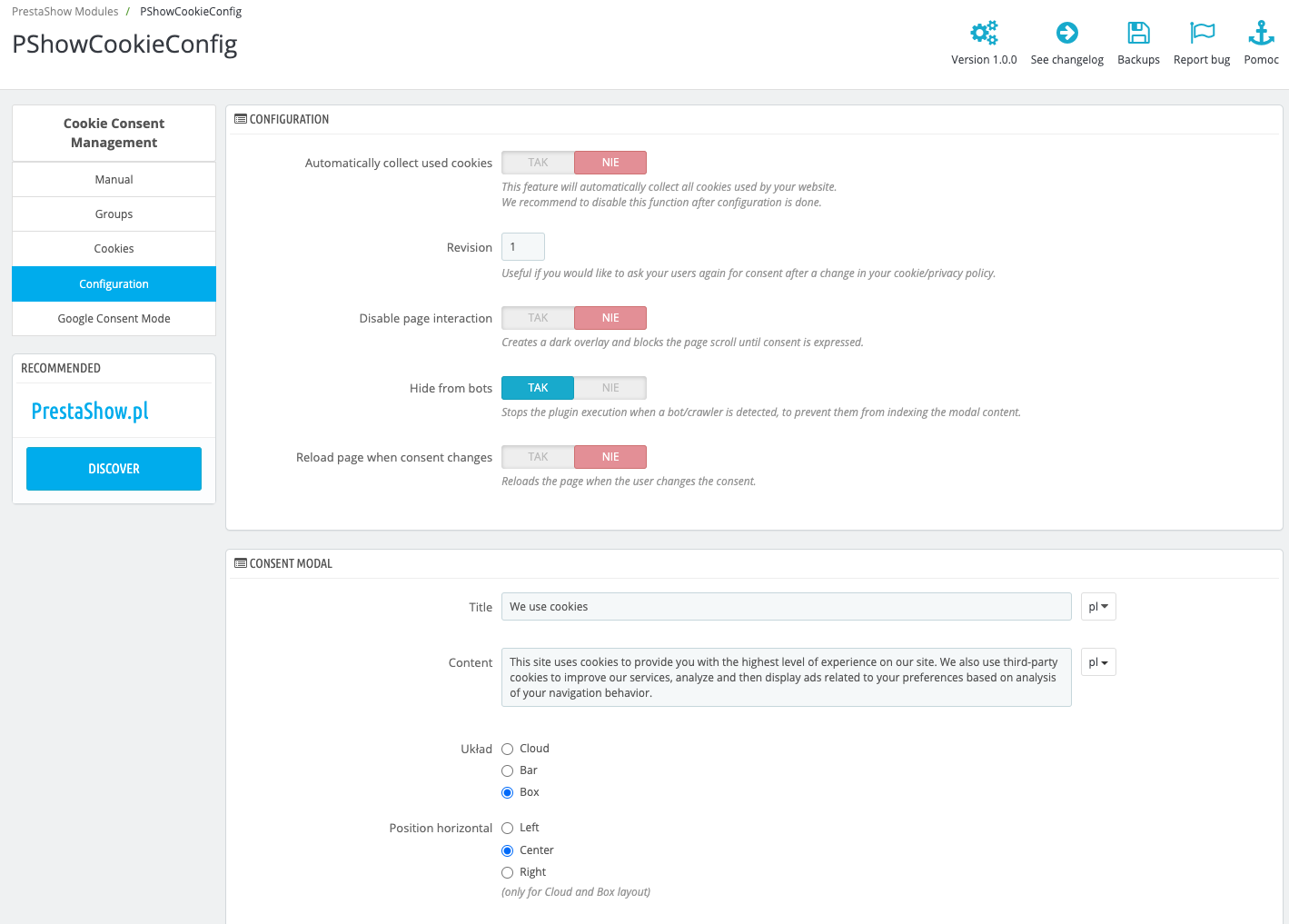
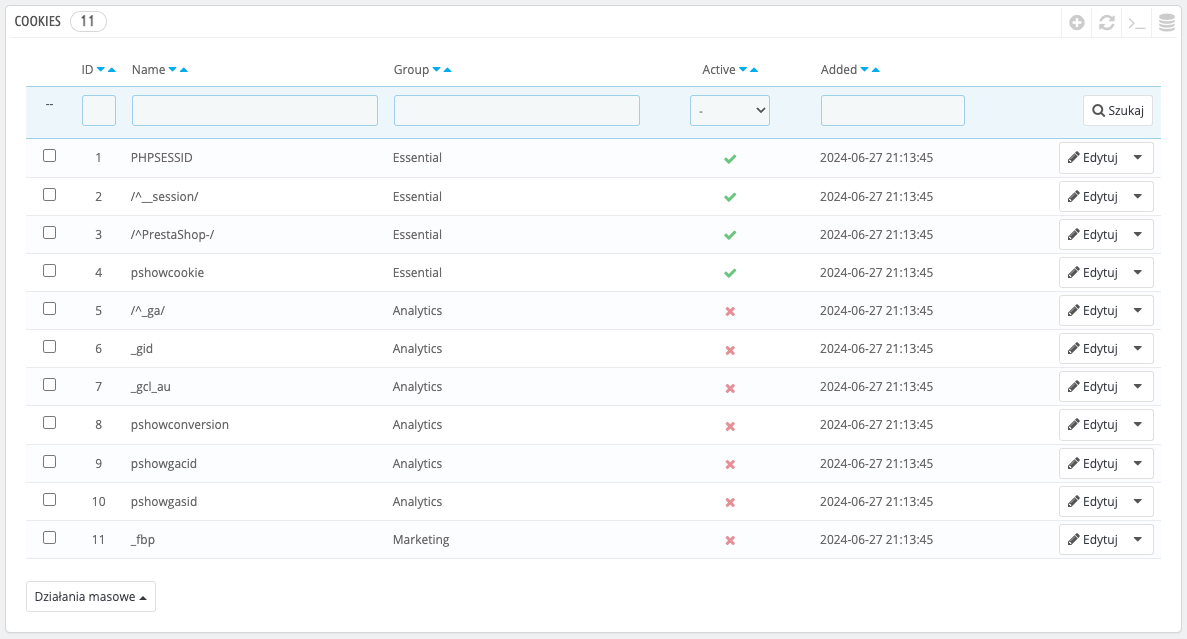
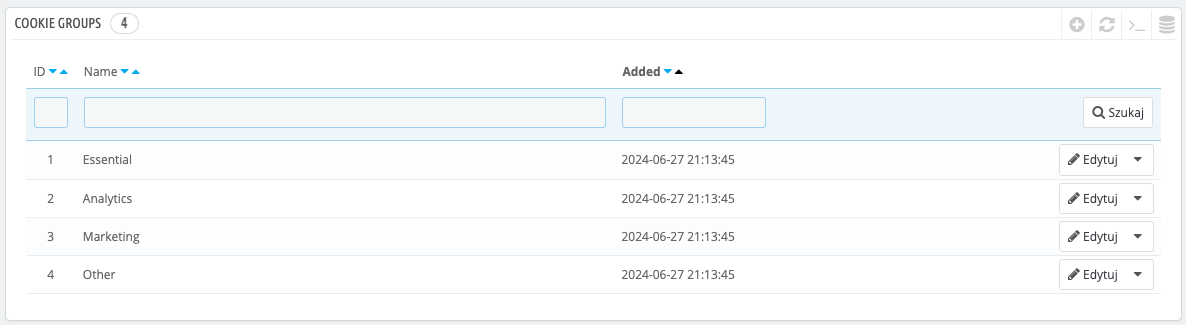
The module automatically analyzes the store and provides you with complete information about the cookies present. Manage detected cookies - group, name, edit, translate or disable cookies permanently. You can also customize the appearance, placement and content of the cookie messages that appear in the store.
1
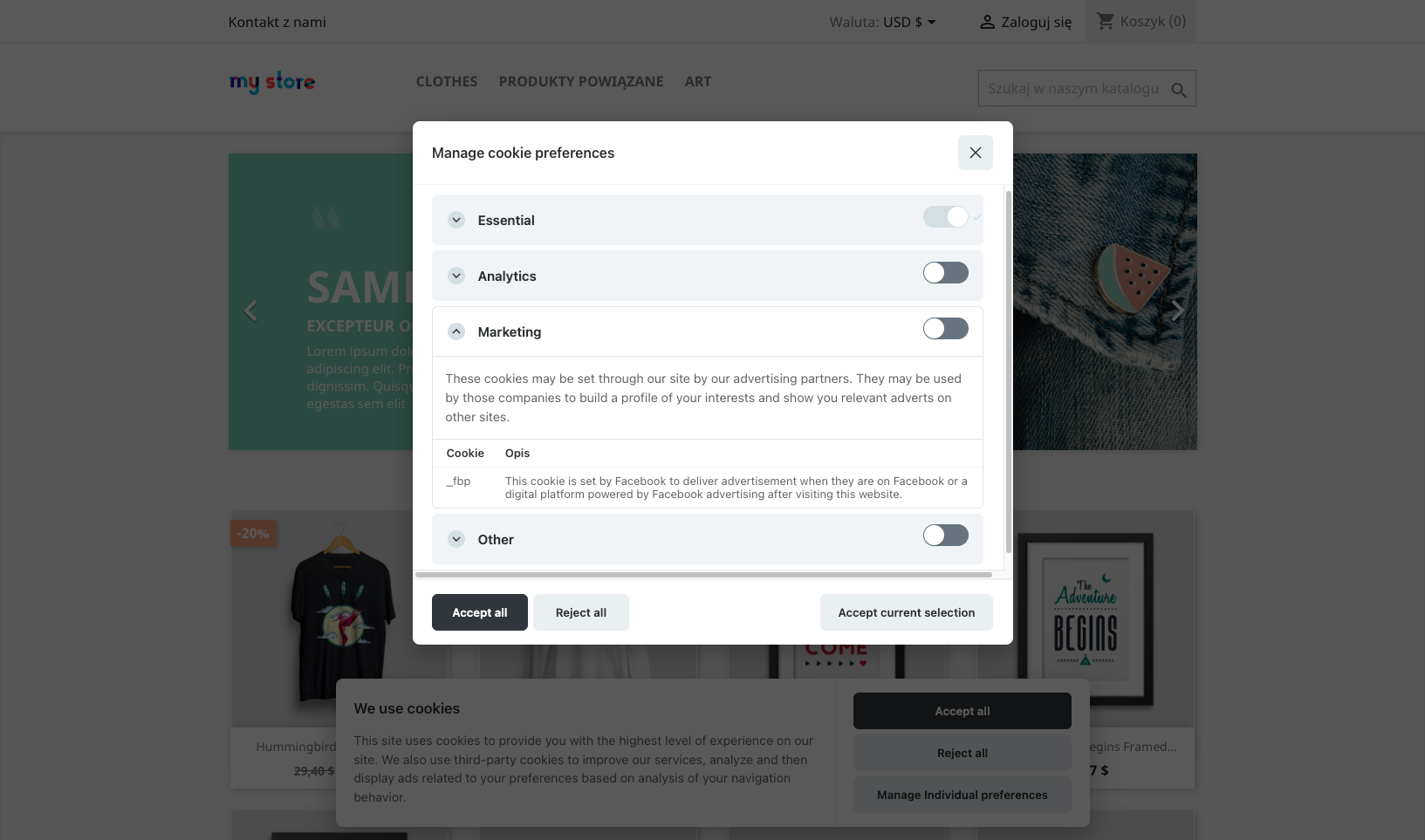
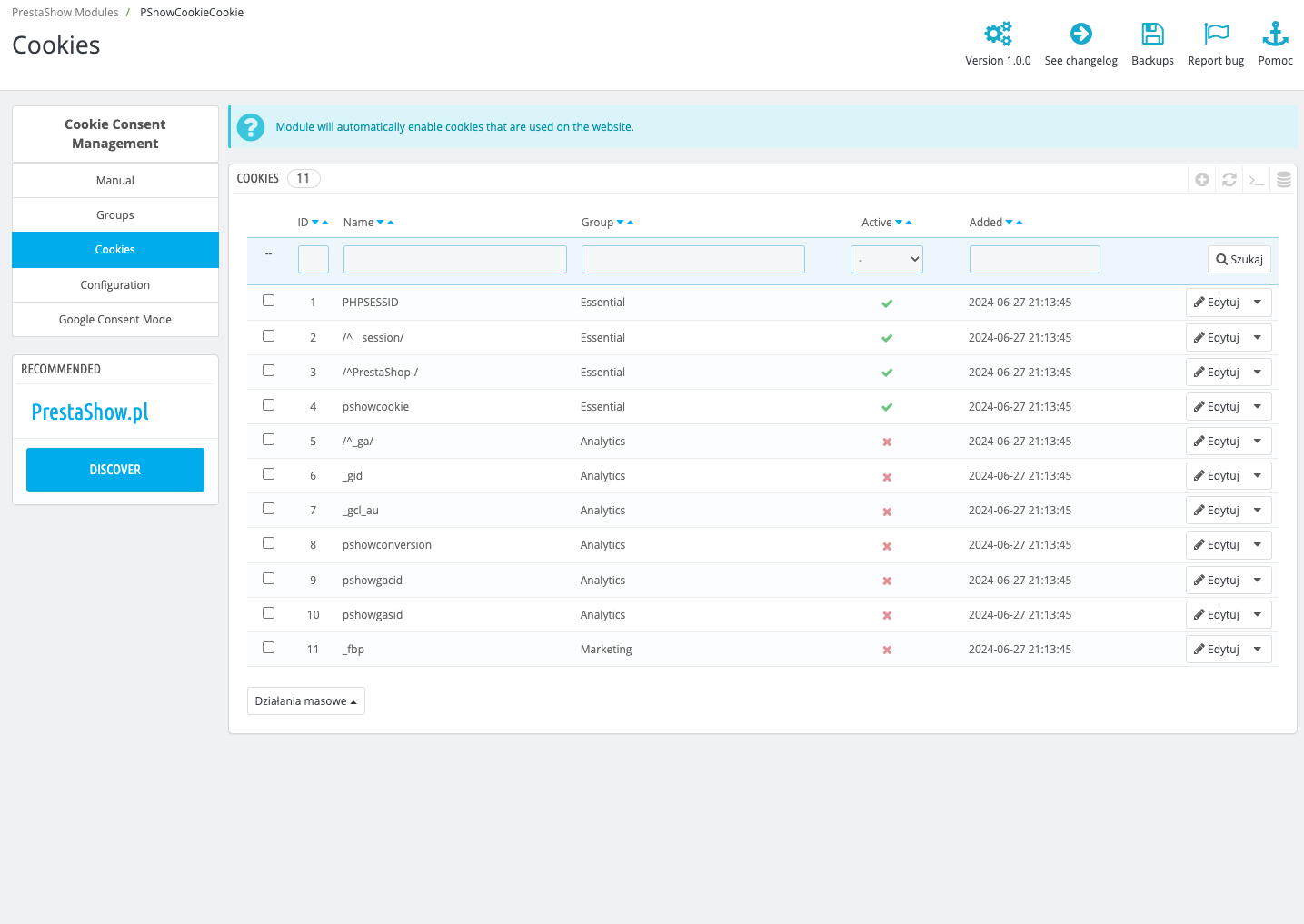
List of detected cookies
2
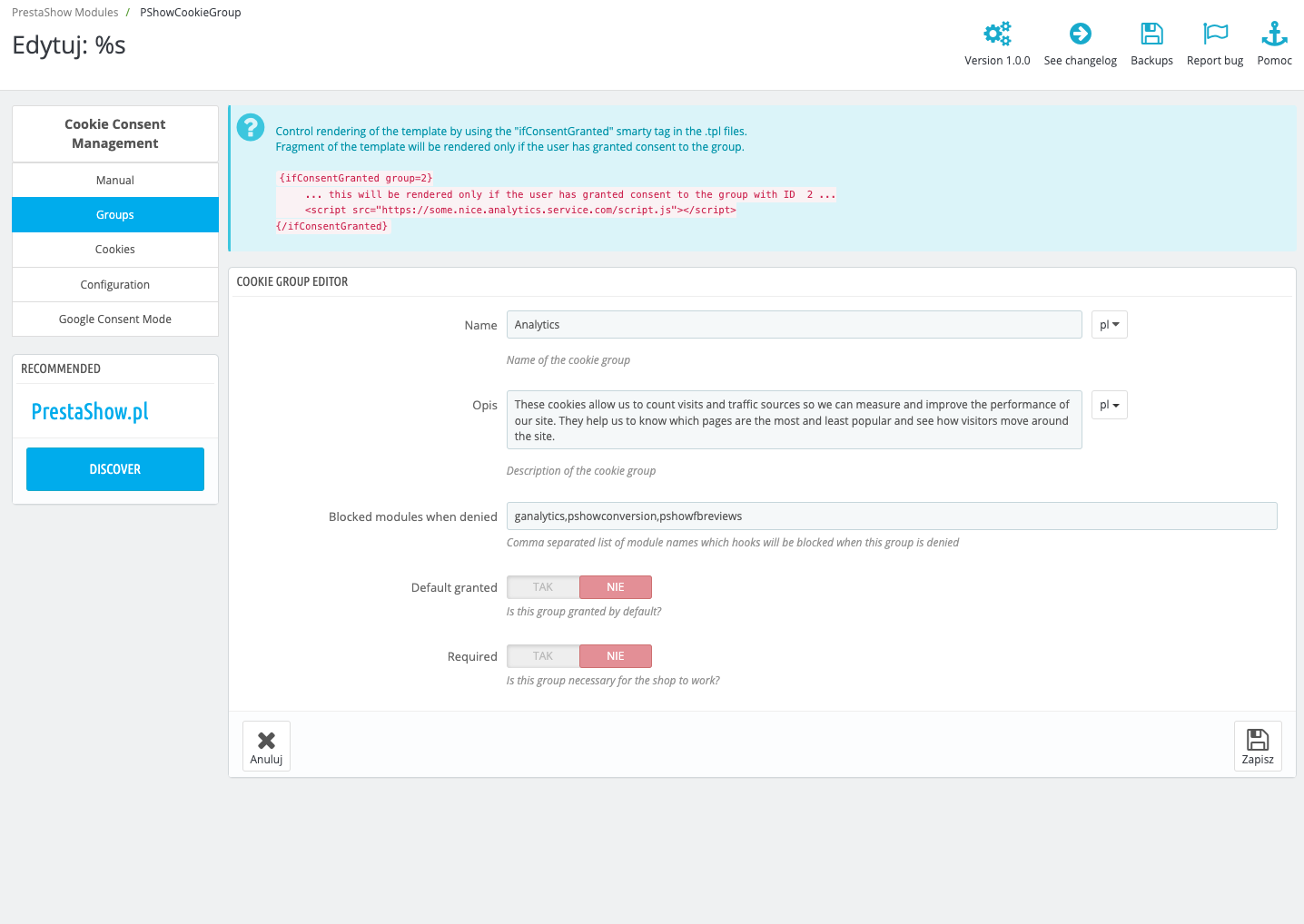
Arrange cookies in groups
3
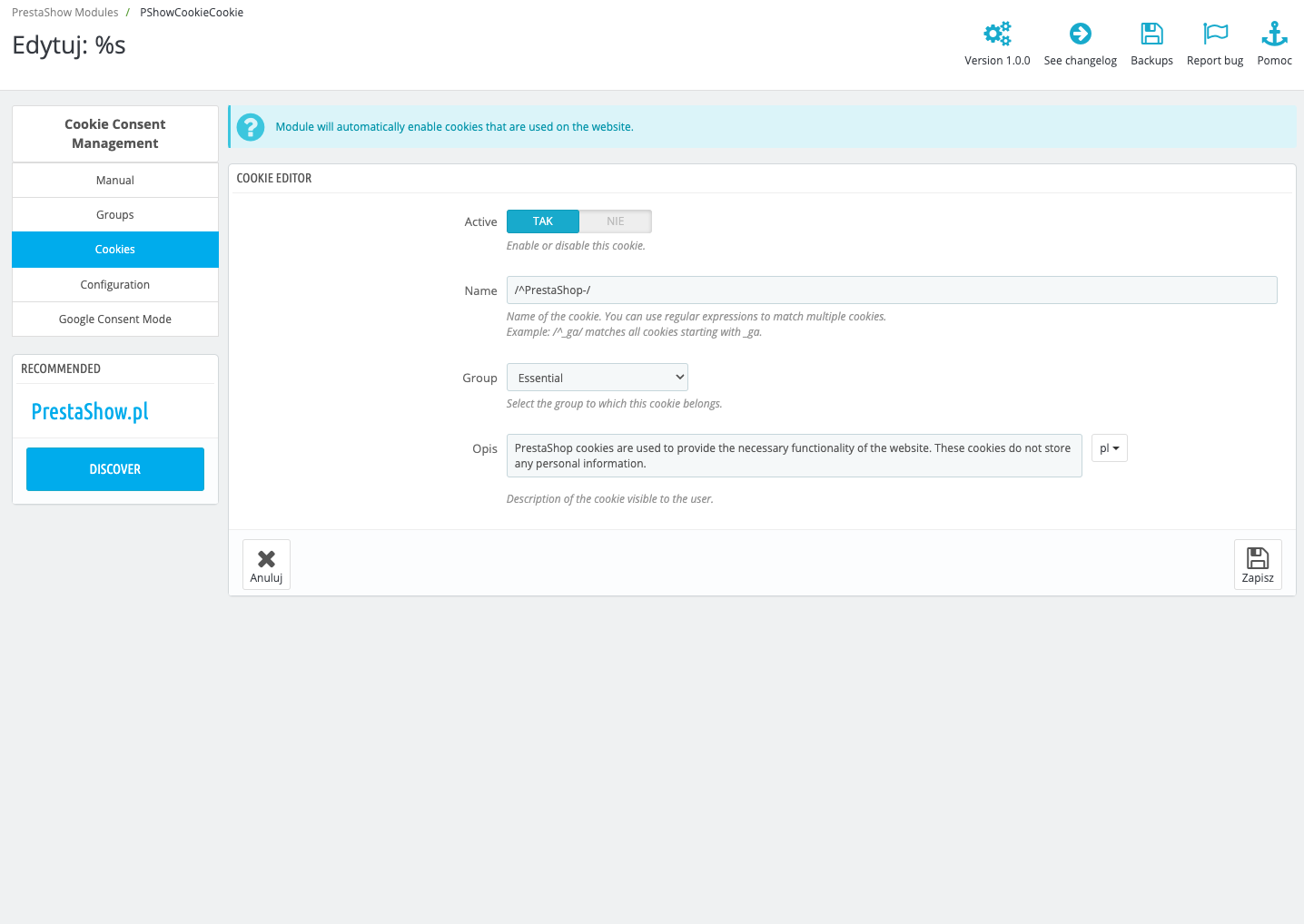
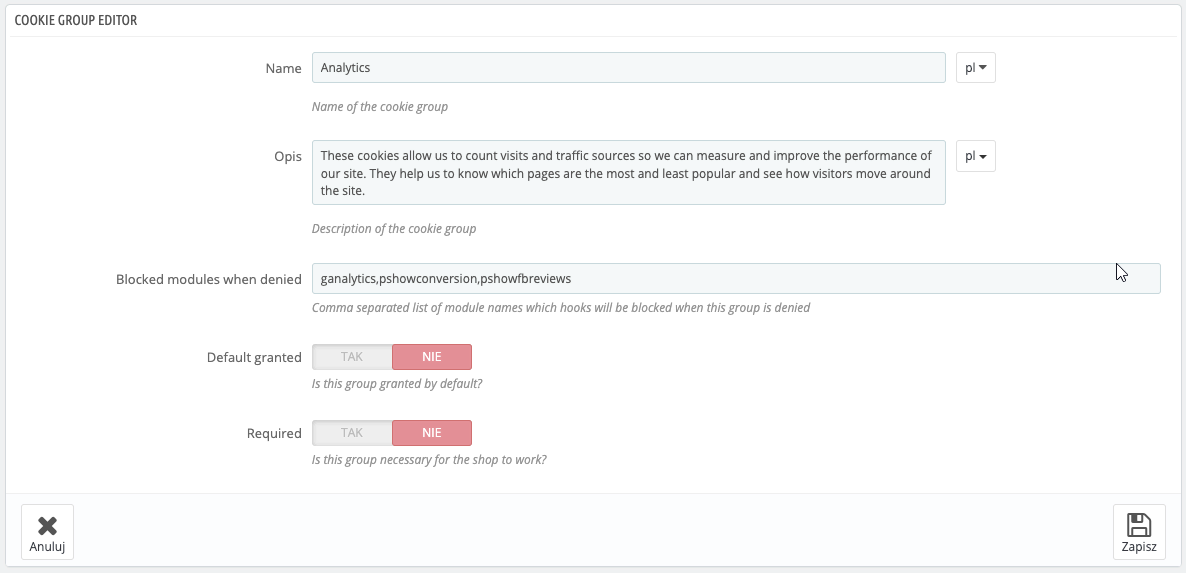
Mark essential and optional
Cookies Manager module is a Consent Management Platform for PrestaShop - it provides you with full control over cookies and allows you to manage cookie consents for your store's customers.
Automatic detection of cookies
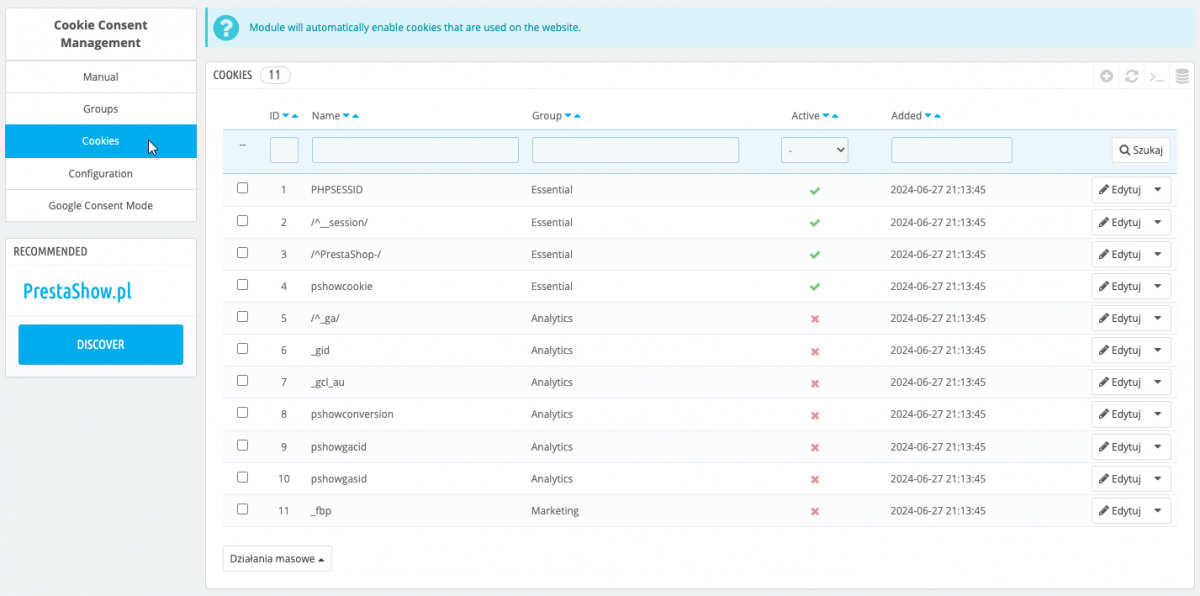
The module detects all cookies your store uses, including standard PrestaShop cookies and cookies loaded by the template, modules and integrations.
Control your cookies and sleep soundly
You can disable detected cookies - customers and integrations will not be able to use them. The module will automatically enable cookies that are necessary for the proper functioning of the store, if necessary.
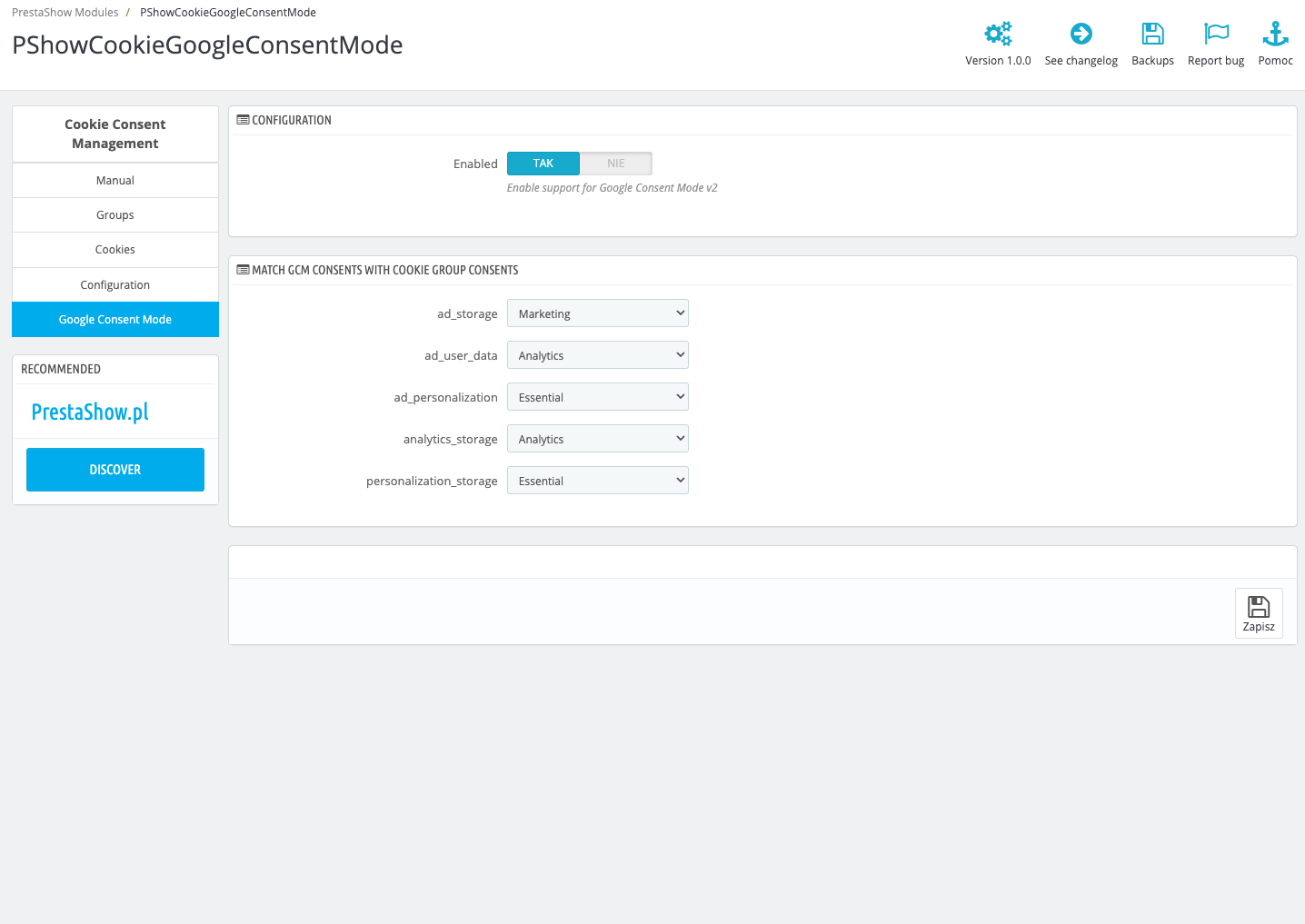
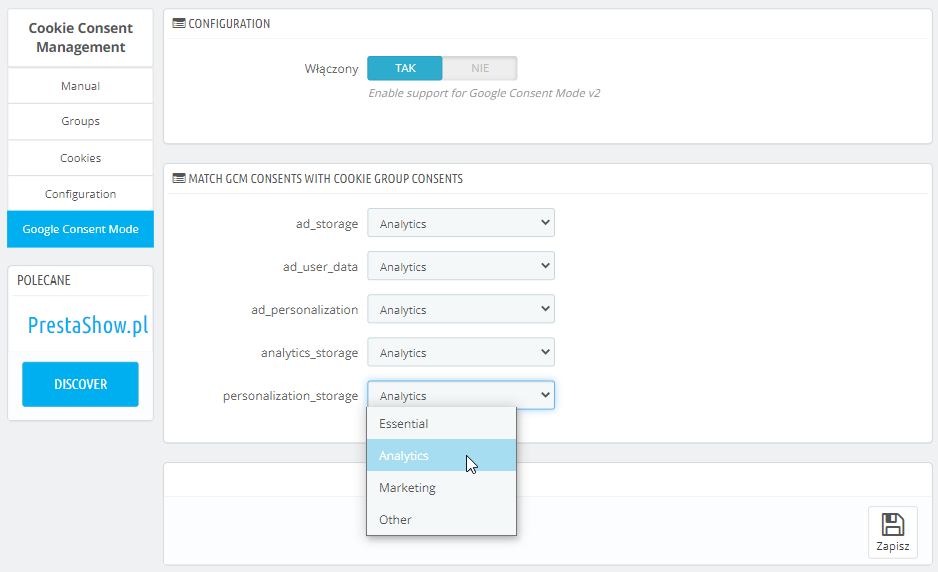
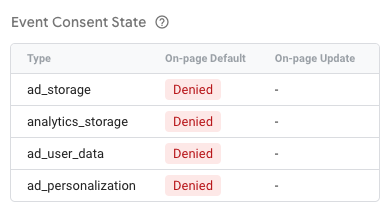
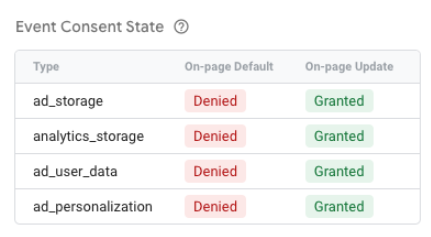
Google Consent Mode v2
The module is 100% compatible with Google Consent Mode V2 and correctly transmits customer consents to Google, so your analytics, ads and remarketing can work flawlessly.
Google Page Speed
The module has been optimized for Gogle Page Speed indicators. We optimized the loading time of the cookie prompt so that the module does not affect the speed of your store.
The module is 100% compliant with applicable European Union law:
- Poland: RODO
- Germany: DSGVO
- France: RGPD
- Spain: RGPD
- Italy: Codice Privacy
- Netherlands: AVG
- Greece: ΓΚΠΔ
- EU: GDRP

Reconfiguration button
After accepting cookies, you can enable a small "Cookies" button in the corner of the page, which, if clicked, will allow the customer to manage their cookie choices again.
Hide cookies from bots
Hide prompts from bots to prevent scraping data from module prompts for cookies. This setting improves indexing of the site by web robots.
Next revision number
If you make changes to the module settings, you can set a new revision (e.g. from r1 to r2). When you change the revision number, the module will again ask your store customers to accept cookies.
Disable interaction with the store
If this setting is enabled, browsing the store will be disabled until consents are accepted.
Block other modules
In the cookie group configuration, specify the names of modules whose execution of hooks is to be blocked if this cookie group is rejected by the customer.
Support for {Smart-Tags} in the template.
In the store template, you can use {Smart-Tags}, with which you can hide any code, depending on which cookies have been accepted by the customer. E.g. Hide the "Add to cart" button if the necessary cookies are not accepted.
100% compatible
The module is compatible with cache systems (JPresta PageCache, LitespeedCache, CloudFlare) and custom cart modules on 1 OPC site.
The module works with PrestaShop 1.6, 1.7 and 8.x.
Works with modules
Automatically detect cookies of all modules on the market.
Check out the most popular modules for analytics and advertising integrating API and DataLayer:
Need customization?
Send us a request for a customized audit and implementation of the cookie policy in your PrestaShop store.
Changelog (v1.2)
## v1.2.6 - 2026-09-15
#### Fixed
* Consent log endpoint code is now encoded together with the rest of the module instead of being shipped as plain PHP
## v1.2.5 - 2026-08-25
#### Added
* Server-side consent proof log: every accept/reject decision is stored with a UUID, timestamp, the accepted cookie categories and the cookie list version that was shown
* Configurable retention period for the consent log, with automatic deletion of expired entries
* Consent log entries are anonymized instead of deleted when the related customer account is removed
* Consent log integrity check: the module configuration reports whether the stored entries still match their signatures, and the same check can be run for every shop from the cron endpoint
* A detected gap in the consent log can be acknowledged from the module configuration; the acknowledgement is kept on record in the module's var/ directory
### v1.2.4 - 2026-07-30
#### Fixed
* Consent Mode default state is no longer moved to the end of the page when the shop has PrestaShop's "Move JavaScript to the end" option enabled — previously the defaults were emitted after Google Tag Manager and the analytics tags had already loaded, so they did not apply to them
## v1.2.3 - 2026-07-13
#### Fixed
* GCM consent signals now include functionality_storage and security_storage
## v1.2.2 - 2026-07-09
#### Fixed
* GCM consent-mapping dropdowns showing empty options in non-default multistore shop context
### v1.2.1 - 2026-06-01
#### Fixed
* fix for missing cookie modal bug
### v1.2.0 - 2026-04-24
#### Fixed
* Google Consent Mode not updated on first banner interaction when page reload is disabled
### v1.1.9 - 2026-03-03
#### Fixed
* Optimized module performance
### v1.1.8 - 2025-09-16
#### Added
* Rich Text Editor to modal content
### v1.1.7 - 2025-09-03
#### Fixed
* Fixed conflict with other scripts in the shop - Uncaught SyntaxError: redeclaration of const t
### v1.1.6 - 2025-08-04
#### Fixed
* The compatibility problem with Prestashop 8.1
### v1.1.5 - 2024-12-03
#### Fixed
* The problem with save group
### v1.1.3 - 2024-10-05
#### Fixed
* Module blocking
### v1.1.1 - 2024-09-07
#### Fixed
* Database indexes
### v1.1.0 - 2024-07-04
#### Added
* Polish translations
* Deutch translations
### v1.0.7 - 2024-07-04
#### Fixed
* Module installation
### v1.0.6 - 2024-07-03
#### Fixed
* Do not collect cookies on back-office
### v1.0.5 - 2024-07-01
#### Fixed
* Module installation: missing table column
### v1.0.4 - 2024-06-28
#### Added
* Use cookie group reference instead of id to avoid conflicts and make it easier to manage
#### Fixed
* Cookie regex checking
### v1.0.3 - 2024-06-27
#### Added
* Google Consent Mode v2 support
* Automatically activate cookie if used
* Block modules when cookie group has not been granted
* Automatically add new cookies when used
* Consent revision
* Reload page on consent changes
* Consent modal multiple layout options and positions
* Hide modals from bots
#### Fixed
* Consent log endpoint code is now encoded together with the rest of the module instead of being shipped as plain PHP
## v1.2.5 - 2026-08-25
#### Added
* Server-side consent proof log: every accept/reject decision is stored with a UUID, timestamp, the accepted cookie categories and the cookie list version that was shown
* Configurable retention period for the consent log, with automatic deletion of expired entries
* Consent log entries are anonymized instead of deleted when the related customer account is removed
* Consent log integrity check: the module configuration reports whether the stored entries still match their signatures, and the same check can be run for every shop from the cron endpoint
* A detected gap in the consent log can be acknowledged from the module configuration; the acknowledgement is kept on record in the module's var/ directory
### v1.2.4 - 2026-07-30
#### Fixed
* Consent Mode default state is no longer moved to the end of the page when the shop has PrestaShop's "Move JavaScript to the end" option enabled — previously the defaults were emitted after Google Tag Manager and the analytics tags had already loaded, so they did not apply to them
## v1.2.3 - 2026-07-13
#### Fixed
* GCM consent signals now include functionality_storage and security_storage
## v1.2.2 - 2026-07-09
#### Fixed
* GCM consent-mapping dropdowns showing empty options in non-default multistore shop context
### v1.2.1 - 2026-06-01
#### Fixed
* fix for missing cookie modal bug
### v1.2.0 - 2026-04-24
#### Fixed
* Google Consent Mode not updated on first banner interaction when page reload is disabled
### v1.1.9 - 2026-03-03
#### Fixed
* Optimized module performance
### v1.1.8 - 2025-09-16
#### Added
* Rich Text Editor to modal content
### v1.1.7 - 2025-09-03
#### Fixed
* Fixed conflict with other scripts in the shop - Uncaught SyntaxError: redeclaration of const t
### v1.1.6 - 2025-08-04
#### Fixed
* The compatibility problem with Prestashop 8.1
### v1.1.5 - 2024-12-03
#### Fixed
* The problem with save group
### v1.1.3 - 2024-10-05
#### Fixed
* Module blocking
### v1.1.1 - 2024-09-07
#### Fixed
* Database indexes
### v1.1.0 - 2024-07-04
#### Added
* Polish translations
* Deutch translations
### v1.0.7 - 2024-07-04
#### Fixed
* Module installation
### v1.0.6 - 2024-07-03
#### Fixed
* Do not collect cookies on back-office
### v1.0.5 - 2024-07-01
#### Fixed
* Module installation: missing table column
### v1.0.4 - 2024-06-28
#### Added
* Use cookie group reference instead of id to avoid conflicts and make it easier to manage
#### Fixed
* Cookie regex checking
### v1.0.3 - 2024-06-27
#### Added
* Google Consent Mode v2 support
* Automatically activate cookie if used
* Block modules when cookie group has not been granted
* Automatically add new cookies when used
* Consent revision
* Reload page on consent changes
* Consent modal multiple layout options and positions
* Hide modals from bots
Komentarze ()
The reviews posted on our store are not sponsored in any way. We also verify that they were added by customers who have purchased from us or guests. If you want to learn more about this topic please read our Regulations.
Tomek, tak moduł działa z każdą wersją PrestaShop 9.x
Czy moduł działa z wersją Presta 9.0?
Staszek, tak - w formie sygnału Google Consent Mode v2 przez gtag, a nie jako własne, nazwane zdarzenie dataLayer.push.event
Czy po akceptacji zgód Cookie Banner wysyła jakąś informację o tym zdarzeniu do GTM, a dokładnie do dataLayer?
Rewelacyjny moduł, wykrywa ciastka, działa bez problemów. POLECAM
Jarosław, tak moduł działa z litespeed 👍🏼
Czy moduł działa z cache litespeed?
Installation and configuration in 10 minutes. Cookies blocking and unblocking working good - in the same way that our previous subscription monthly payment service... Thanks for this module!
Awesome module - just working. Thanks.
Instalacja bez problemów. Wykrył wszystkie ciastka, w tym natywnie, z modułów innych firm oraz afiljacji. CM działa, blokowanie też. Polecam.
Technical requirements
Technical Requirements
- PHP 7.1 - 8.x
- Server extension ionCube Loader
- PrestaShop Importer only: PHP libxml version > 2.9.3
- PrestaShop Facebook Integrator only: PHP 7.2 or higher
- PrestaShop VAT Validator only: PHP SOAP
Support & Updates
Support = Updates + HelpDesk
You get 90 days (3 months) access to the complete PrestaShow support package.
Module updates
Modules will inform you about available updates. Read the changelog and perform a 1-click module update directly from your store.
HelpDesk panel
This is the panel where we will provide you with help. On HelpDesk you can report problems, order free module installation and updates, and order modifications and custom programming work.
Extend support
After support expires, you can use the module without any restrictions. You can extend your support access at any time you need it.
Knowledge Base & FAQ
Free forever
The knowledge base is available to everyone. You will find module documentation as well as instructions, videos and answers to frequently asked questions.
License
Lifetime license for the module
- You can use the module without limitation in 1 store = 1 domain.
- You can use an additional domain, e.g. for developer copy.
- For a small fee you can change the domain for the module yourself.
Additional domains for Multistore
- All our modules support PrestaShop Multistore.
- Supporting unlimited domains for PrestaShop Multistore requires purchasing multistore support for the module.
Modifying the code
- The module code related to the integration with the store and the design (.tpl, .css, .js) has open source code and you can modify it freely.
- The module's source code (.php) is encrypted with ionCube, and modifying it will void the warranty.
No entries yet.