Atención al cliente y empaquetado de pedidos en tu móvil: descubre la app PrestaShop Pocket 📦








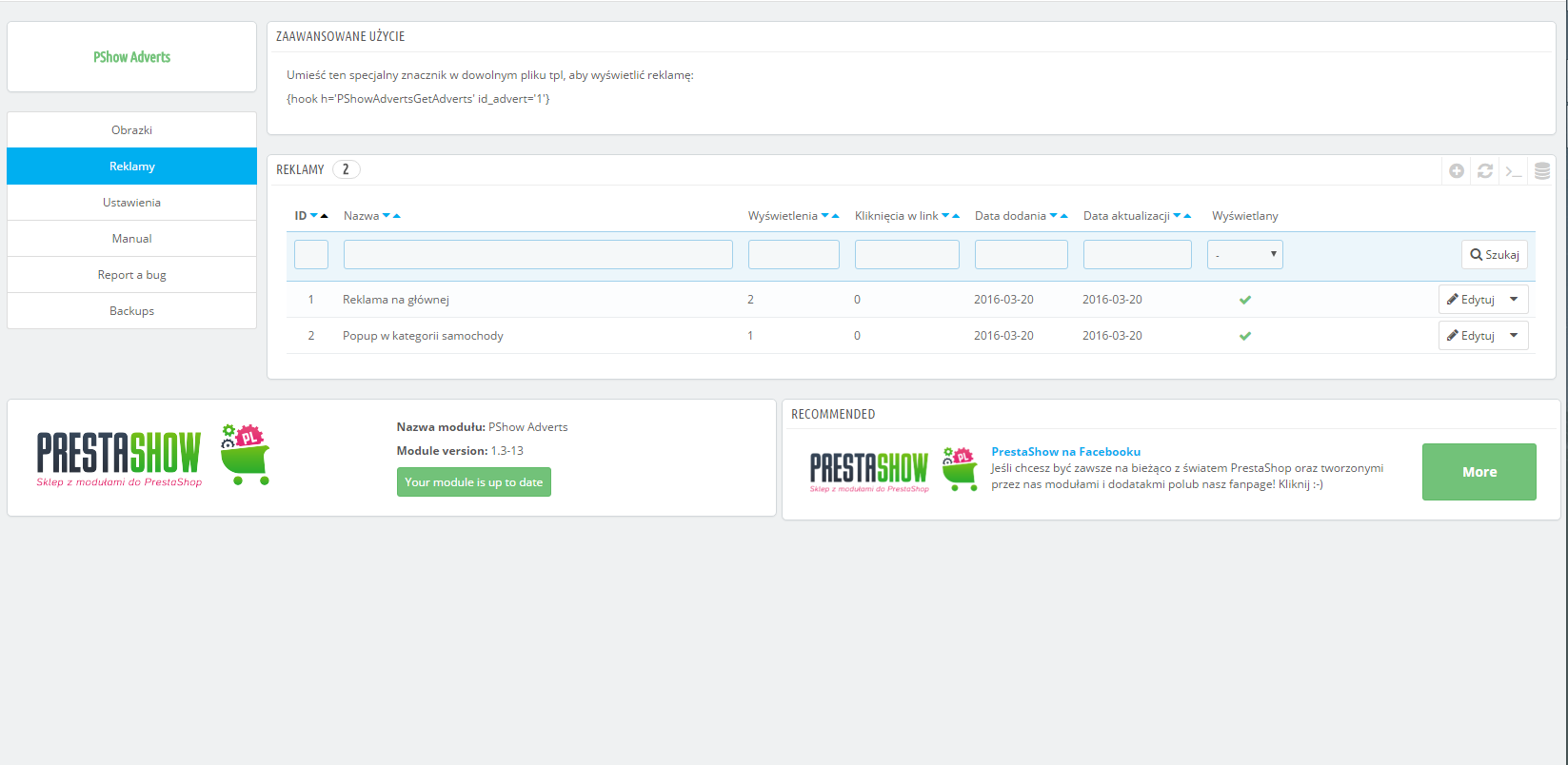
- Módulo para banners y POP-UPs en PrestaShop
- Amplia gama de formatos de banners
- Banner único
- Deslizador desplazable
- Rejilla de banners
- Banner POP-UP
- Banners interactivos - Escenas de productos
- El módulo optimiza los gráficos
- Coloque en cualquier lugar de su tienda
- Gestor de gráficos e imágenes
- Creador visual de banners
- Funciones adicionales de serie

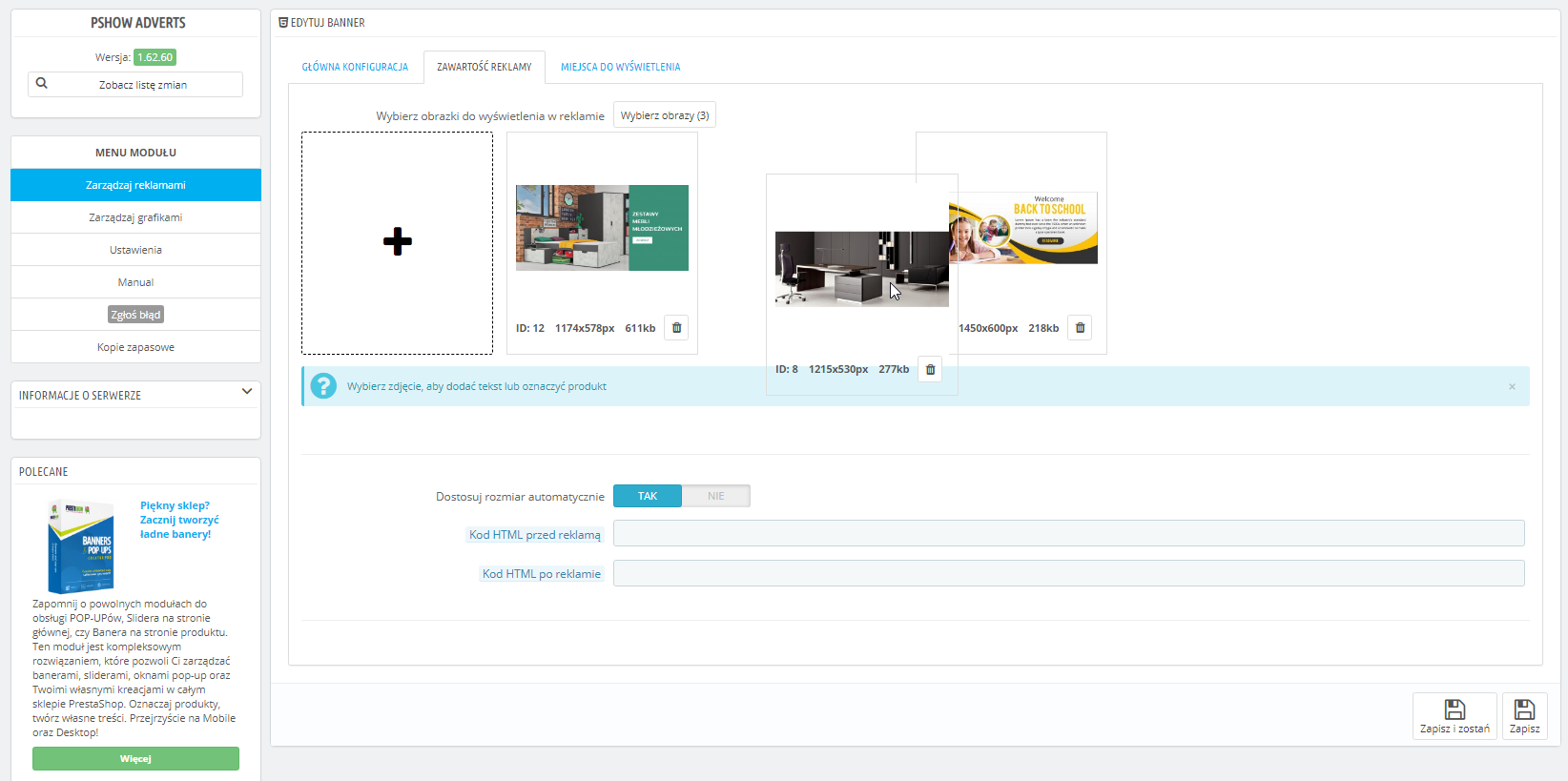
Descripción detallada
Crea formatos de banners interactivos y gestiona toda la comunicación visual de tu tienda PrestaShop con un solo módulo.
- Creador de banners responsive, sliders, ventanas POP-UP, escenas de productos y muchos otros formatos publicitarios.
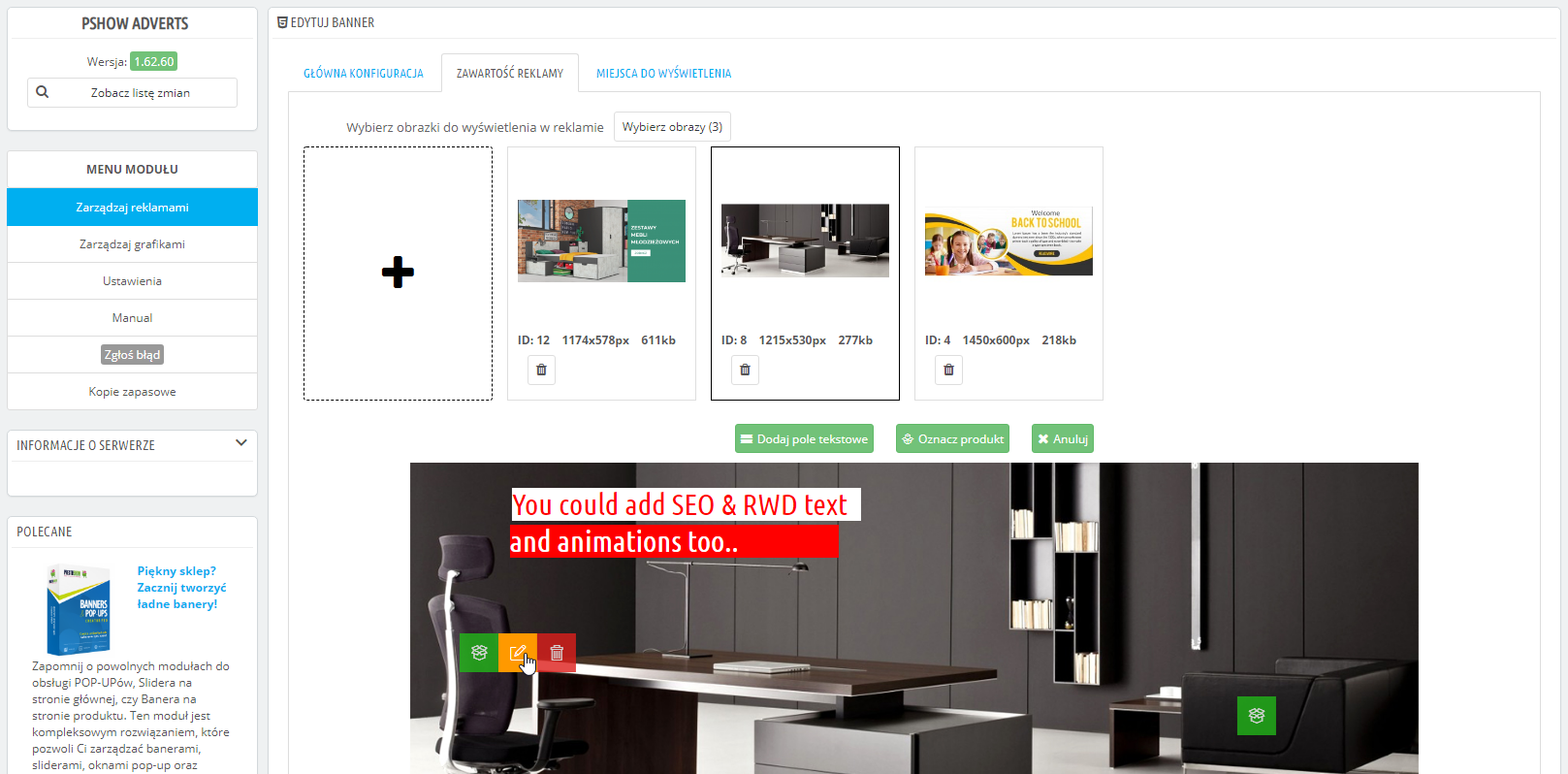
- Etiqueta los productos en los banners y añade tu propio contenido SEO.
- Colóquelos en cualquier lugar de su tienda y mida las estadísticas de visitas y clics.


Configuración de módulos
Una amplia selección de formatos para satisfacer sus necesidades de inbound marketing y comunicación con el cliente.
- Información de entrega
- Promociones de venta
- Promociones de venta cruzada
- Promoción de productos o categorías
- Redes sociales
- Vacaciones
- Vacaciones
- y mucho más...
Banner único
- Un gráfico fijo o aleatorio.
- Puede ser interactivo: con productos etiquetados o contenido en el que se puede hacer clic.
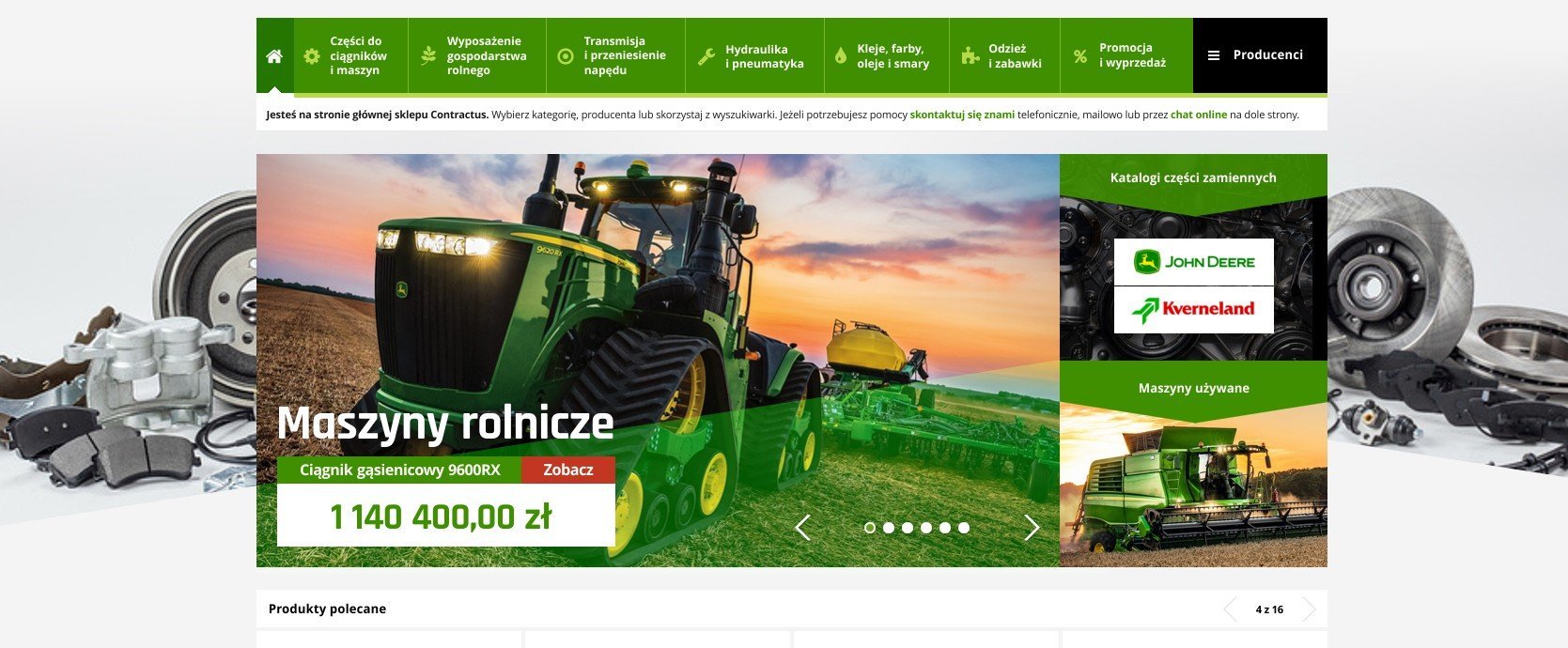
- Colóquelo donde quiera: en la columna de la izquierda, en la cuadrícula de productos, en el carrito de la compra o en cualquier otro lugar de la tienda.

Deslizador desplazable
- Rotador de múltiples banners. Configura el tipo de paginación y navegación, autodeslizamiento e interacción táctil.
- En los gráficos, puedes etiquetar productos y añadir tu propio contenido.
- Debajo del deslizador, puede mostrar los nombres de otras diapositivas
- y mucho más...
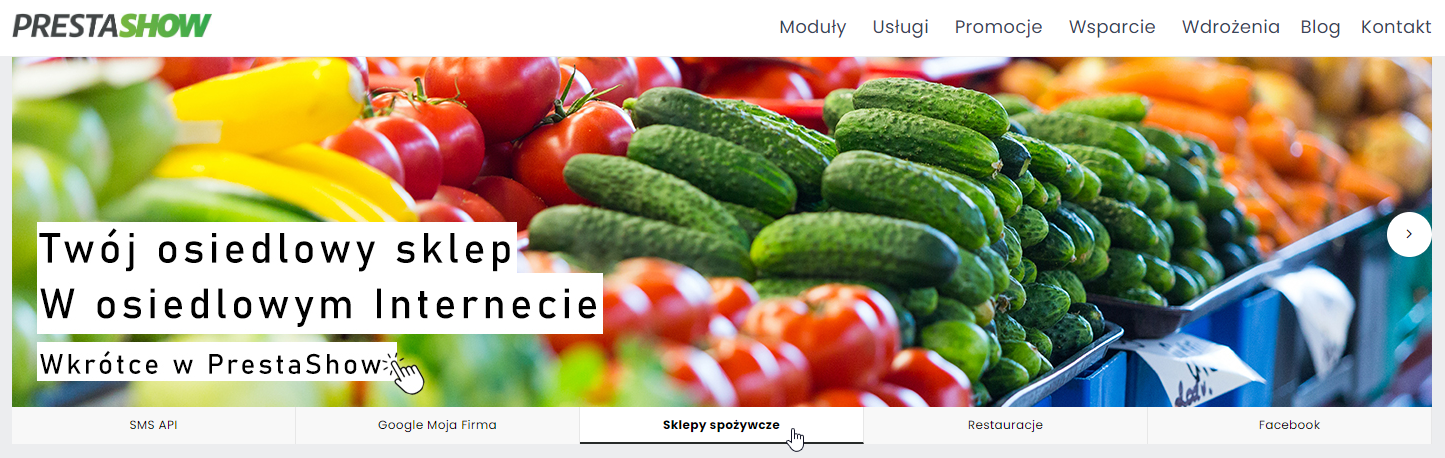
Rejilla de banners
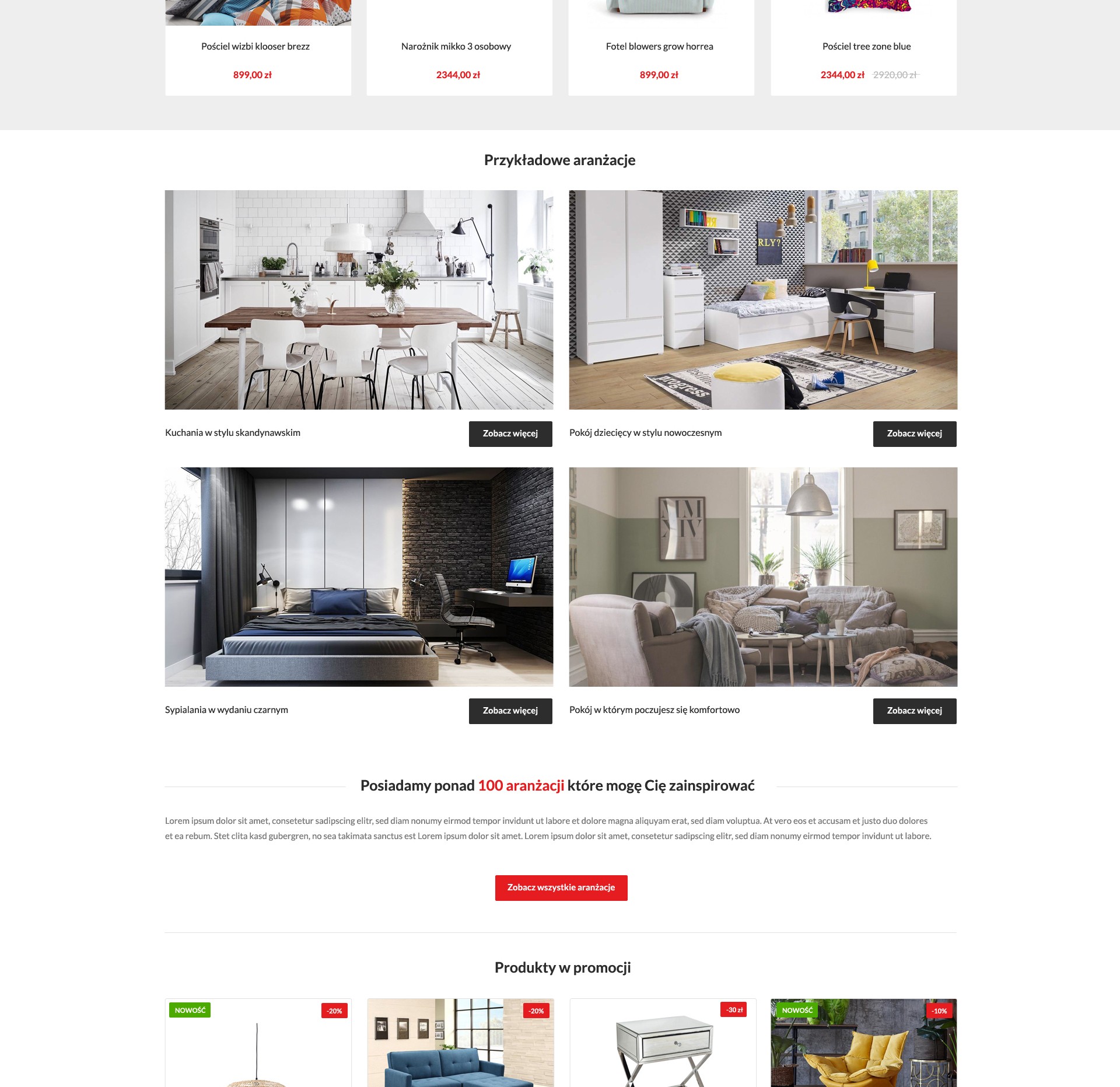
- Cree su propia parrilla de banners, por ejemplo, 2x2, 4x3, etc.
- Una rejilla de banners puede estar formada por otros banners y sliders que hayas creado.
- Puede enlazar cada banner a una página diferente de su tienda.

Banner POP-UP
- Cree mensajes y anuncios en cajas POP-UP y muéstrelos en cualquier página de su tienda.

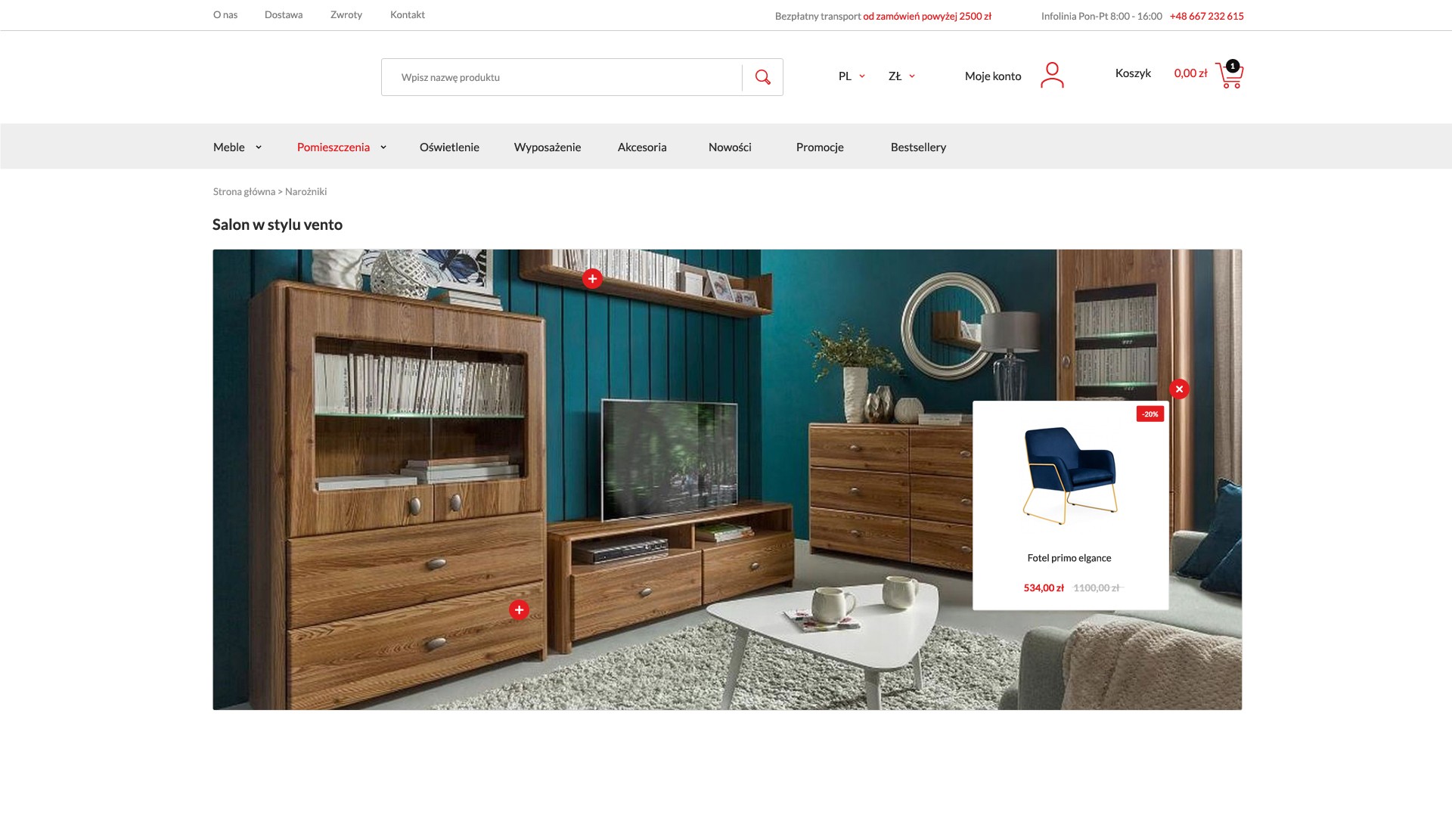
La Escena de producto es una nueva forma de interactuar con los clientes: da vida a la oferta y facilita la selección.
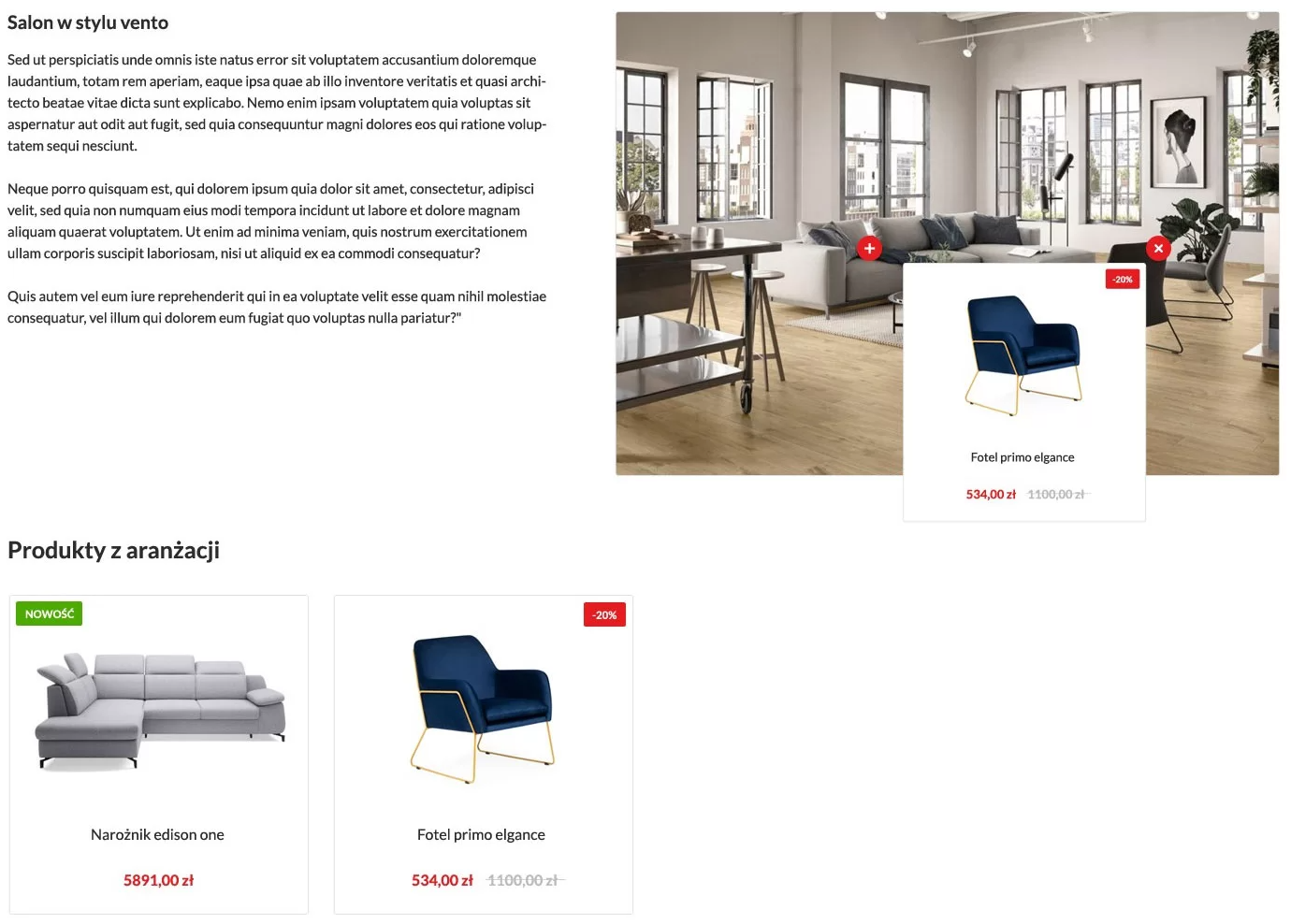
PrestaShop - Escena del producto
Product Scene es un banner con productos etiquetados de su tienda. Un cliente que hace clic en un producto etiquetado en el banner puede comprobar el nombre, el precio, la disponibilidad e ir a la página del producto.
- Puede colocar banners con productos etiquetados en cualquier lugar de su tienda, como en la página de inicio, en la cabecera de la categoría, en la descripción del producto o en las entradas del blog en nuestro módulo PrestaShop SEO Blog.
- Debajo de la Escena del producto, puede mostrar una lista de productos etiquetados. Los cuadros de productos tendrán el mismo aspecto que la lista de productos de su tienda.
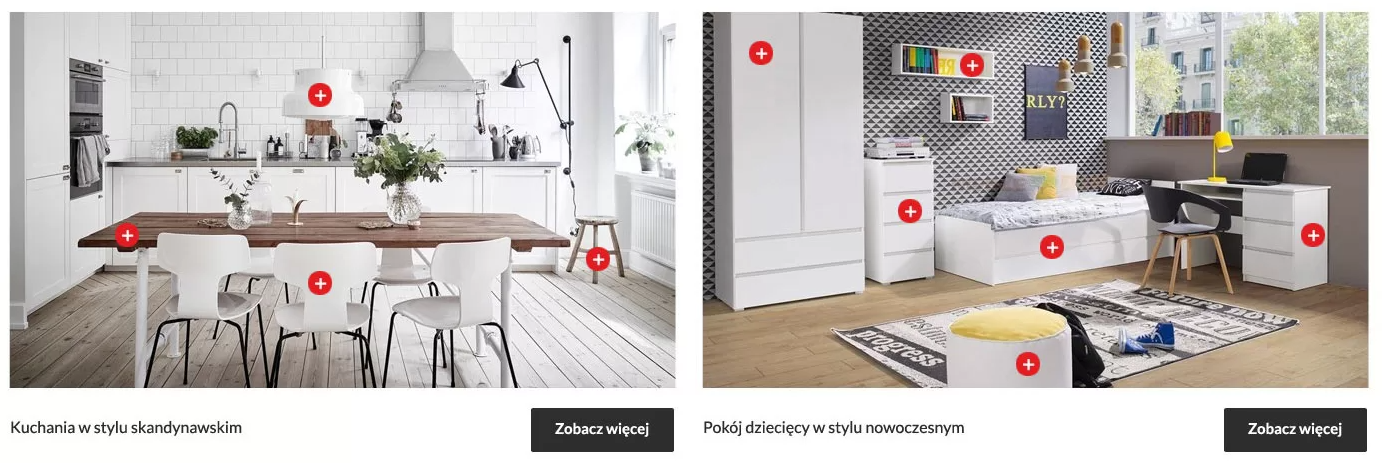
PrestaShop LookBook - banners con productos etiquetados
Si activa la función "LookBook", el módulo creará una subpágina con una URL amigable en su tienda.
- Se creará automáticamente un álbum con todas las Escenas de producto que haya creado en el módulo.
- Tras entrar en la Escena de producto seleccionada, el cliente irá a una subpágina con los detalles de la Escena de producto
El módulo ha sido optimizado. Los banners creados en el módulo son ligeros, están óptimamente comprimidos y son compatibles con los motores de búsqueda.
El módulo funciona conjuntamente con Images Optimizer - WebP y LazyLoad.

Asistente de colocación automática
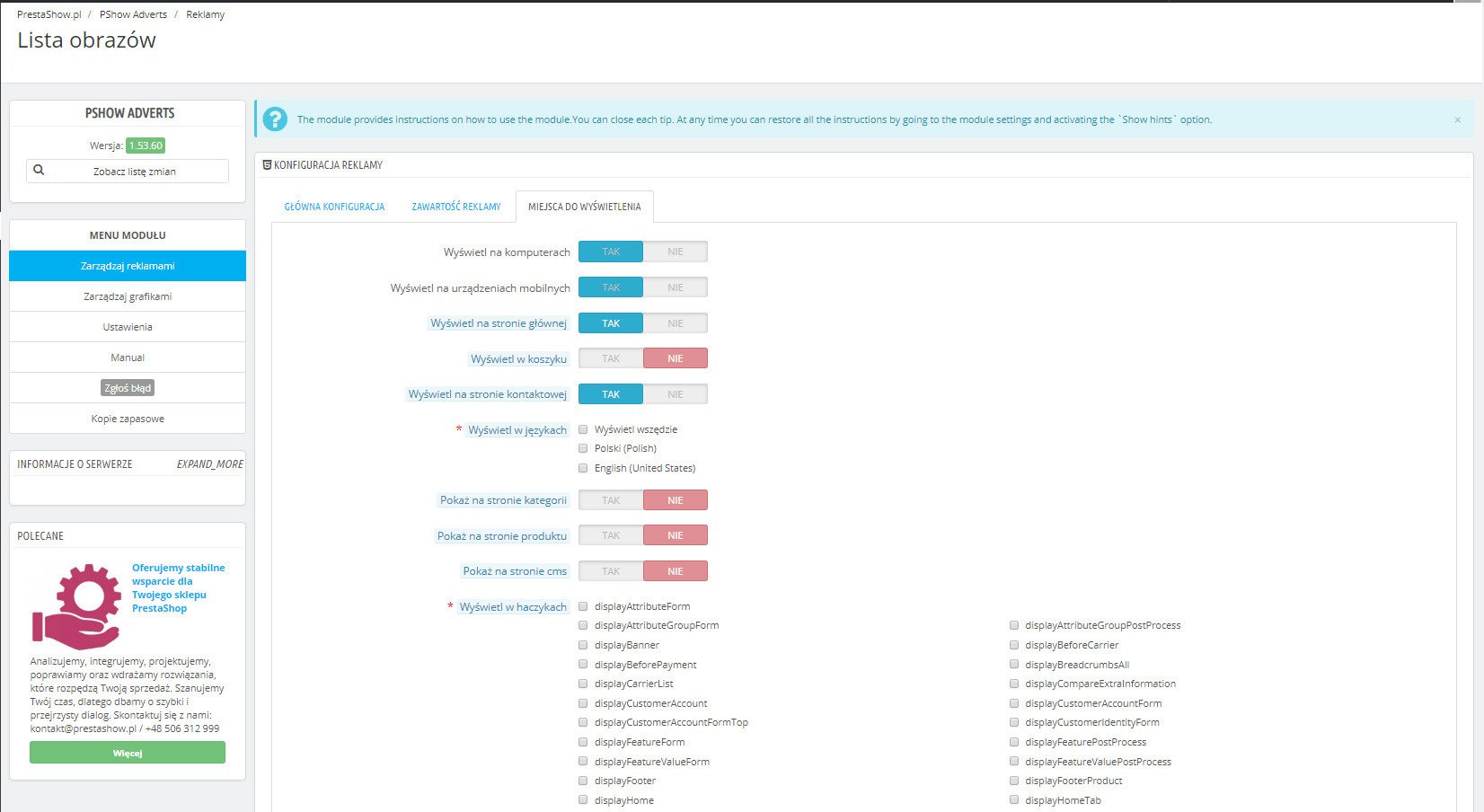
Seleccione la página y el gancho donde desea mostrar el banner:
- En la página de inicio
- En la cesta de la compra
- En la página de contacto
- En el contenido de las páginas CMS
- En las descripciones de productos y categorías
- En el sitio web del fabricante
Colocar manualmente
Cada banner recibe un {Smart-Tag}, que puede pegar
- En los archivos .tpl de la plantilla
- En el contenido de sus páginas CMS
- En las entradas de blog del módulo Prestashop SEO Blog
- En las descripciones de productos y categorías
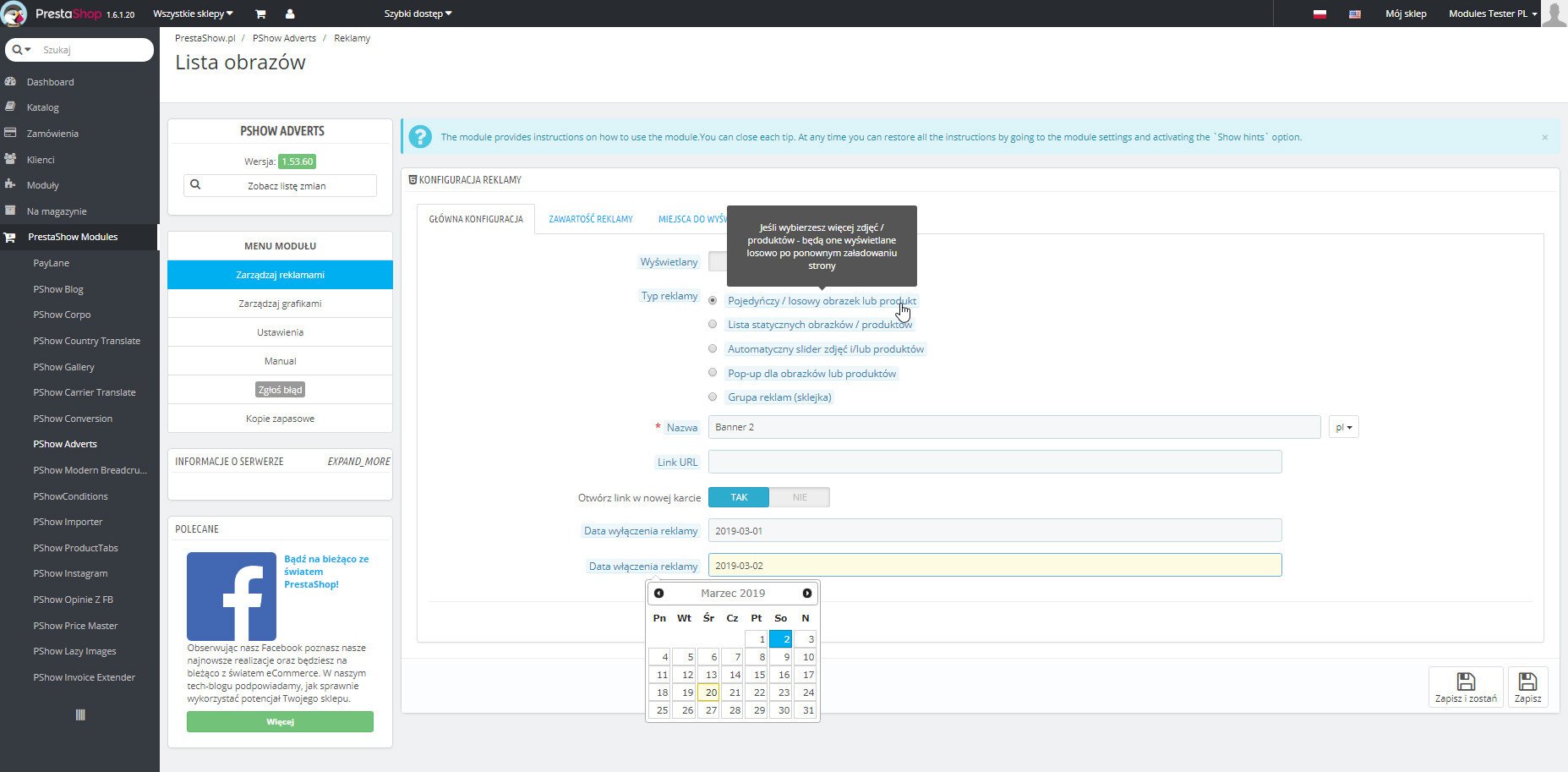
Para cada banner puede establecer:
- Tamaño
- Fechas de activación y desactivación
- Enlace
- Selección de páginas y ubicaciones de visualización
- Etiquetado de productos
- Superposición de contenido
Puede especificar que sólo se muestre el banner:
- En ordenadores
- En dispositivos móviles
- En los idiomas seleccionados

El módulo dispone de un práctico gestor de gráficos e imágenes integrado que puede utilizar para crear todos los formatos publicitarios compatibles con el módulo.
Carga gráficos desde el disco o mediante arrastrar y soltar.
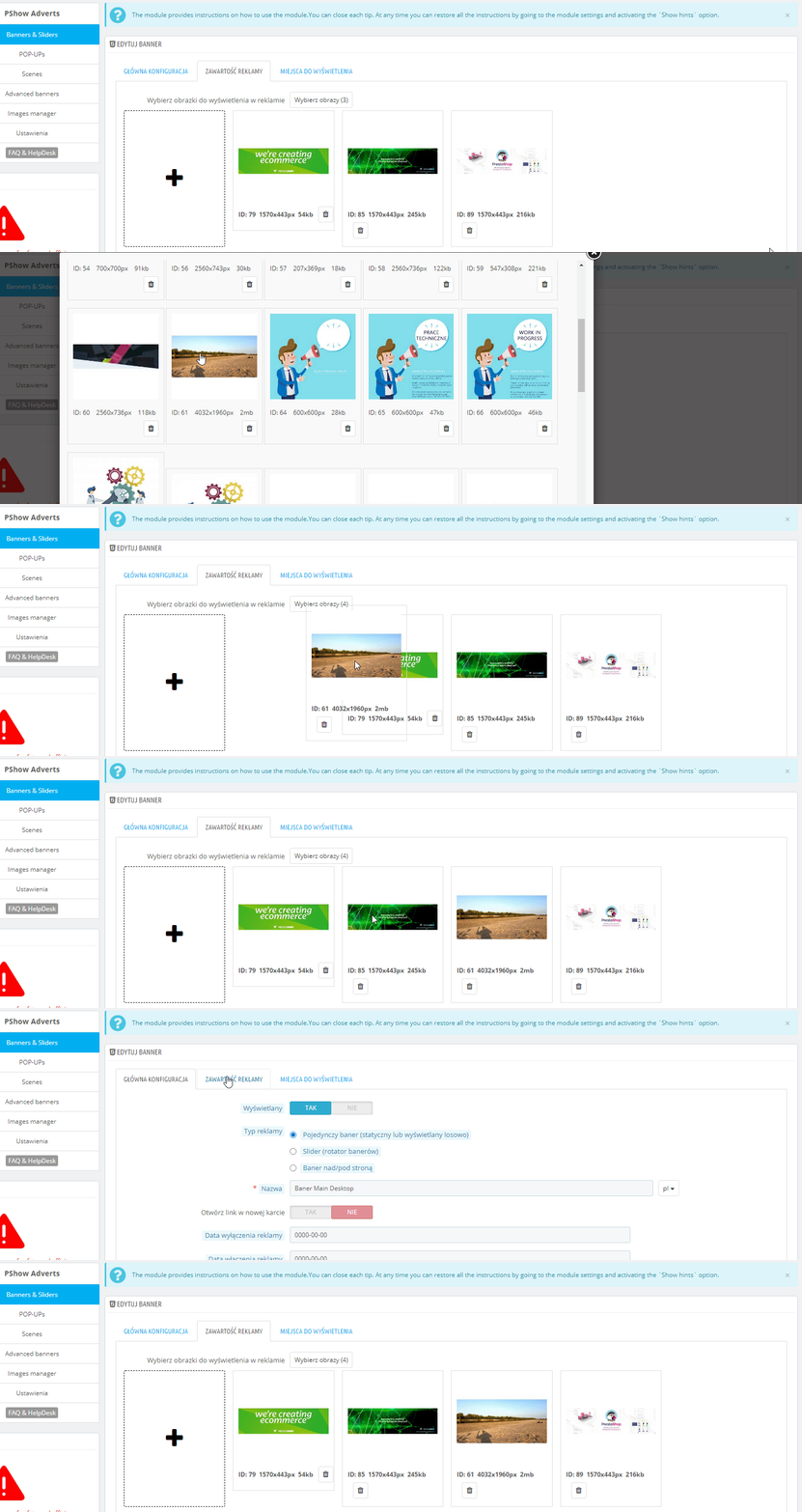
Los banners son el lugar perfecto para insertar su contenido, incluso en etiquetas H3 o H2.
Puede añadir su propio contenido para cada banner utilizando el editor WYSWIG. Sus banners atraerán la atención, generarán clics y aumentarán el valor SEO de su tienda.
Banners para móvil y escritorio
Puedes indicar en qué dispositivos quieres mostrar la creatividad que estás creando. El módulo detecta de qué dispositivo procede el visitante y muestra el banner adecuado.
Totalmente adaptable
El banner que crea se adapta al tamaño de la pantalla. Para obtener resultados óptimos, puede crear creatividades independientes para móvil y escritorio.
Estadísticas de clics y visualización
En la lista de banners, encontrará estadísticas de visualización y de clics: compruebe qué creatividades generan compromiso en el cliente.
Internacional
Puede traducir sus banners a todos los idiomas habilitados en su tienda. Puede crear banners y ventanas POP-UP sólo para los idiomas seleccionados o mostrarlos sólo en los países seleccionados.
Clases y estilos individuales
Cada banner que cree tendrá su propia clase CSS para que pueda personalizarlo visualmente o con JavaScript, por ejemplo, class="fixed_advert_ID" (.fixed_advert_13).
Combinar promociones de banners y productos
Para obtener resultados óptimos, combine promociones de banners con promociones de productos. Con la ayuda del módulo Manger Upsell & Cross-sell puede implementar cualquier idea de promoción de venta adicional y venta cruzada : promociones en áreas clave de la tienda.

Changelog (v1.74)
MODULE CHANGELOG
========
## v1.74.17 - 2026-09-05
### Fixed
- Banner images were sometimes switched off when saving an advert, making the banner disappear from the page
## v1.74.16 - 2026-03-09
### Fixed
- The problem with close the popup
## v1.74.15 - 2025-07-07
### Fixed
- The problem with table prefix in database queries
## v1.74.14 - 2024-10-22
### Fixed
- The compatibility problem with prestashop 8.1
## v1.74.13 - 2024-10-21
### Fixed
- The problem with product search url
## v1.74.12 - 2024-10-19
### Fixed
- The problem with display text fields and products
## v1.74.11 - 2024-10-18
### Fixed
- The problem with module update
## v1.74.10 - 2024-10-17
### Fixed
- The problem with pointers of products in scenes
## v1.74.9 - 2024-10-15
### Fixed
- The problem with product search in prestashop 8+
## v1.74.8 - 2024-09-27
### Fixed
- The problem with add photos
## v1.74.6 - 2024-01-20
### Fixed
- The problem with configuration and display of popups
## v1.74.5 - 2024-01-16
### Fixed
- Changed max-width and padding of the configuration fieldset wrapper in order to get rid of empty spaces around the wrapper
- The problem with save images in the slider
- The problem with save the url for the image in the banner
- The problem with the switch buttons in the popup for add an element to a column in the advanced banner
- The problem with module settings in debug mode
## v1.74.4 - 2023-04-17
### Fixed
- The problem with displaying popups
## v1.74.3 - 2023-03-02
### Fixed
- The problem with displaying scenes using hook in tpl file
## v1.74.2 - 2023-02-28
### Fixed
- The problem with module installation
## v1.74.1 - 2022-12-29
### Added
* The ability to place hooks in text boxes on photos
## v1.74.0 - 2022-06-09
### Fixed
* The problem with swapping slides on mobile.
v1.73 - 07.12.2021
*the compatibility issue with ps 1.6 has been fixed
v1.72 - 22.11.2021
*the problem with displaying gross prices for tagged products has been fixed
v1.71 - 17.10.2021
*the problem with the hooks has been fixed
v1.70 - 30.08.2021
*the problem with the installation has been fixed
v1.69 - 28.08.2021
*added the ability to change the price type of products marked on the banners
*the problem with the update has been fixed
*the problem with translations has been fixed
v1.68 - 29.06.2020
*added labels for new and sale products
v1.67 - 08.06.2020
*added the ability to add and display scenes
v1.66 - 05.05.2020
*fixed a problem with the module
v1.65 - 21.09.2019
*banner linking in banner groups has been fixed
*added option to set links for photos in the banner group
v1.64 - 04.09.2019
*changed bxslider to css slider
v.1.63 - 04.07.2019
*changed linking of banners to pages from now you can set up a separate link for each image and language
v.1.62 - 22.06.2019
*fixed a problem with clean browsers cache
v.1.61 - 18.06.2019
*fixed a problem with the module in too many hooks
*fixed problem with saving advertisement when language was not selected
v.1.60 - 15.06.2019
*the ability to add dispaly animation for text fields
v.1.59 - 06.06.2019
*the ability to add names to images has been added
*the ability to display names under the images has been added
v.1.58 - 31.05.2019
*added ability to enabled or disabled display image in advert
v.1.57 - 25.05.2019
*fixed problem remove browser cache
*fixed problem with save images
v.1.56 - 10.05.2019
*fixed problem with UX
*added ability to display banners on all pages
v.1.55 - 15.04.2019
*fixed problem with performance
*fixed problems with too many hooks
v.1.54 - 06.04.2019
*fixed problem with performance
*fixed problem with ads loaded by ajax
v.1.53 - 15.03.2019
*added ability to add text fields to images
v.1.52 - 29.01.2019
*added ability to add points with products to images
v.1.51 - 15.01.2019
*the better look of the advert settings has been added
*added ability to display columns from row in ad group as slider
*fixed translations
v.1.50 - 18.12.2018
*changes for adding groups
v.1.49 - 19.09.2018
*changes for prestashop 1.7
v.1.48 - 16.08.2018
*the performance issue has been fixed
v.1.47 - 26.07.2018
*fixed compatibility with prestashop version 1.7
v.1.46 - 19.07.2018
*the better images settings in adverts has been added
*fixed translations
v.1.45 - 07.07.2018
*the better look of the module has been added
v.1.44 - 27.06.2018
*added fourth group in edit of adverts group
*added ability to show items in column in adverts group as slider
v.1.43 - 22.05.2018
*fixed few bugs with products in advert
*fixed problems with adverts display
v.1.42 - 21.02.2018
*performance improvement
v.1.41 - 12.02.2018
*fixed problems with positions
v.1.40 - 28.12.2017
*fixed problems with clear cache in users web browser
v.1.39 - 19.12.2017
*fixed problems with popup
v.1.38 - 16.12.2017
*fixed problems with adverts
v.1.37 - 11.12.2017
*added the ability to clear cache in users web browser
v.1.36 - 09.12.2017
*fixed problem with sliders after load via ajax
v.1.35 - 29.11.2017
*fixed problem with settings
v.1.34 - 29.11.2017
*fixed problem with update module
v.1.33 - 28.11.2017
*added the ability to load ads via ajax
*added the ability to load ads via ajax when page is scrolling
v.1.32 - 13.10.2017
*fixed bugs with display items in column of adverts group
v.1.31 - 02.10.2017
*changed size products images in adverts and adverts groups
*fixed bugs with displayed adverts group on desktop
v.1.30 - 28.09.2017
*fixed rwd for adverts group
v.1.29 - 27.09.2017
*fixed bugs
*added the ability to change settings for element which is added to column of adverts group
*fixed bugs with displayed adverts groups
v.1.28 - 23.09.2017
*fixed bugs
v.1.27 - 23.09.2017
*added the ability to change advert position on adverts list
*added the ability to add own slider settings for each advert which is of slider type
*added hints to options in edit advert
*improved appearance of adverts edits
v.1.26 - 21.09.2017
*fixed bugs
v.1.25 - 21.09.2017
*fixed bugs with friendly interface
v.1.24 - 21.09.2017
*fixed bugs
v.1.23 - 19.09.2017
* PLEASE REINSTALL MODULE AFTER UPDATE TO THIS VERSION
*new type to advert: advert groups
*added the ability to add product, advert or image into group adverts
*added the ability to add products into advert
*added the ability to add tree of category to left on group adverts
*added a friendly interface
*added the ability to display product name, price (with tax or no), old price (with tax or no) on products in adverts
*added the ability to add product, advert or image into adverts group which will display only on desktop or mobile
*added the ability to display product tags on products in adverts
*added the ability to change appearance of category name in tree of category and display icon of category
v.1.20 - 26.04.2017
*important security update
v1.19 - 12/01/2017
*fix a problem with change visibility advert
*added a autocomplete input to searching products in edit and add advert option
v1.18 - 04/11/2016
* fixed long products list on advert edition page
v1.17 - 15/07/2016
* fixed new window block after click on ad
v1.16 - 09/06/2016
* small fixes
v1.15 - 31/05/2016
* added ssl support for links to images
* fixed blocking ads by adblock plugins
* fixed bug with language restrictions
v1.14 - 10/05/2016
* added inner content to ad
v1.13 - 06/05/2016
* fixed bug with slider options
v1.12 - 06/05/2016
* improvements on the form for adding ad
v1.11 - 28/04/2016
* added pre & post HTML to ad popup type
* fixed bug with cookie on some url paths
v1.10 - 25/04/2016
* fixed bug with ad restrictions
v1.9 - 25/04/2016
* fixed bug when language was not selected
v1.8 - 22/04/2016
* fixed bug with pre & post HTML fields
v1.7 - 11/04/2016
* back office readability improvements
v1.6 - 01/04/2016
* fixed bugs
v1.5 - 22/03/2016
* added date, when ad will be disabled
v1.4 - 21/03/2016
* added new controllers to ad settings (cart, contact)
* added cookie settings for pop-up
* fixed bugs
v1.3 - 02/03/2016
* added URL link to ad
* added views and click stats
v1.2 - 15/02/2016
* added ad setting as popup
* added ad setting as list
* added configuration for slider and popup
* fixed bugs
* PrestaShop 1.5 backward compatibility
v1.0.8 - 19/12/2015
* skeleton updated v2.2.2
v1.0.7 - 17/12/2015
* next small fixes for PrestaShop 1.5 support
v1.0.6 - 17/12/2015
* small fixes for PrestaShop 1.5 support
v1.0.5 - 15/12/2015
* skeleton updated
v1.0.4 - 14/12/2015
* system updated
v1.0.3 - 14/12/2015
* system updated
v1.0.2 - 10/12/2015
* fixed system bug
v1.0.1 - 10/12/2015
* fixed reported bugs
v1.0.0 - 02/12/2015
* upload images
* creating adverts with many options
* assign advert to any hook in the shop
========
## v1.74.17 - 2026-09-05
### Fixed
- Banner images were sometimes switched off when saving an advert, making the banner disappear from the page
## v1.74.16 - 2026-03-09
### Fixed
- The problem with close the popup
## v1.74.15 - 2025-07-07
### Fixed
- The problem with table prefix in database queries
## v1.74.14 - 2024-10-22
### Fixed
- The compatibility problem with prestashop 8.1
## v1.74.13 - 2024-10-21
### Fixed
- The problem with product search url
## v1.74.12 - 2024-10-19
### Fixed
- The problem with display text fields and products
## v1.74.11 - 2024-10-18
### Fixed
- The problem with module update
## v1.74.10 - 2024-10-17
### Fixed
- The problem with pointers of products in scenes
## v1.74.9 - 2024-10-15
### Fixed
- The problem with product search in prestashop 8+
## v1.74.8 - 2024-09-27
### Fixed
- The problem with add photos
## v1.74.6 - 2024-01-20
### Fixed
- The problem with configuration and display of popups
## v1.74.5 - 2024-01-16
### Fixed
- Changed max-width and padding of the configuration fieldset wrapper in order to get rid of empty spaces around the wrapper
- The problem with save images in the slider
- The problem with save the url for the image in the banner
- The problem with the switch buttons in the popup for add an element to a column in the advanced banner
- The problem with module settings in debug mode
## v1.74.4 - 2023-04-17
### Fixed
- The problem with displaying popups
## v1.74.3 - 2023-03-02
### Fixed
- The problem with displaying scenes using hook in tpl file
## v1.74.2 - 2023-02-28
### Fixed
- The problem with module installation
## v1.74.1 - 2022-12-29
### Added
* The ability to place hooks in text boxes on photos
## v1.74.0 - 2022-06-09
### Fixed
* The problem with swapping slides on mobile.
v1.73 - 07.12.2021
*the compatibility issue with ps 1.6 has been fixed
v1.72 - 22.11.2021
*the problem with displaying gross prices for tagged products has been fixed
v1.71 - 17.10.2021
*the problem with the hooks has been fixed
v1.70 - 30.08.2021
*the problem with the installation has been fixed
v1.69 - 28.08.2021
*added the ability to change the price type of products marked on the banners
*the problem with the update has been fixed
*the problem with translations has been fixed
v1.68 - 29.06.2020
*added labels for new and sale products
v1.67 - 08.06.2020
*added the ability to add and display scenes
v1.66 - 05.05.2020
*fixed a problem with the module
v1.65 - 21.09.2019
*banner linking in banner groups has been fixed
*added option to set links for photos in the banner group
v1.64 - 04.09.2019
*changed bxslider to css slider
v.1.63 - 04.07.2019
*changed linking of banners to pages from now you can set up a separate link for each image and language
v.1.62 - 22.06.2019
*fixed a problem with clean browsers cache
v.1.61 - 18.06.2019
*fixed a problem with the module in too many hooks
*fixed problem with saving advertisement when language was not selected
v.1.60 - 15.06.2019
*the ability to add dispaly animation for text fields
v.1.59 - 06.06.2019
*the ability to add names to images has been added
*the ability to display names under the images has been added
v.1.58 - 31.05.2019
*added ability to enabled or disabled display image in advert
v.1.57 - 25.05.2019
*fixed problem remove browser cache
*fixed problem with save images
v.1.56 - 10.05.2019
*fixed problem with UX
*added ability to display banners on all pages
v.1.55 - 15.04.2019
*fixed problem with performance
*fixed problems with too many hooks
v.1.54 - 06.04.2019
*fixed problem with performance
*fixed problem with ads loaded by ajax
v.1.53 - 15.03.2019
*added ability to add text fields to images
v.1.52 - 29.01.2019
*added ability to add points with products to images
v.1.51 - 15.01.2019
*the better look of the advert settings has been added
*added ability to display columns from row in ad group as slider
*fixed translations
v.1.50 - 18.12.2018
*changes for adding groups
v.1.49 - 19.09.2018
*changes for prestashop 1.7
v.1.48 - 16.08.2018
*the performance issue has been fixed
v.1.47 - 26.07.2018
*fixed compatibility with prestashop version 1.7
v.1.46 - 19.07.2018
*the better images settings in adverts has been added
*fixed translations
v.1.45 - 07.07.2018
*the better look of the module has been added
v.1.44 - 27.06.2018
*added fourth group in edit of adverts group
*added ability to show items in column in adverts group as slider
v.1.43 - 22.05.2018
*fixed few bugs with products in advert
*fixed problems with adverts display
v.1.42 - 21.02.2018
*performance improvement
v.1.41 - 12.02.2018
*fixed problems with positions
v.1.40 - 28.12.2017
*fixed problems with clear cache in users web browser
v.1.39 - 19.12.2017
*fixed problems with popup
v.1.38 - 16.12.2017
*fixed problems with adverts
v.1.37 - 11.12.2017
*added the ability to clear cache in users web browser
v.1.36 - 09.12.2017
*fixed problem with sliders after load via ajax
v.1.35 - 29.11.2017
*fixed problem with settings
v.1.34 - 29.11.2017
*fixed problem with update module
v.1.33 - 28.11.2017
*added the ability to load ads via ajax
*added the ability to load ads via ajax when page is scrolling
v.1.32 - 13.10.2017
*fixed bugs with display items in column of adverts group
v.1.31 - 02.10.2017
*changed size products images in adverts and adverts groups
*fixed bugs with displayed adverts group on desktop
v.1.30 - 28.09.2017
*fixed rwd for adverts group
v.1.29 - 27.09.2017
*fixed bugs
*added the ability to change settings for element which is added to column of adverts group
*fixed bugs with displayed adverts groups
v.1.28 - 23.09.2017
*fixed bugs
v.1.27 - 23.09.2017
*added the ability to change advert position on adverts list
*added the ability to add own slider settings for each advert which is of slider type
*added hints to options in edit advert
*improved appearance of adverts edits
v.1.26 - 21.09.2017
*fixed bugs
v.1.25 - 21.09.2017
*fixed bugs with friendly interface
v.1.24 - 21.09.2017
*fixed bugs
v.1.23 - 19.09.2017
* PLEASE REINSTALL MODULE AFTER UPDATE TO THIS VERSION
*new type to advert: advert groups
*added the ability to add product, advert or image into group adverts
*added the ability to add products into advert
*added the ability to add tree of category to left on group adverts
*added a friendly interface
*added the ability to display product name, price (with tax or no), old price (with tax or no) on products in adverts
*added the ability to add product, advert or image into adverts group which will display only on desktop or mobile
*added the ability to display product tags on products in adverts
*added the ability to change appearance of category name in tree of category and display icon of category
v.1.20 - 26.04.2017
*important security update
v1.19 - 12/01/2017
*fix a problem with change visibility advert
*added a autocomplete input to searching products in edit and add advert option
v1.18 - 04/11/2016
* fixed long products list on advert edition page
v1.17 - 15/07/2016
* fixed new window block after click on ad
v1.16 - 09/06/2016
* small fixes
v1.15 - 31/05/2016
* added ssl support for links to images
* fixed blocking ads by adblock plugins
* fixed bug with language restrictions
v1.14 - 10/05/2016
* added inner content to ad
v1.13 - 06/05/2016
* fixed bug with slider options
v1.12 - 06/05/2016
* improvements on the form for adding ad
v1.11 - 28/04/2016
* added pre & post HTML to ad popup type
* fixed bug with cookie on some url paths
v1.10 - 25/04/2016
* fixed bug with ad restrictions
v1.9 - 25/04/2016
* fixed bug when language was not selected
v1.8 - 22/04/2016
* fixed bug with pre & post HTML fields
v1.7 - 11/04/2016
* back office readability improvements
v1.6 - 01/04/2016
* fixed bugs
v1.5 - 22/03/2016
* added date, when ad will be disabled
v1.4 - 21/03/2016
* added new controllers to ad settings (cart, contact)
* added cookie settings for pop-up
* fixed bugs
v1.3 - 02/03/2016
* added URL link to ad
* added views and click stats
v1.2 - 15/02/2016
* added ad setting as popup
* added ad setting as list
* added configuration for slider and popup
* fixed bugs
* PrestaShop 1.5 backward compatibility
v1.0.8 - 19/12/2015
* skeleton updated v2.2.2
v1.0.7 - 17/12/2015
* next small fixes for PrestaShop 1.5 support
v1.0.6 - 17/12/2015
* small fixes for PrestaShop 1.5 support
v1.0.5 - 15/12/2015
* skeleton updated
v1.0.4 - 14/12/2015
* system updated
v1.0.3 - 14/12/2015
* system updated
v1.0.2 - 10/12/2015
* fixed system bug
v1.0.1 - 10/12/2015
* fixed reported bugs
v1.0.0 - 02/12/2015
* upload images
* creating adverts with many options
* assign advert to any hook in the shop
Requisitos técnicos
Requisitos técnicos
- PHP 7.1 - 8.x
- Extensión de servidor ionCube Loader
Más información sobre requisitos técnicos en la base de conocimientos
Asistencia y actualizaciones
Soporte = Actualizaciones + HelpDesk
Obtendrá 90 días (3 meses) de acceso al paquete completo de soporte de PrestaShow.
Actualizaciones de módulos
Los módulos le informarán de las actualizaciones disponibles. Lea el registro de cambios y realice una actualización del módulo con 1 clic directamente desde su tienda.
Panel HelpDesk
Este es el panel donde le proporcionamos ayuda. En el HelpDesk puede informar de problemas, solicitar la instalación gratuita de módulos y actualizaciones, y encargar modificaciones y trabajos de desarrollo individuales.
Ampliar el soport e
Una vez finalizado el soporte, puede utilizar el módulo sin restricciones. Puede ampliar su acceso al soporte en cualquier momento que lo necesite.
Base de conocimientos y FAQ
Gratis para siempre
La base de conocimientos está disponible para todo el mundo. Encontrará documentación sobre el módulo, así como instrucciones, vídeos y respuestas a las preguntas más frecuentes.
Licencia
Licencia de por vida para el módulo
- Puede utilizar el módulo sin limitación para 1 tienda = 1 dominio.
- Puede utilizar un dominio adicional, por ejemplo, para una copia de desarrollador.
- Por un módico precio puede cambiar usted mismo el dominio para el módulo.
Dominios adicionales para Multitienda
- Todos nuestros módulos son compatibles con PrestaShop Multitienda.
- El soporte para un número ilimitado de dominios para PrestaShop Multitienda requiere la compra del soporte multitienda para el módulo.
Modificación del código
- El código del módulo relacionado con la integración con la tienda y el diseño (.tpl, .css, .js) es de código abierto y puede modificarlo libremente.
- El código fuente del módulo (.php) está encriptado con ionCube y modificarlo anulará la garantía.
Todavía no hay entradas.
https://prestashow.pl/pl/prestashop-blog/110/jak-w-prestashop-umiescic-banner-w-siatce-listy-produktow
Zmienialiśmy infrastrukturę serwerową - ze sklepami demo.prestashow.pl powinno być już wszystko OK. Dzięki za czujność! :)