Customer service and order packaging on your phone 📦





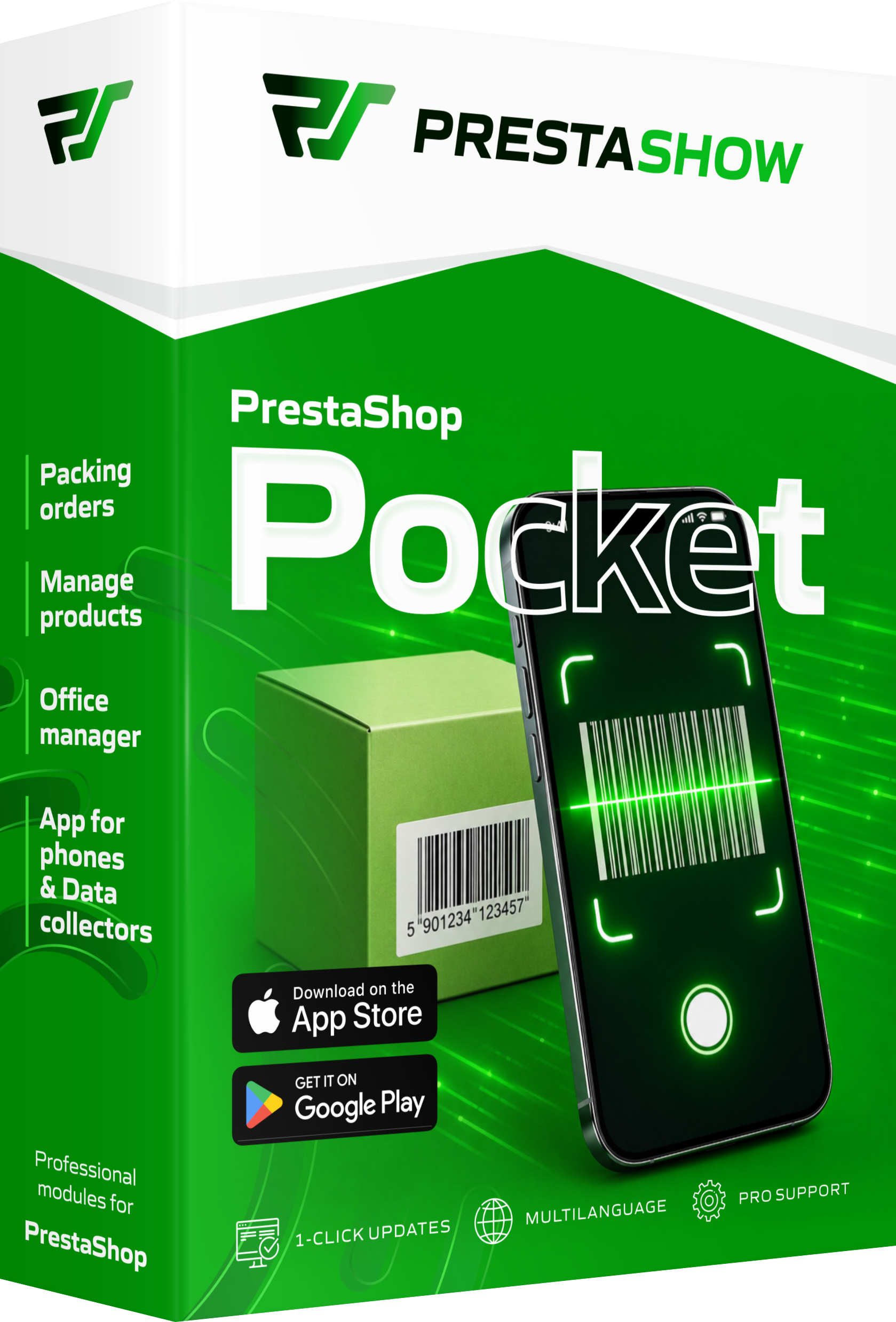


- Pick and pack orders without a computer
- What does PrestaShop Pocket include?
- Packing PrestaShop Orders with a Barcode Scanner
- Instant product search and editing
- Push notifications for new orders
- Module—app configuration and staff permissions
- What do you gain as a PrestaShop store owner?
- How to connect the app to your PrestaShop store
- Compatibility: Android, iOS, and data collectors
- New features we’re working on
- FAQ – PrestaShop mobile app
Detailed description
PrestaShop on your phone, tablet, and data collector
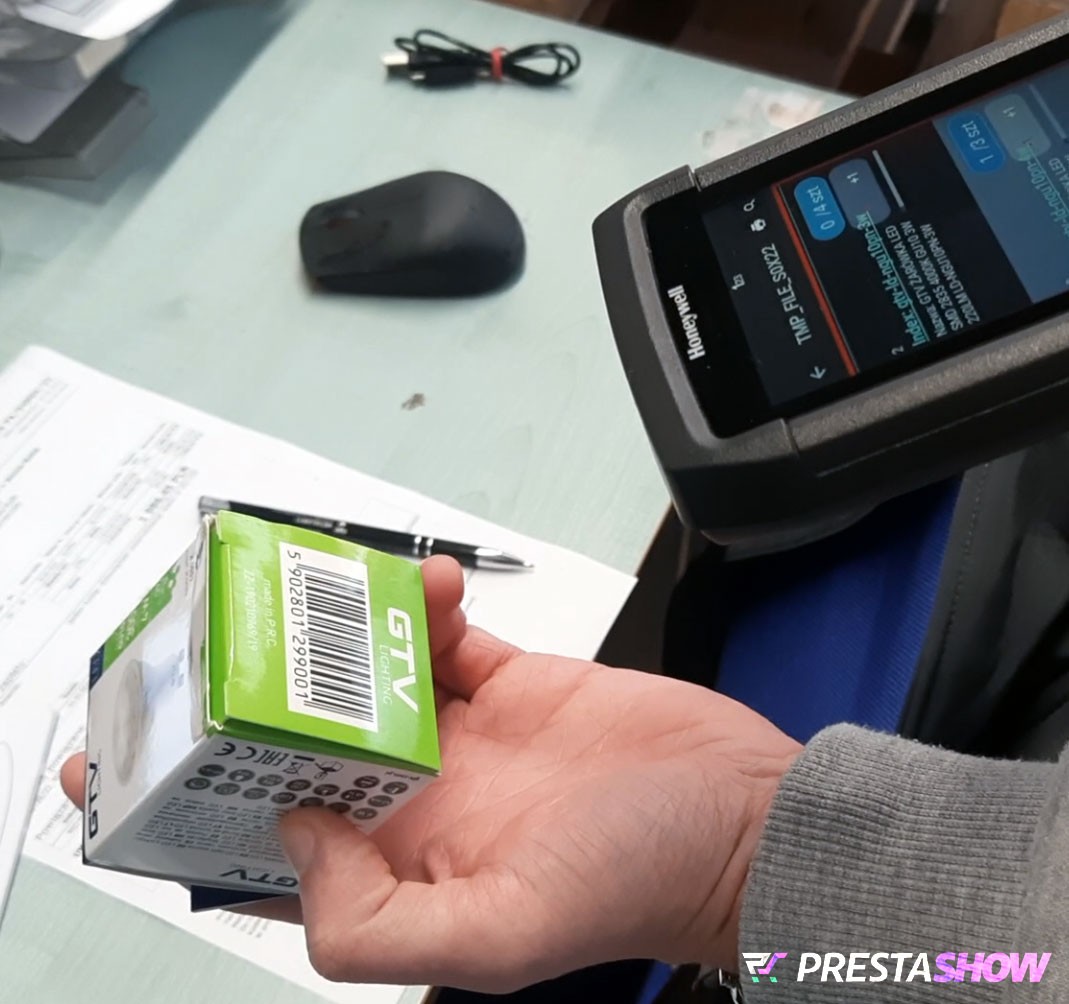
A phone or data terminal gives employees access to products and orders, while an EAN/QR scanner speeds up packing and helps locate the right products.
For teams that want to work faster and with fewer errors
Fewer mistakes thanks to product verification via EAN/QR codes, order locking, warehouse staff statuses and work history, and direct integration with PrestaShop—no external system required.
Support for the warehouse, call center, and logistics
The app provides quick access to product and order information, streamlines the packing process, and helps you work more efficiently with products and incoming shipments—in the warehouse, in the office, and when interacting with customers.

PrestaShop Pocket consists of two components: a module installed in your PrestaShop store and apps for Android and iOS. The connection is provided via PrestaShop’s secure API.

The Android and iOS App
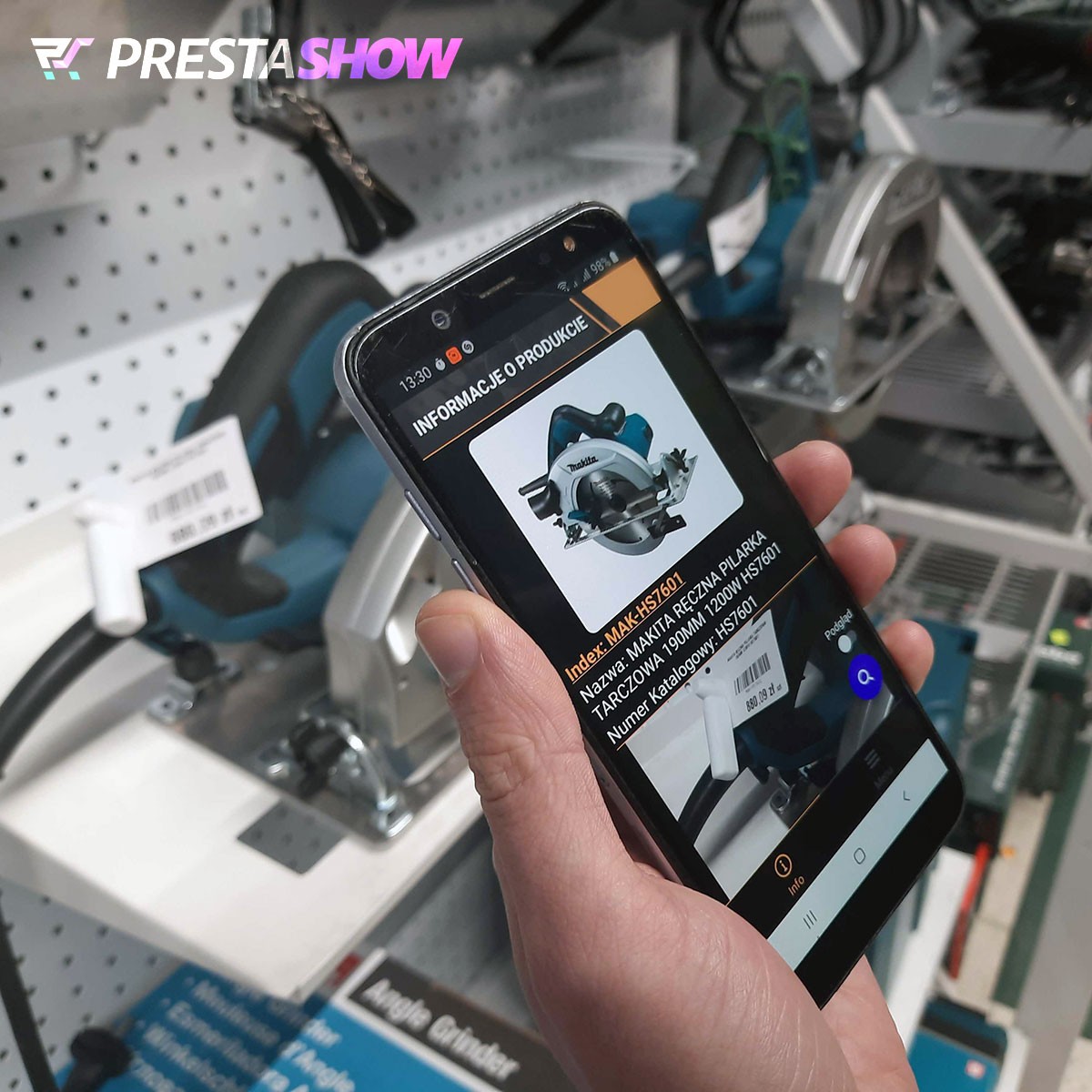
The app allows you to scan barcodes, pack orders, search for products, and edit them.
- A PrestaShop administrator can log in to the app; you grant them the appropriate permissions in the module’s configuration.
- Instant EAN barcode scanner.
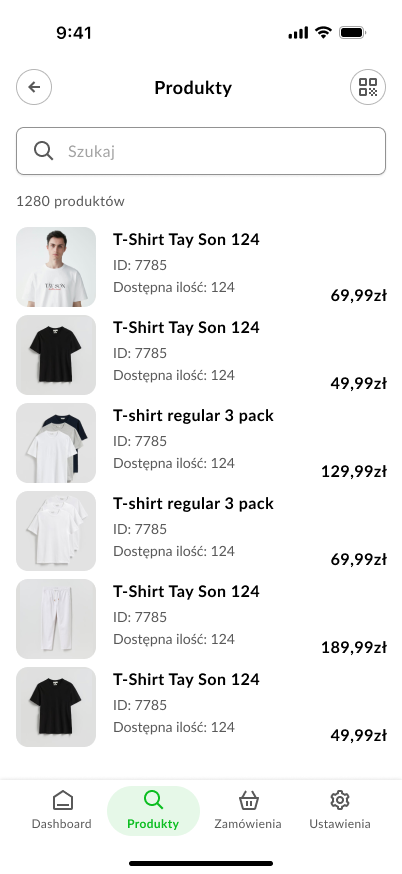
- Viewing and editing products
- Packing orders.
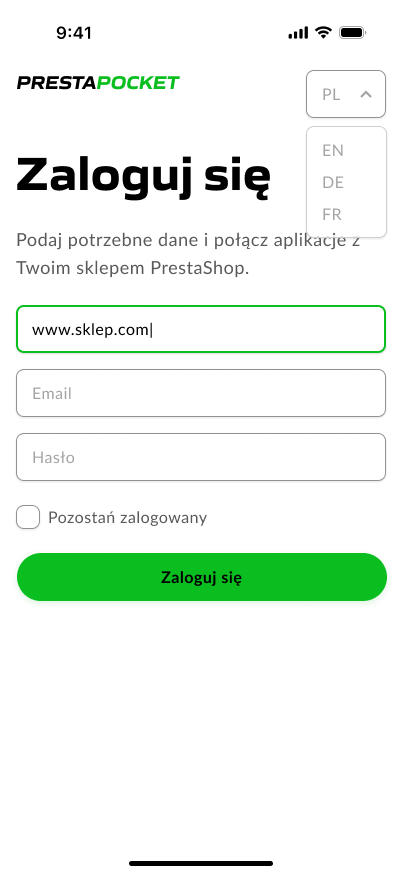
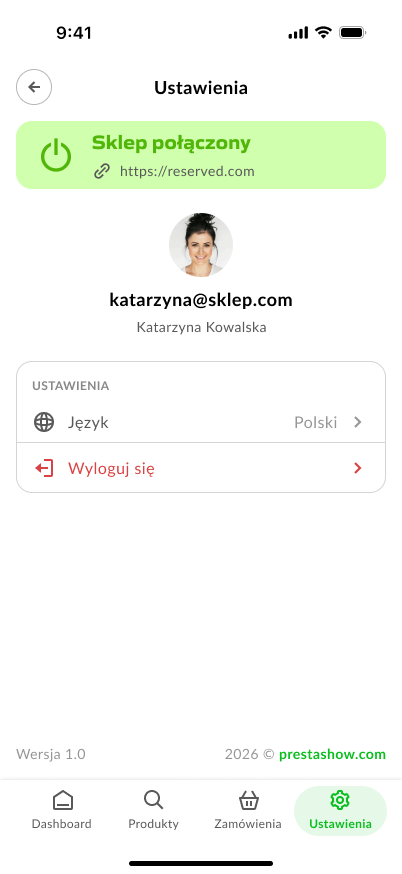
- The app is available in the following languages: EN, PL, ES, DE, IT, FR.
PrestaShop Module
The module includes configuration options and an API that ensure a secure and fast connection between the PrestaShop store and the app.
- Configuration of permissions for app users.
- Configuration of order statuses according to your workflow.
- Event and activity logs in the applications.
- The module is available in the following languages: EN, PL, ES, DE, IT, FR.

🗣️
Who is packing the order?
The system assigns the order to a single employee, so the team can see who is currently processing the order.
📥
No mistakes in packing
Scanning barcodes with a scanner and using an item checklist reduce errors and speed up order fulfillment.
⛳
Product location on shelves
Determine the location of goods in the warehouse—reduce the time spent searching for products.
📱
Back Office on Your Phone
You can perform the most important store operations right from your phone—quickly, conveniently, and with a clear, organized layout.
🛡️
Module and App Security
The PrestaShop Pocket app is designed to securely connect to your store without storing the administrator password within the app.
Login credentials are used only during the initial authentication. After that, the app communicates with the store using a secure access token with a limited validity period.
Login credentials are not sent to external servers.
The app’s access scope depends on the permissions assigned to the employee in PrestaShop. The app can only perform actions made available by the module, such as viewing or editing orders and products.
To enhance security, you can create a separate PrestaShop employee account dedicated exclusively to using the app, with access limited only to the necessary functions.
Packing with a scanner or manually
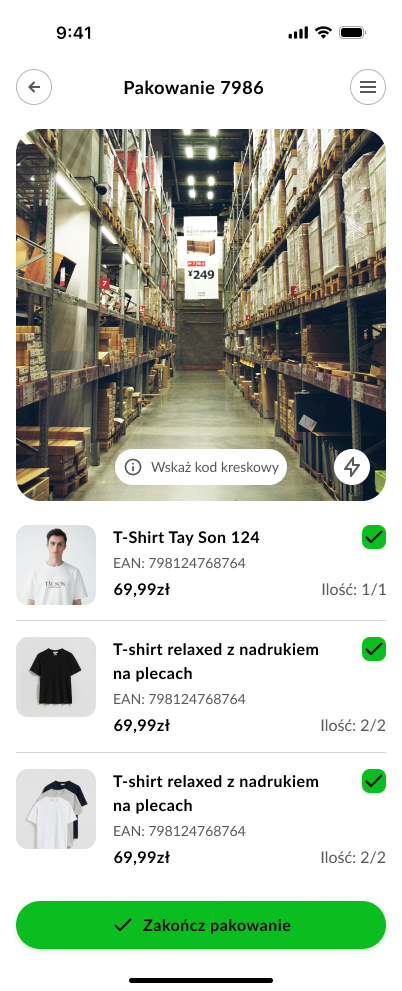
Checklist of products to pack
- Product name and code
- Quantity to pack
- “Packed?” checkbox
Scanning with a camera = fewer mistakes and fewer clicks
- The camera instantly locates the product
- Automatically marks the product as packed
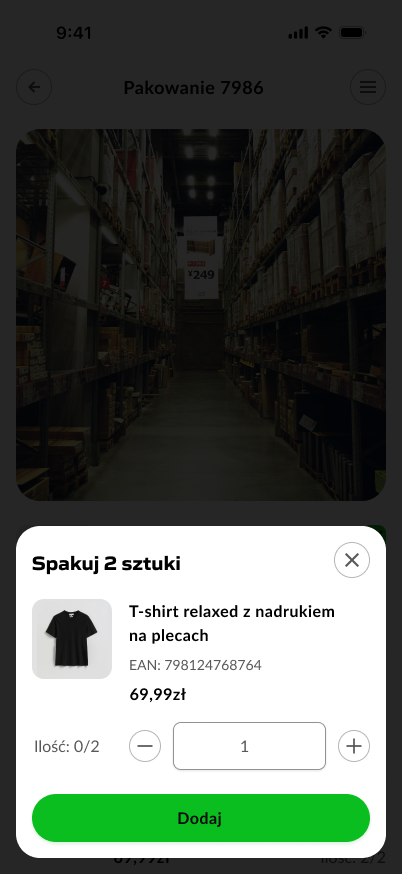
- The app will ask for the quantity when > 1
When all items are packed
- A “Order Fulfilled” button appears
- The app updates the order status according to your configuration

1
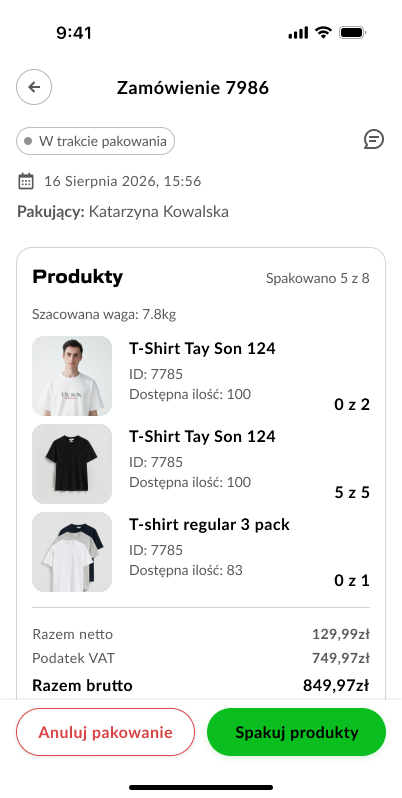
Browse the list of orders
Use quick filters to find orders currently being processed and orders waiting to be packed
2
View order details
Convenient access to information: product lists, addresses, and payment documents.
3
Instant order packing
Pack products using your phone’s camera, which acts as a barcode and QR code scanner.

Order statuses—customize them to fit your process
PrestaShop Pocket automatically updates statuses as you process and pack orders.
- Select statuses for orders awaiting fulfillment
- Select a status once packing begins, e.g., “In Progress”
- Select a status after packaging is complete, e.g., “Awaiting Shipping”
While an order is being packed, PrestaShop Pocket will lock it so that no other app user can start packing the same order.
Search and product information
- Instant search using your phone’s keyboard
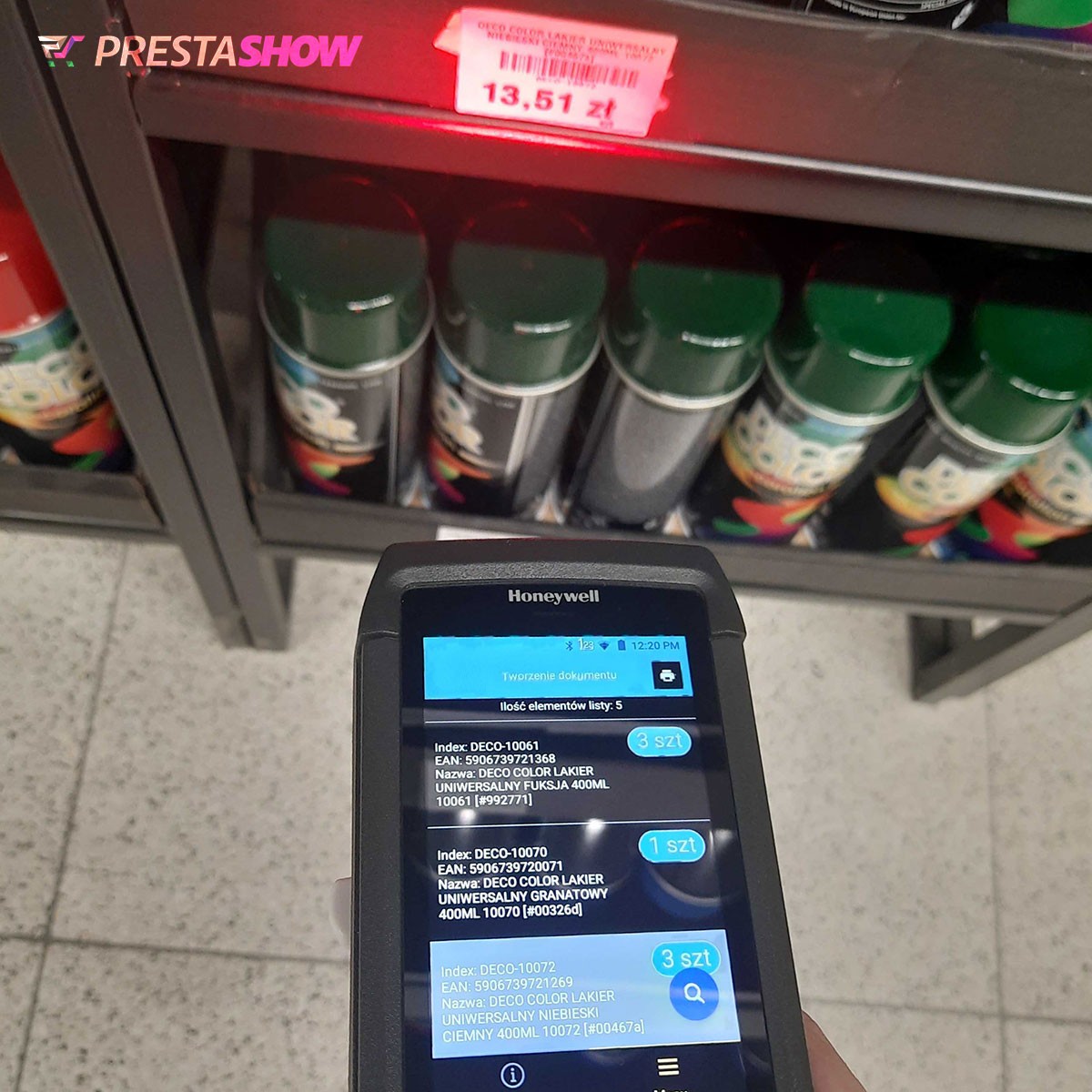
- Instant scanning of barcodes or QR codes using a camera (on a phone) or a laser scanner (collector).
- Sorting
- Filtering

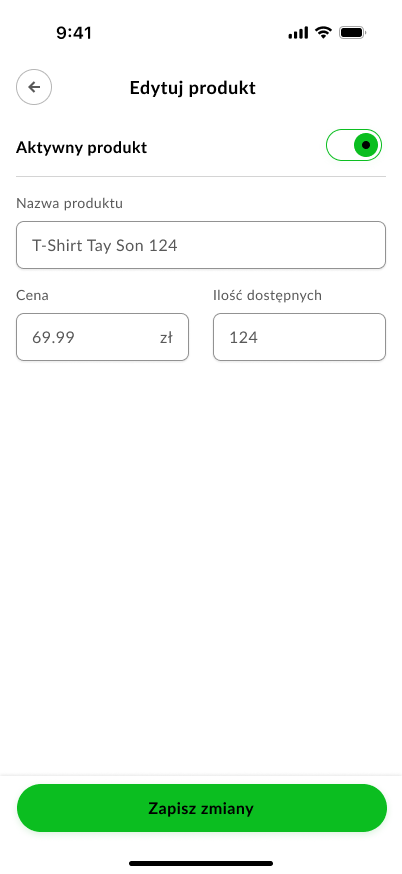
Edit products
Employees with the appropriate permissions can edit product information:
- Name
- Price
- Quantity
- Active/Inactive Status
Is a field missing?
We’ll add any field you need to the product edit page—completely free!
Instant communication with store employees
The app can send push notifications about new orders or changes to their status, allowing staff to respond more quickly to real-time events in the store.

Manage the operation of all connected apps from within the module installed in your store.
👥
Employee Management
Add employees in the module settings and assign them permissions, such as:
- Products: view / add / edit / delete
- Orders: view / change status / fulfill

🫱🏼🫲🏽
Conflict-Free Collaboration
When an employee begins fulfilling an order, the module can:
- lock the order for a specific employee so that two people don’t pack the same package.

💬
log
activity
You can see what’s happening in the employees’ apps:
- who started processing the order,
- who finished packing,
- who edited the product,
- when, and for which order.


PrestaShop Pocket streamlines the day-to-day operations of your store and warehouse: from order receipt, through order fulfillment, to a quick product preview. This means fewer errors, faster fulfillment, and more efficient team organization.
- Faster packing and fewer mistakes thanks to the scanner and checklists
- Better team workflow organization (locks, statuses, logs)
- Time savings and fewer clicks than in the PrestaShop dashboard
- Simpler onboarding of new employees (clear, mobile-friendly process)
Connecting the app to your store is fast and secure. Only those PrestaShop administrators to whom you grant the appropriate permissions in the module’s configuration can log in to the app. The module records a full log and history of operations performed in the connected apps.
- Install the module in your PrestaShop store.
- In the module configuration, select the store administrators who can use the app and specify their permissions.
- Install the app on your phone or data collector.
- To log in to the app: enter the store link along with the username and password of the user who has permissions.
- The app will connect to the store and download the data needed to function.
- The PrestaShop Pocket app is compatible with Google Play (Android) and the App Store (iOS).
- Module technical requirements: PHP >= 7.1, ionCube, PrestaShop 1.6, 1.7, 8.x, and 9.x.
- Fast and secure connection via REST API, token-based authorization.
- The app and module are available in the following languages: English, Polish, French, Spanish, and Italian.
- It works with laser-equipped data collectors, such as Honeywell, Zebra, or any other Android-based device.
- Up to 12 apps can run with the module simultaneously.
- A convenient 1-click update system—for both the module and the app.
We’re developing PrestaShop Pocket together with you
PrestaShop Pocket’s functionality is flexible, and we can tailor its capabilities to your needs. Contact us to discuss your specific requirements.
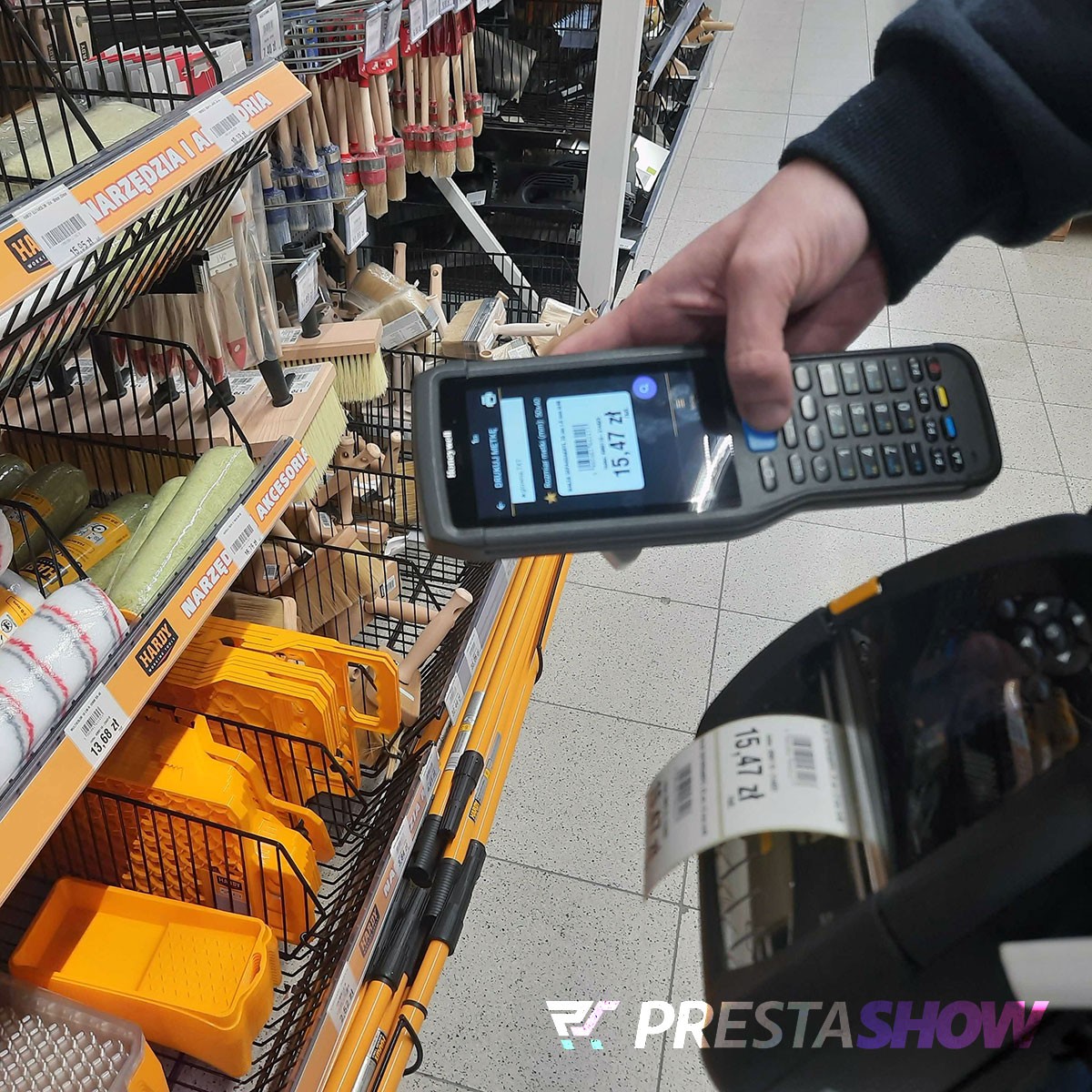
Label Printing
Print and update labels for products on store shelves and in the warehouse, as well as for packages to be shipped. Scan the product and start printing the label. Compatible with all ZPL II printers, including Zebra. Can be integrated with other systems.
Warehouse Product Location Tracking Mode
Warehouse shelves are marked with a barcode and an ID. When an employee places merchandise on a shelf, they scan the item and then the shelf code. At that moment, the product’s location in PrestaShop is updated with the shelf number for that product.

What is PrestaShop Pocket, and what is the PrestaShop mobile app used for?
PrestaShop Pocket is a mobile app for PrestaShop, integrated with a module installed in the store. It’s used for mobile management of orders, products, and selected warehouse processes from a phone, tablet, or data collector.
Does PrestaShop Pocket allow you to manage PrestaShop orders from a phone?
Yes. The app allows you to view a list of orders, filter them, start fulfillment, pack items, and complete the process according to your store’s configuration. It’s a convenient way to manage PrestaShop orders on the go without needing a computer.
How many phones can I connect to the store with a single license?
A PrestaShop Pocket license allows you to connect one app—that is, one smartphone—to the store at a time. To connect more apps to the store simultaneously, purchase additional licenses. The module can support up to 12 apps connected at the same time.
Can I pack PrestaShop orders using a barcode scanner in the app?
Yes. PrestaShop Pocket supports order packing with a barcode scanner, which speeds up order fulfillment and helps reduce errors. Barcodes can be scanned using the phone’s camera or a warehouse device equipped with a camera, scanner, or laser.
How does order packing and fulfillment work in the PrestaShop Pocket app?
The app displays a list of products in the order, their quantities, and their packing status. After scanning a barcode, the product is marked as packed, and once order fulfillment is complete, the order can be assigned the appropriate status according to the store’s settings.
Does the app work with data collectors and warehouse devices?
Yes. PrestaShop Pocket can also run on Android-based data collectors, which streamlines warehouse operations, logistics, and order fulfillment in a PrestaShop store.
Does the app allow you to search for products by barcode, EAN, or name?
Yes. The app allows you to quickly search for products by name, barcode, EAN, or other data available in the store. This makes it easier to locate items in the warehouse or check product information when serving customers.
Can you edit products on your phone using PrestaShop Pocket?
Yes. Authorized employees can view and edit basic product data, such as name, price, quantity, and active status. This is a convenient solution when you need to quickly edit PrestaShop products from your phone.
Does PrestaShop Pocket send push notifications about new orders?
Yes. The app can send push notifications about new orders or status changes, allowing employees to respond more quickly to current events in the PrestaShop store.
Can employee access to PrestaShop app features be restricted?
Yes. The module allows you to assign permissions to employees, ensuring that each person has access only to the features they need. The system can also block order fulfillment for a single employee to prevent the same package from being packed simultaneously by more than one person.
Does PrestaShop Pocket work on Android and iOS and with different versions of PrestaShop?
Yes. PrestaShop Pocket works on Android and iOS devices and is designed for stores based on PrestaShop 1.7, 8.x, and 9.x.
Changelog (0)
## 1.0.1 — 2026-06-10
- Moved the activity log to its own back-office tab with pagination, so large logs no longer slow down the main configuration screen.
- Mobile App panel: the QR code and download link now always fetch the latest app version from the PrestaShow update server.
## 1.0.0 — 2026-06-08
- First release: secure REST/JSON API between the shop and the PShowPocket mobile warehouse app.
- Mobile worker accounts with granular product/order permissions, managed from the back office.
- Products: search, details, edit (name/price/active), enable/disable, stock view and update.
- Orders: list, "to process" view, details, status change, and the packing workflow (start, save packed quantities, finish, cancel) with per-order locking.
- New-order and status-change notifications via long-poll.
- Moved the activity log to its own back-office tab with pagination, so large logs no longer slow down the main configuration screen.
- Mobile App panel: the QR code and download link now always fetch the latest app version from the PrestaShow update server.
## 1.0.0 — 2026-06-08
- First release: secure REST/JSON API between the shop and the PShowPocket mobile warehouse app.
- Mobile worker accounts with granular product/order permissions, managed from the back office.
- Products: search, details, edit (name/price/active), enable/disable, stock view and update.
- Orders: list, "to process" view, details, status change, and the packing workflow (start, save packed quantities, finish, cancel) with per-order locking.
- New-order and status-change notifications via long-poll.
Komentarze ()
The reviews posted on our store are not sponsored in any way. We also verify that they were added by customers who have purchased from us or guests. If you want to learn more about this topic please read our Regulations.
Testowałem aplikację tydzień czas. Zgłoszone pomysły zostały uwzględnione. Rozwiązanie zakupiliśmy. Bardzo udane rozwiązanie. polecam 👍
Czeeeeeekamy! :)
Technical requirements
Technical Requirements
- PHP 7.1 - 8.x
- Server extension ionCube Loader
- PrestaShop Importer only: PHP libxml version > 2.9.3
- PrestaShop Facebook Integrator only: PHP 7.2 or higher
- PrestaShop VAT Validator only: PHP SOAP
Support & Updates
Support = Updates + HelpDesk
You get 90 days (3 months) access to the complete PrestaShow support package.
Module updates
Modules will inform you about available updates. Read the changelog and perform a 1-click module update directly from your store.
HelpDesk panel
This is the panel where we will provide you with help. On HelpDesk you can report problems, order free module installation and updates, and order modifications and custom programming work.
Extend support
After support expires, you can use the module without any restrictions. You can extend your support access at any time you need it.
Knowledge Base & FAQ
Free forever
The knowledge base is available to everyone. You will find module documentation as well as instructions, videos and answers to frequently asked questions.
License
Lifetime license for the module
- You can use the module without limitation in 1 store = 1 domain.
- You can use an additional domain, e.g. for developer copy.
- For a small fee you can change the domain for the module yourself.
Additional domains for Multistore
- All our modules support PrestaShop Multistore.
- Supporting unlimited domains for PrestaShop Multistore requires purchasing multistore support for the module.
Modifying the code
- The module code related to the integration with the store and the design (.tpl, .css, .js) has open source code and you can modify it freely.
- The module's source code (.php) is encrypted with ionCube, and modifying it will void the warranty.
No entries yet.