







- PrestaShop Omnibus
- Omnibus directive
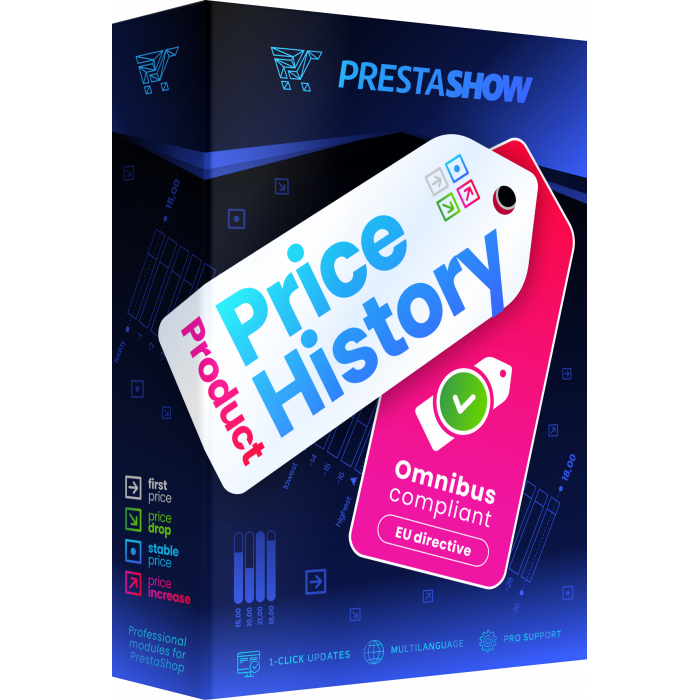
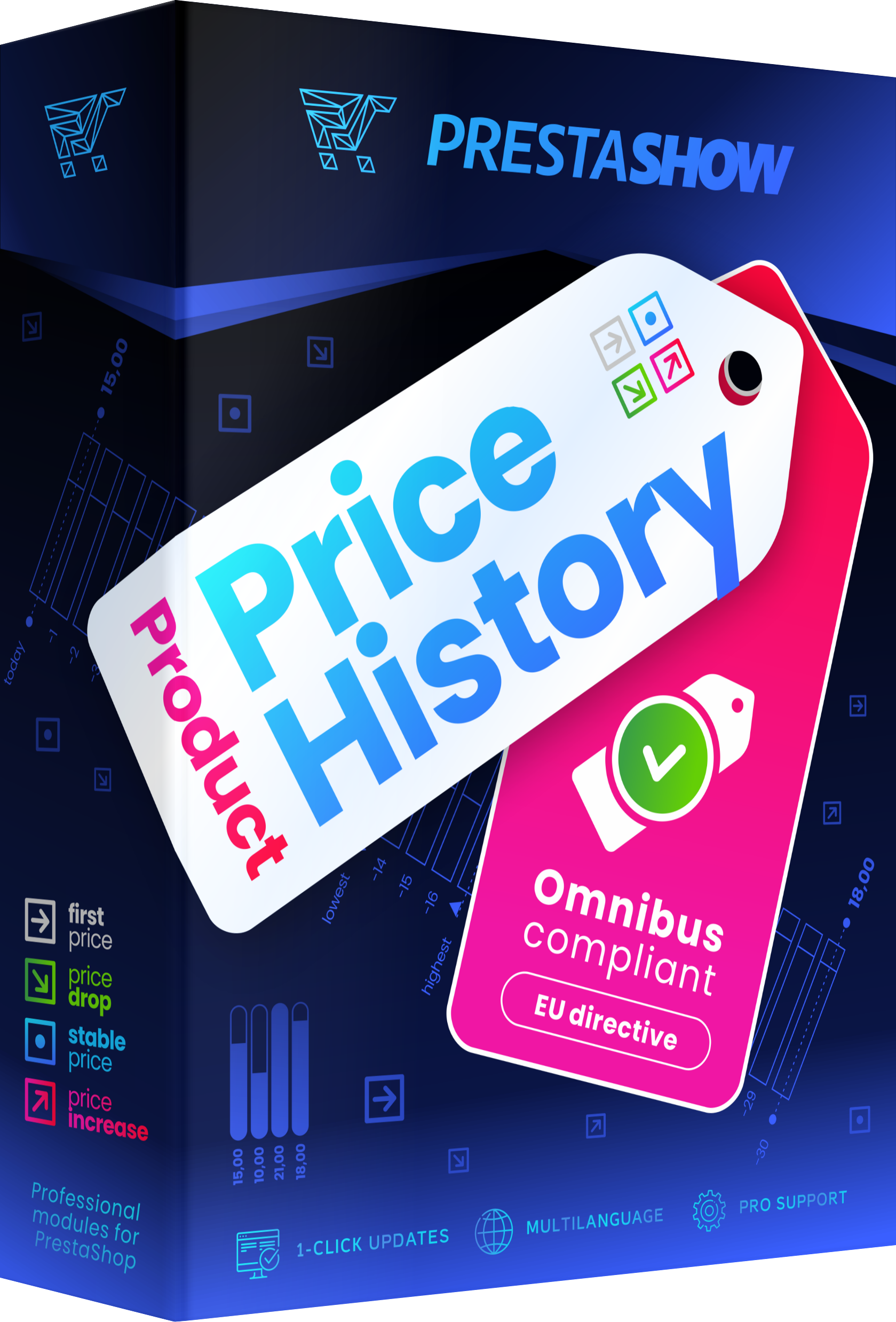
- The module implements the requirements of the Omnibus directive
- Configuration of product price history
- Price history in currencies
- Collect reviews in your PrestaShop store legally
- Module for collecting reviews with photos
- Omnibus directive - who uses our module?
- Why is it important to comply with the Omnibus Directive?
- Omnibus directive implementation - why trust us?
- Omnibus implementation - FAQ
Prices in PrestaShop according to the law
The module will bring your PrestaShop store in line with current legal requirements and the Omnibus directive.
Modern solutions
The module archives changing prices and informs customers about the lowest price of products, in the past legal time.
Trusted by 5,000 stores
PrestaShow Omnibus module is used by more than 5,000 stores worldwide.
Supports all types of prices
- Product prices
- Combination prices
- Promotional and specific prices
- Prices in currencies
Omnibus directive
Obligation to transparently inform about promotions
The Omnibus Directive is European in scope and requires the entrepreneur-owner of an online store to inform customers about the lowest price of the browsed product that occurred within 30 days back of the promotional price of the product.

The module is translated in English, Polish, Italian, Spanish, French, German.
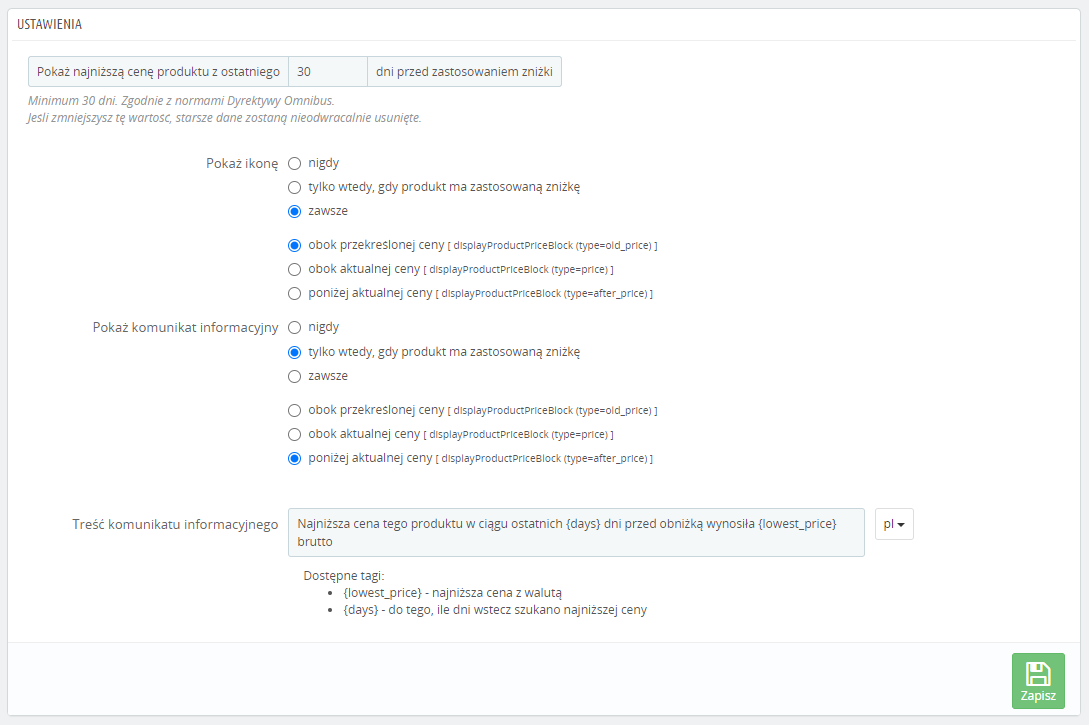
The module automatically detects where your store displays product prices and displays the relevant information next to the prices.
Where to present Omnibus prices?
You can rely on full automation of displaying messages, and you can place {Smart-Tag} yourself in any places of your store.
- Automatic display
- Or insert {Smart-Tag} anywhere you like
How to present Omnibus prices?
The messages comply with the requirements. The form is designed according to good UX practices - the messages are clear and understandable and do not distract the buyer's attention
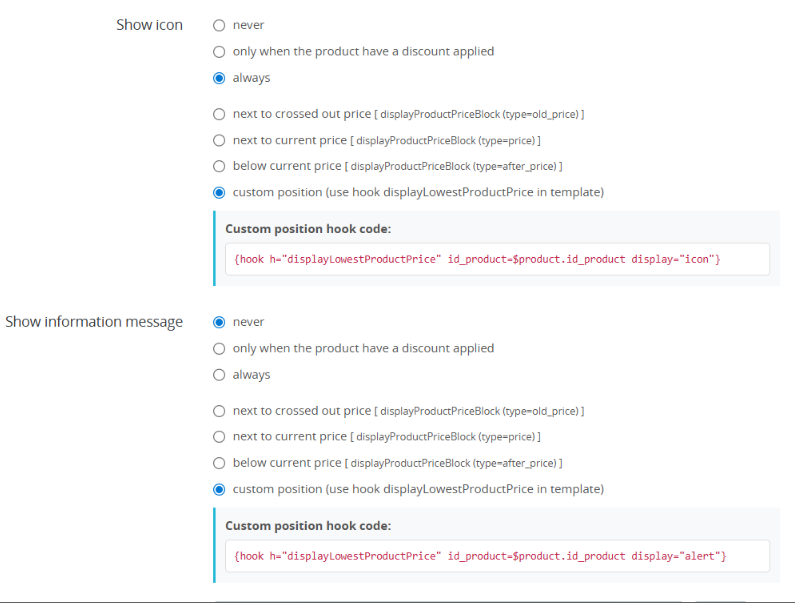
- Icon
- Message
- Icon + message
When to present Omnibus pricing?
Choose when you want to present Omnibus messages. You can display the message always with the product price or only when the product is on promotion.
- Display only when the product is on promotion
- Always display Omnibus information
icon
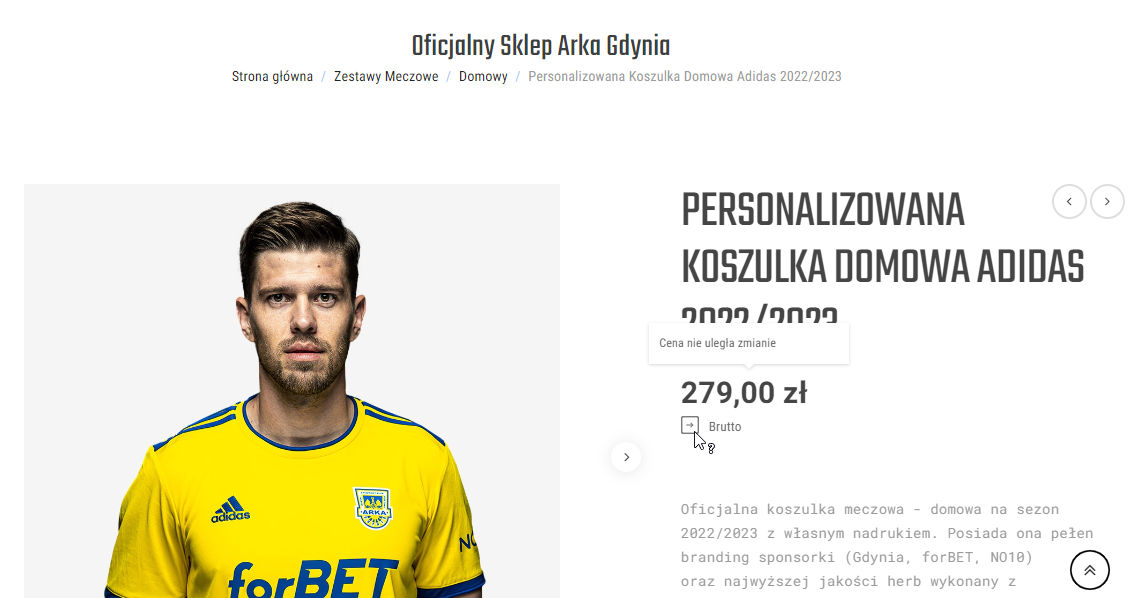
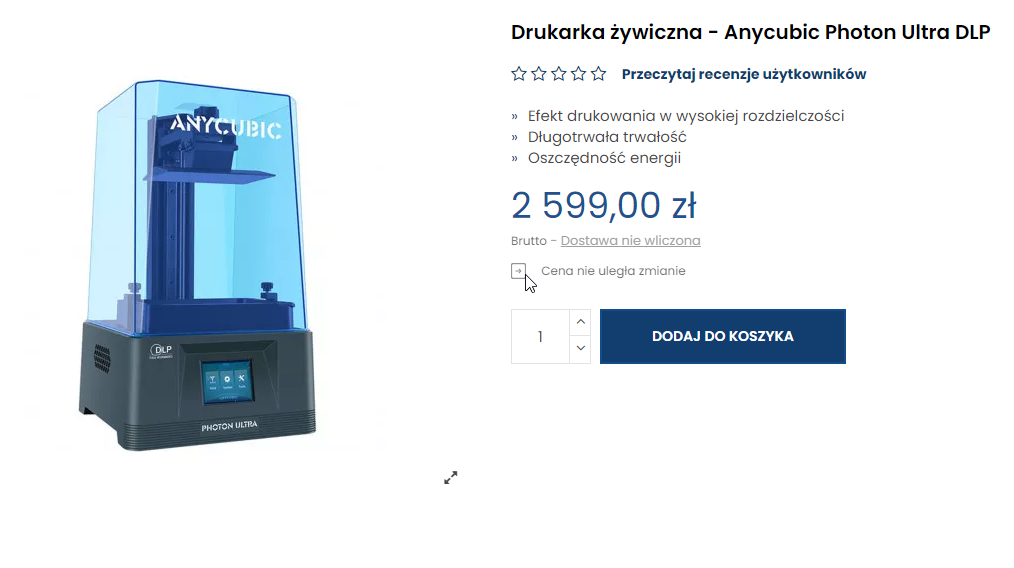
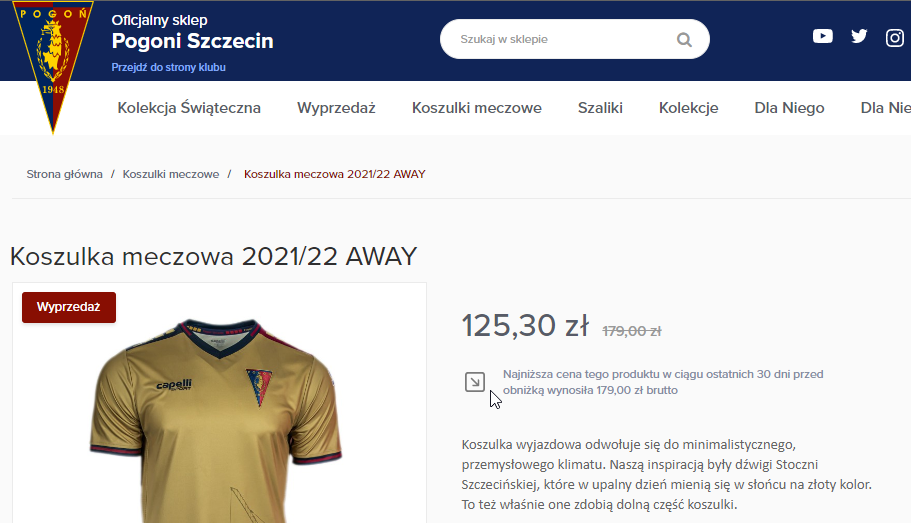
When you hover over or touch the icon, the lowest price or no price change information appears.

message
Information about the lowest price of the products recently or about no price change.
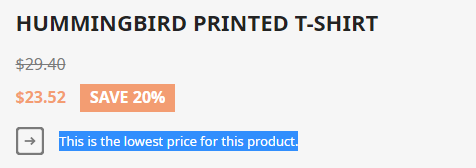
Examples of Omnibus messages
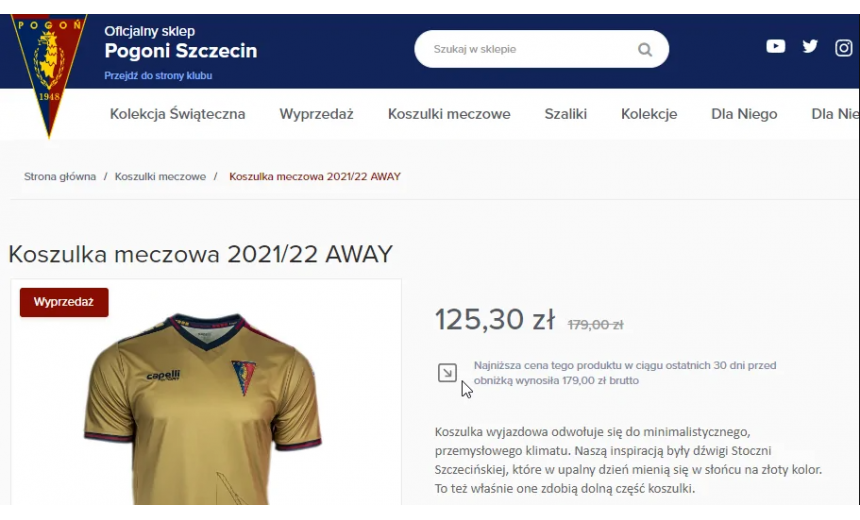
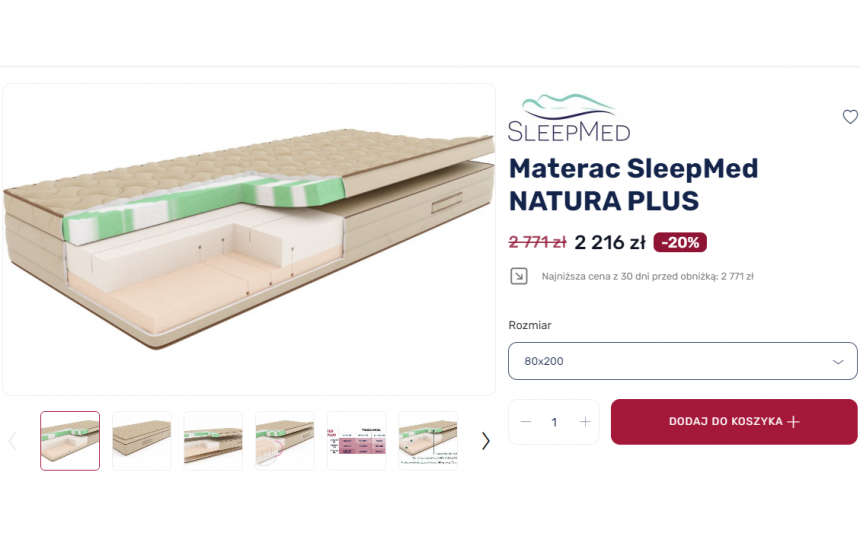
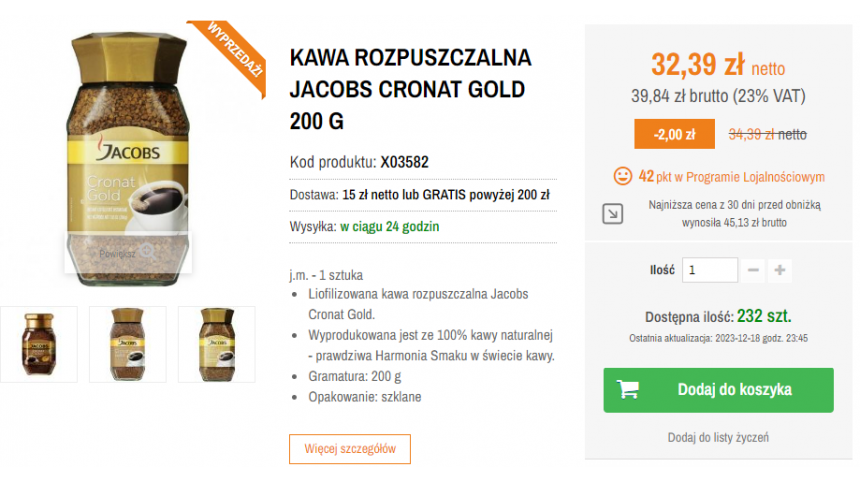
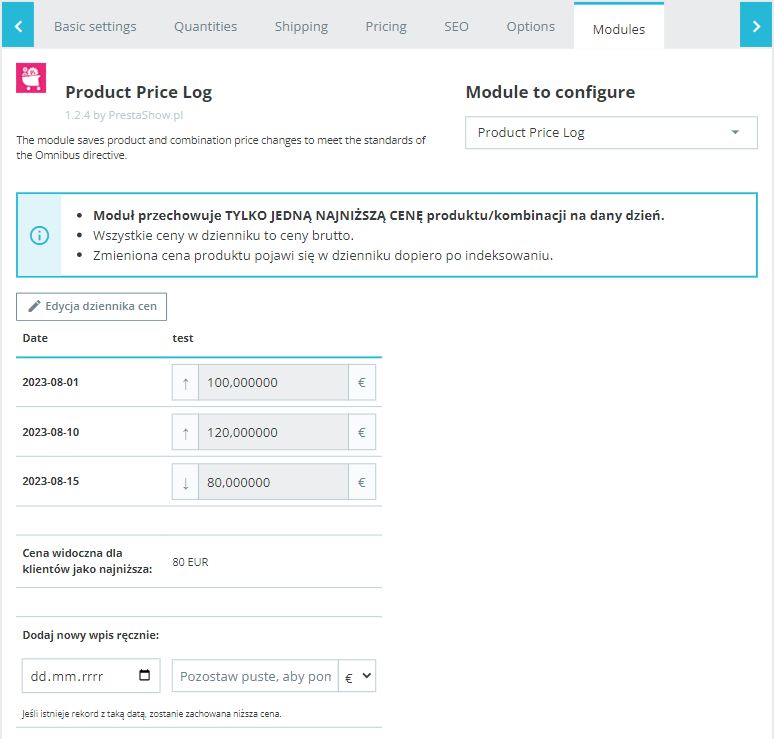
- The module archives prices in all currencies enabled in your store.
- You can edit the saved price history in the product edition, which will come in handy if you make a mistake while creating a promotion or editing prices.
- The module works with Multistore.
Verify the operation of the module in your store
Modifications to your PrestaShop store may cause the module to malfunction.
After installing and configuring the module and entering promotions, verify the module's operation to make sure Omnibus messages are working properly.
Module for collecting reviews with photos
Check out the PrestaShop Opinions module, which automates the collection of reviews in your store in accordance with the Omnibus directive.
The module allows you to attach photos to your product reviews, and the customer can receive points in the loyalty program for the reviews.
Omnibus directive - who uses our module?
Our module is used by owners and managers of online stores, who are responsible for store compliance with current legal regulations. The solution also supports eCommerce managers for whom quick implementation and full automation of sales processes are important.
The PrestaShow Omnibus module is also eagerly used by interactive agencies, developers and freelancers who implement stores for clients and are looking for a proven tool adapted to the requirements of the directive.
We implement implementations in many industries. The module is used in automotive eCommerce (parts sales), furniture, agriculture, textile and textile, tools, drugstore-suplement, electronics, digital goods, sports, and manufacturing and industrial sectors. With this module, stores operating in different market areas can securely and transparently present the price history and messages required by the Omnibus Directive.
Why is it important to comply with the Omnibus Directive?
Compliance with the Omnibus Directive is important for several reasons:
- legal compliance - the directive applies in all countries of the European Union. Its violation threatens financial penalties, as well as administrative sanctions.
- Transparency to customers - consumers gain clear information about price history, including the lowest price of the last 30 days. As a result, they avoid false promotions and can make informed purchasing decisions.
- building trust in the store - a trader that honestly reports discounts increases credibility and customer loyalty.
- competitiveness - stores that adhere to the directive stand out from companies that try to hide real prices. Transparent operations support a long-term sales strategy.
- Minimize reputational risk - violating the directive can result not only in penalties, but also in loss of brand reputation.
Compliance with the Omnibus Directive is therefore both a legal obligation and part of professional management of an online store and building a strong position in the e-commerce market.
Omnibus directive implementation - why trust us?
Among other things, we specialize in implementations for foreign markets, so the module is designed to be fully multilingual and adapted to the characteristics of local regulations. We also provide support as needed - not only do we install a module that meets your product price history criteria, but we also help you make the most of its features in your store.
We offer ongoing technical support through a dedicated helpdesk system and access to instructions and a knowledge base. This makes the process of configuration and ongoing operation of the module smooth and predictable.
We develop the PrestaShow Omnibus module (directive) on a continuous basis - you benefit from a 1-click update system that ensures compatibility with the latest versions of PrestaShop and subsequent legal changes.
Omnibus implementation - FAQ
Does the PrestaShop Omnibus module comply with the law?
Yes. The module with Omnibus e-commerce directive is designed in compliance with the law and automatically informs customers about the lowest product price of the last 30 days.
What prices does the module support?
The module works with all types of prices in PrestaShop: standard, combination, promotional, specific and prices in different currencies.
Can I decide myself where Omnibus messages are displayed?
Yes. You can use full automation or independently insert {Smart-Tag} anywhere in the store.
In what form are the messages presented?
You can choose from different formats: an icon, a text message or a combination of both. Messages are legally compliant and designed in accordance with good UX practices.
When is the best time to display Omnibus messages?
You can set them to always appear next to the product price or only when the product is on promotion.
Does the module work with Multistore?
Yes. The module supports Multistore mode and archives prices in all currencies available in the store.
Is it possible to edit the price history?
Yes. You have access to the saved price history in the product edition and can correct it in case of errors.
How does the module detect price changes?
The module records all price changes in the PrestaShop database - manual, from XML/CSV files, API or integrated ERP systems.
Choose Omnibus implementation from our offer.
Technical requirements
Technical Requirements
- PHP 7.1 - 8.x
- Server extension ionCube Loader
- PrestaShop Importer only: PHP libxml version > 2.9.3
- PrestaShop Facebook Integrator only: PHP 7.2 or higher
- PrestaShop VAT Validator only: PHP SOAP
Support = Updates + HelpDesk
You get 90 days (3 months) access to the complete PrestaShow support package.
Module updates
Modules will inform you about available updates. Read the changelog and perform a 1-click module update directly from your store.
HelpDesk panel
This is the panel where we will provide you with help. On HelpDesk you can report problems, order free module installation and updates, and order modifications and custom programming work.
Extend support
After support expires, you can use the module without any restrictions. You can extend your support access at any time you need it.
Knowledge Base & FAQ
Free forever
The knowledge base is available to everyone. You will find module documentation as well as instructions, videos and answers to frequently asked questions.
Lifetime license for the module
- You can use the module without limitation in 1 store = 1 domain.
- You can use an additional domain, e.g. for developer copy.
- For a small fee you can change the domain for the module yourself.
Additional domains for Multistore
- All our modules support PrestaShop Multistore.
- Supporting unlimited domains for PrestaShop Multistore requires purchasing multistore support for the module.
Modifying the code
- The module code related to the integration with the store and the design (.tpl, .css, .js) has open source code and you can modify it freely.
- The module's source code (.php) is encrypted with ionCube, and modifying it will void the warranty.
Demo
Demo - test the module
- This module does not have a demo store
No entries yet.
W skrócie: pobierzcie moduł z swojego konta i podmieńcie pliki modułu na FTP.
Więcej informacji i szczegółowa instrukcja znajduje sie w bazie wiedzy:
https://helpdesk.prestashow.pl/kb/faq.php?id=161
W sobotę/niedzielę (kilka dni temu) pojawił się taki problem: Core Error: The encoded file /................../modules/pshowpricelog/vendor/prestashow/presta-core/functions.php has expired.
O co chodzi? Z czego wynika ten błąd?