






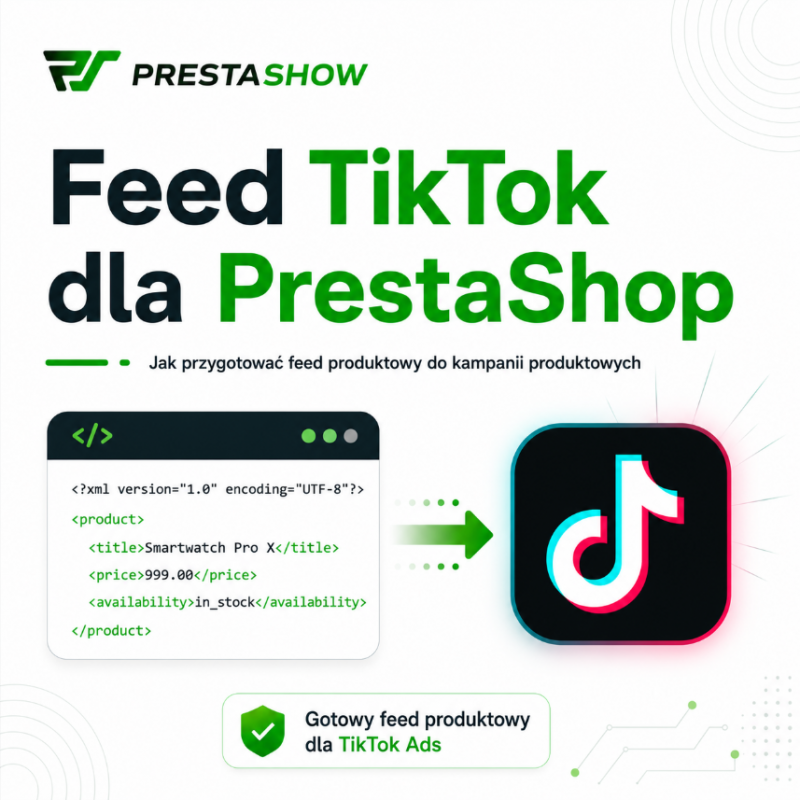
TikTok product feed in PrestaShop - how to prepare your store for product campaigns with PrestaShow Feeder.
TikTok is no longer just an entertainment platform, but also an important sales and product discovery channel. Users watch short videos, get inspired by trends, search for products and increasingly make purchasing decisions directly after interacting with advertising content.
To effectively promote products on TikTok, an online store should have a properly prepared product feed. This is a file with structured product data that goes into the TikTok Ads Manager catalog. The TikTok catalog allows you to store product information, such as names, descriptions, prices, images and videos, and then use it to automatically create product ads.
What is a product feed for TikTok?
A product feed for TikTok is a file containing product data from an online store. It can be in the form of an XML, CSV, TSV or compressed GZIP file. Among other things, TikTok Ads Manager supports importing by feed scheduler, i.e. automatically downloading the file from the specified URL.
In practice, a TikTok feed contains such information as:
- Product ID or SKU,
- product name,
- description,
- price,
- availability,
- product link,
- link to photo,
- brand,
- product condition,
- category,
- variants,
- additional photos,
- auxiliary data for product segmentation.
TikTok indicates 9 required fields in the product catalog, including sku_id, title, description, availability, condition, price, link, image_link and brand, among others.
Why is the TikTok feed important for eCommerce?
The product feed allows you to connect your PrestaShop store catalog with the TikTok advertising ecosystem. This allows products to be used in sales and catalog campaigns without manually creating a separate ad for each product.
TikTok describes the catalog as a resource in Ads Manager to store product data and use it to automatically generate ads. The more correct details about products the catalog contains, the easier it is to manage the offer and deliver personalized product recommendations.
For a PrestaShop store, the TikTok feed can support:
- product campaigns,
- catalog ads,
- remarketing,
- promotion of selected categories,
- automatic price and availability updates,
- segmentation of products into product sets,
- increasing product visibility in the TikTok environment.
PrestaShow Feeder - a module for generating TikTok feed from PrestaShop.
PrestaShow Feeder allows you to generate a product feed directly from the PrestaShop catalog. The module can prepare a file with products, prices, images, links, stock and variants, which can then be used in TikTok Ads Manager.
This is an indispensable module for stores that have a lot of products or frequently change prices and availability. Manually updating the catalog would be time-consuming and error-prone. The automatic feed keeps the product data in TikTok consistent with the store's current offerings.
- 4.8
 Free support BEST125,00 EUR
Example of XML feed structure for TikTok
Below is a simplified example of an XML feed for the TikTok catalog. In practice, it is a good idea to match the final format to the actual catalog template downloaded from TikTok Ads Manager, as the requirements may depend on the account type, market and import method. TikTok allows you to add products via feed scheduler and file upload, among others, and in the case of scheduler, it supports formats such as CSV, XML, RSS, XML Atom, ZIP and GZ.
<?xml version="1.0" encoding="UTF-8"?> <products> <product> <sku_id>TSHIRT-BLACK-M</sku_id> <title>Men's T-shirt black size M</title> <description> Men's cotton T-shirt in black, ideal for everyday wear.
    </description> <availability>in stock</availability> <condition>new</condition> <price>79.99 PLN</price> <link>https://example.com/t-shirt-meski-czarny-m</link> <image_link>https://example.com/img/tshirt-black-m.png</image_link> <brand>Example Brand</brand> <google_product_category>Apparel & Accessories > Clothing > Shirts</google_product_category>.
    <item_group_id>TSHIRT-BLACK</item_group_id> <product_type>Menswear > T-shirts</product_type> <additional_image_link>https://example.com/img/tshirt-black-m-2.png</additional_image_link> <color>black</color> <size>M</size> </product> </products>.
What can the TikTok feed be used for?
1. product campaigns
The feed allows you to feed a product catalog in TikTok Ads Manager. The products in the catalog can then be used in campaigns focused on sales and offer presentation.
2 Dynamic and catalog ads
With a catalog, TikTok can use product data such as price, image, name and availability to automatically create product ads. TikTok indicates that catalog data can be used to automatically generate ads.
3 Remarketing
Once the catalog is connected to the TikTok Pixel, remarketing activities can be carried out, such as reaching users who have viewed a product, added it to a shopping cart, or visited a specific category. The official setup of TikTok for PrestaShop includes, among other things, connecting a TikTok for Business account, an advertising account, installing TikTok Pixel and synchronizing the catalog.
4 Product sets
In the catalog, you can create product sets, that is, groups of products with common characteristics. TikTok allows you to create such sets either manually or using filters, making it easy to promote specific categories, brands, promotions or bestsellers.
5 TikTok Shop and Product Shopping Ads.
In selected countries, TikTok Shop allows shopping ads using images and information from product cards. TikTok reports that Product Shopping Ads can appear in the TikTok feed, Shop tab and search engine, among other places, but availability depends on the market and merchant type.
Where to upload a TikTok product feed?
The feed should be added in TikTok Ads Manager in the product catalog section. The official path to create a catalog includes logging into TikTok Ads Manager, going to Assets, selecting Catalog, clicking Create, filling in catalog information, setting currency and targeting location.
Products can then be added in several ways:
- manually,
- by scheduling a feed from a URL,
- by uploading a file,
- by platform integration, if available.
For PrestaShop stores, the most convenient scenario is usually the Data Feed Schedule, i.e. providing the URL to a file generated by PrestaShow Feeder. TikTok then downloads the file according to the schedule you set.
How to set up a TikTok feed in PrestaShow Feeder?
Step 1: Create a feed for TikTok
In the PrestaShow Feeder module, duplicate the feed you find in the list of ready-made feeds:
TikTok Product Feed
It's not a good idea to use one universal feed, such as from GMC or Meta, for all channels. TikTok has its own fields, requirements and limitations, so it's best to prepare a dedicated setup.
Step 2: Select products to export
It is a good idea to add products to the feed that:
- are in stock,
- have correct images,
- have a current price,
- have a description,
- have an assigned brand,
- lead to a working product card,
- do not violate TikTok's advertising policies.
TikTok points out that missing required information, inaccessible link, wrong image link, inconsistent price or inconsistent stock can cause problems with the catalog.
Step 3: Set the country, language and currency.
When creating a catalog, TikTok requires you to select a default currency and targeting location. The currency of the catalog should match the currency of the products in the feed.
For a Polish store, this will most often be:
- country: Poland,
- language: Polish,
- currency: PLN.
If the store operates in several markets, it is worth preparing separate feeds, for example PL/PLN, DE/EUR and EN/EUR.
Step 4: Map the required fields
The most important mapping in PrestaShow Feeder should include:
| TikTok field | Data from PrestaShop |
|---|---|
sku_id | Product ID, combination ID or SKU |
title | Product name |
description | Short or long description |
availability | Stock condition |
condition | New / used / refurbished |
price | Gross price with currency |
link | Product URL |
image_link | URL of main image |
brand | Manufacturer or brand |
TikTok recommends that titles, prices, availability, links and images be correct and consistent with the information on the landing page.
Step 5: Add optional fields
Optional fields help TikTok better understand the product and more correctly assign it to the campaign. Among others, it is worth adding:
-
google_product_category, -
product_type, -
item_group_id, -
additional_image_link, -
color, -
size, -
gender, -
age_group, -
gtin, -
mpn, -
sale_price.
TikTok points out that optional parameters can provide more information about products and help optimize advertising effects.
Step 6: Support product variants
If a product has variants, for example, size, color or capacity, it is worth exporting each variant as a separate item with its own sku_id. Products belonging to the same family can be combined by item_group_id.
This is important because a user can click on an ad for a particular variant, and TikTok should know if the size or color is available.
Step 7: Check the images
TikTok requires that the link to the photo be available and downloadable. In the catalog diagnostics, it also points out problems such as a photo smaller than 500 × 500 px, an incorrect link to the photo, or no access to the image file.
A good product photo should be:
- sharp,
- well-lit,
- consistent with the product,
- available to the public at the link,
- preferably in JPG or PNG format.
Step 8: Generate the feed and set automatic refresh.
After saving the configuration, generate the feed file in PrestaShow Feeder. Then copy the feed URL and add it in TikTok Ads Manager as a Data Feed Schedule.
TikTok allows you to specify the feed name, URL, login information, upload frequency and update method at the feed schedule.
The most common errors in the TikTok feed
The most common problems are:
- duplicate product IDs,
- missing required fields,
- wrong product link,
- the product at the link returns a 404 error,
- price in the feed differs from the price on the site,
- availability in the feed differs from availability on the site,
- photo is too small,
- the link to the photo does not work,
- the feed has not been updated for several days,
- the catalog is not linked to Pixel.
TikTok's diagnostic documentation indicates problems with duplicate IDs, photos below 500 × 500 px, inaccessible links, inconsistent pricing, inconsistent inventory, and failure to update the feed, among others.
How to optimize the TikTok feed for better campaigns?
Product names should be specific
Instead of:
Sweatshirt 123
better:
Women's oversize black hooded sweatshirt
The title should clearly say what the product is. TikTok recommends that the title should be correct and not include promotional text like "free shipping," "high quality" or "wholesale."
Descriptions should help in the purchasing decision
The description should not be empty or too general. It is a good idea to add the material, application, product features, purpose and key benefits.
Prices and availability must be up-to-date
TikTok points out that the price and availability in the feed should match the product sheet. Inconsistency can negatively affect the effects of ads.
Categories help with segmentation
It's worth mapping PrestaShop store categories to product_type and google_product_category fields. This makes it easier to create product sets and run campaigns for specific product groups.
Variants must lead to the right product
If a user clicks on an ad for size M, he or she should end up on the right product variant or a page where that variant is easy to choose.
Summary
TikTok product feed is one of the basic elements of successful integration of PrestaShop store with TikTok Ads Manager. It allows products to go into the catalog, be updated automatically and be used in product campaigns, remarketing and sales activities.
PrestaShow Feeder allows you to prepare a dedicated TikTok feed without manually exporting data. The module helps map the most important fields, generate an XML file and make it available at a URL that can be added in TikTok Ads Manager.
A well-prepared feed is not just a technical integration. It's the basis for effective product campaigns, correct recommendations, up-to-date prices and better visibility of the store's offer in one of the most important social commerce channels.