Customer service and order packaging on your phone 📦





Detailed description
PrestaShop PRO Bulk Price Change is a module for batch editing and automatically updating product prices and combinations. It allows you to raise and lower prices by percentage or fixed amount, set target prices, create promotions, round off prices, and safely undo performed operations.
Select products by category, manufacturer, supplier, features, attributes, or price range. You can run saved scenarios again with a single click or automatically via a CRON job—without having to open each product page individually.
Save time
Change the prices of all products that meet the specified criteria in a single operation.
Control the scope of changes
Filter the catalog by category, manufacturers, suppliers, features, attributes, and pricing conditions.
Work Safely
Before making changes, the module saves the current prices so you can restore them later.
1
Changing base prices
Increase or decrease a price by a fixed amount or percentage. You can also set a single exact target price.
2
Creating special prices
Bulk-create promotions with start and end dates, currency, country, customer group, and minimum quantity.
3
Removing special prices
Remove existing promotional prices only from products that match the selected filters.
4
Price rounding
Standardize price endings, e.g., to 0.99 or 0.49. The module will round each price to the nearest specified value.
5
Changing prices for combinations
Bulk-edit how combinations affect prices and narrow the operation down to selected attribute values.
Price Operation Configuration — Step-by-Step Guide
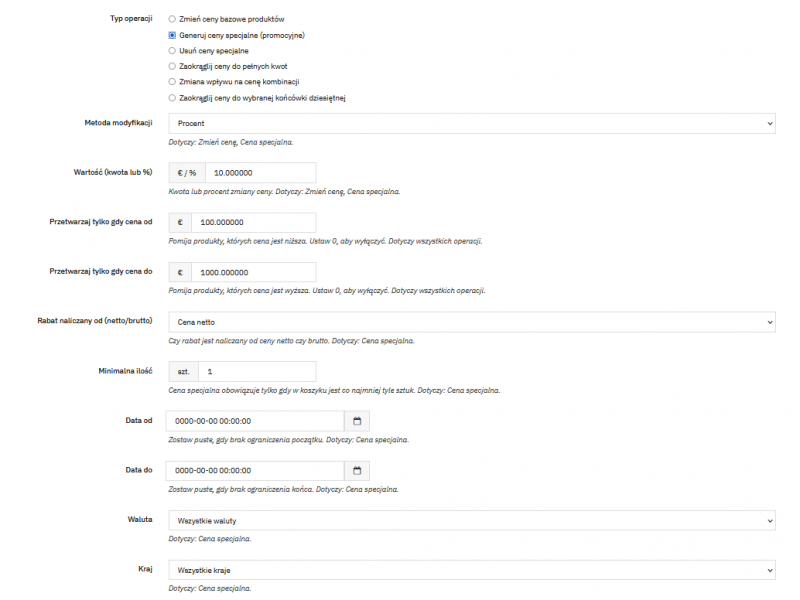
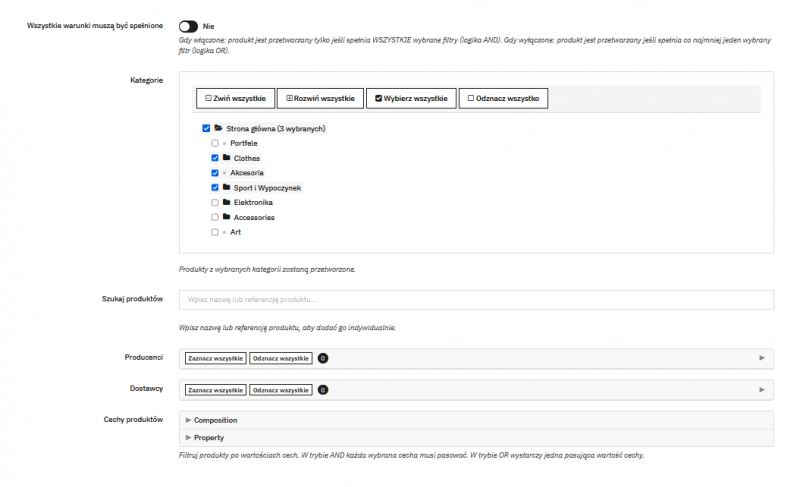
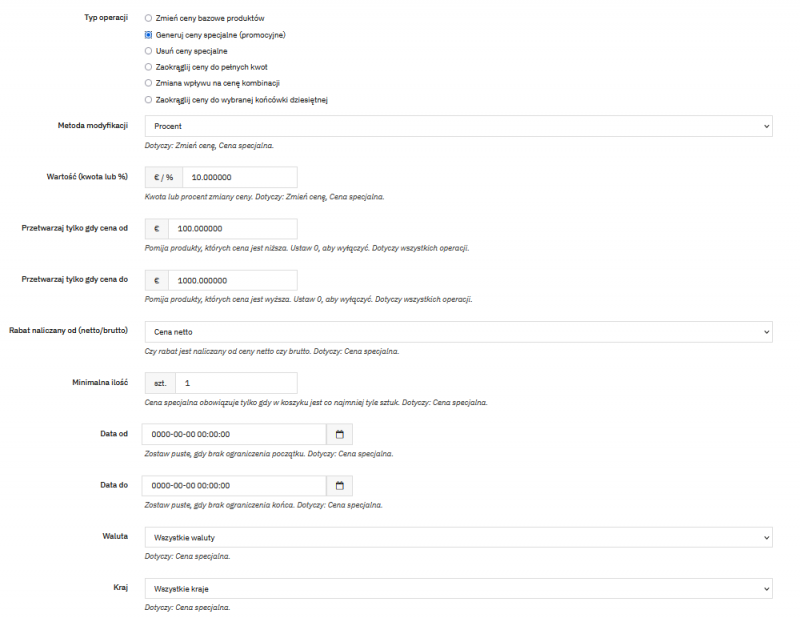
Modification method
- change by a fixed amount or percentage,
- direction of the operation: increase or decrease,
- setting an exact target price,
- calculating a discount based on the net or gross price.
Supported price fields
- net sales price,
- gross sales price,
- purchase price—referred to as the wholesale price in PrestaShop
- unit price,
- special / promotional / custom prices.
Example: You can increase the gross prices of a selected category by 8%, set wholesale prices for products from a specific supplier, or assign a single target price to selected products. Finally, you can round prices according to your sales strategy.
Catalog
- categories,
- manufacturers,
- suppliers.
Product features
- product features,
- combination attributes,
- active products only.
Terms and Conditions
- customer groups,
- price range from–to,
- currency, country, and date range for special prices.
You can combine conditions using the AND operator when a product must meet all criteria, or the OR operator when any one of them is sufficient. You can also search for and select individual products.
1
Configure
Select the operation, calculation method, and product filters.
2
Save
Give the configuration a custom name so you can easily identify its purpose.
3
Run Again
Execute the saved operation with a single click or trigger it automatically via cron.
Automation via a unique URL
Each saved configuration receives its own cron URL. Add it to your server’s schedule so that recurring price changes can be executed without logging into the store’s dashboard.
Automatic backup before changes
The module performs bulk operations on product prices, so it automatically creates a backup of the affected values before each change.
Clear backup history
In the list, you can see the date the backup was created and the number of products affected by the operation.
One-click restoration
If the result isn’t what you expected, select the appropriate backup and restore the previous prices.

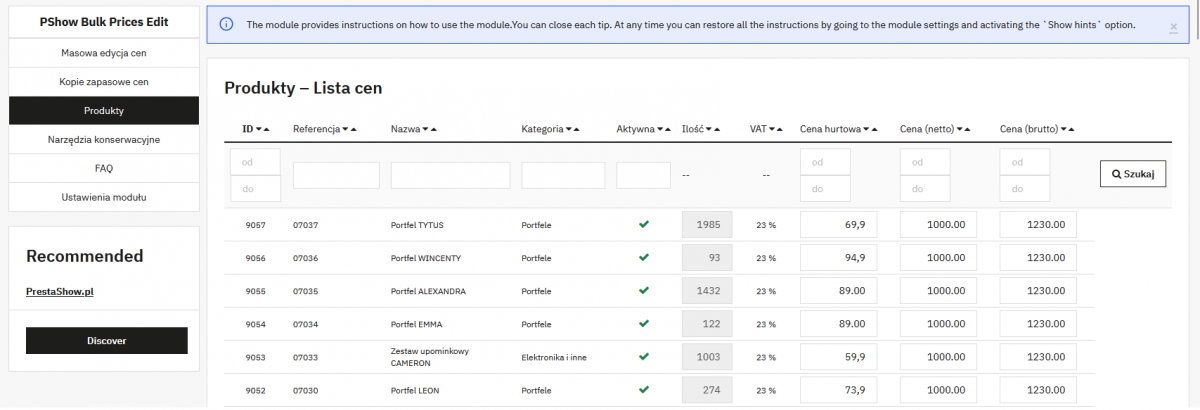
Key data in one place
The list displays products along with their net and gross prices, SKU, category, quantity, and VAT rate. You can change a selected price directly in the row—without going to the product edit form.
This is a convenient complement to bulk operations when, after updating the entire price list, you want to correct only individual items.
Cron automation
Run saved operations on a recurring basis using a unique URL for each configuration.
Wholesale price auto-fill
For products with a wholesale price of 0.00, the module can set the wholesale price equal to the current net price.
Logs of Changes Made
Each run generates a log that is available for download and review. Older files are deleted according to the specified retention period.
Changelog (v1.0)
## v1.0.0 - 2026-05-28
### Added
* Bulk price change for products matching the selected criteria
* Bulk adding of special (promotional) prices to products matching the selected criteria
* Bulk deletion of special prices from products matching the selected criteria
* Bulk change of price impacts in combinations matching selected criteria
* Bulk rounding of product prices matching the selected criteria
* Automatic price backup, allowing prices to be restored to their previous state
* Filling missing wholesale prices with the current net prices of products
### Added
* Bulk price change for products matching the selected criteria
* Bulk adding of special (promotional) prices to products matching the selected criteria
* Bulk deletion of special prices from products matching the selected criteria
* Bulk change of price impacts in combinations matching selected criteria
* Bulk rounding of product prices matching the selected criteria
* Automatic price backup, allowing prices to be restored to their previous state
* Filling missing wholesale prices with the current net prices of products
Technical requirements
Technical Requirements
- PHP 7.1 - 8.x
- Server extension ionCube Loader
- PrestaShop Importer only: PHP libxml version > 2.9.3
- PrestaShop Facebook Integrator only: PHP 7.2 or higher
- PrestaShop VAT Validator only: PHP SOAP
Support & Updates
Support = Updates + HelpDesk
You get 90 days (3 months) access to the complete PrestaShow support package.
Module updates
Modules will inform you about available updates. Read the changelog and perform a 1-click module update directly from your store.
HelpDesk panel
This is the panel where we will provide you with help. On HelpDesk you can report problems, order free module installation and updates, and order modifications and custom programming work.
Extend support
After support expires, you can use the module without any restrictions. You can extend your support access at any time you need it.
Knowledge Base & FAQ
Free forever
The knowledge base is available to everyone. You will find module documentation as well as instructions, videos and answers to frequently asked questions.
License
Lifetime license for the module
- You can use the module without limitation in 1 store = 1 domain.
- You can use an additional domain, e.g. for developer copy.
- For a small fee you can change the domain for the module yourself.
Additional domains for Multistore
- All our modules support PrestaShop Multistore.
- Supporting unlimited domains for PrestaShop Multistore requires purchasing multistore support for the module.
Modifying the code
- The module code related to the integration with the store and the design (.tpl, .css, .js) has open source code and you can modify it freely.
- The module's source code (.php) is encrypted with ionCube, and modifying it will void the warranty.
No entries yet.
No customer reviews for the moment.