Customer service and order packaging on your phone 📦





- Volume Discounts in Your PrestaShop Store
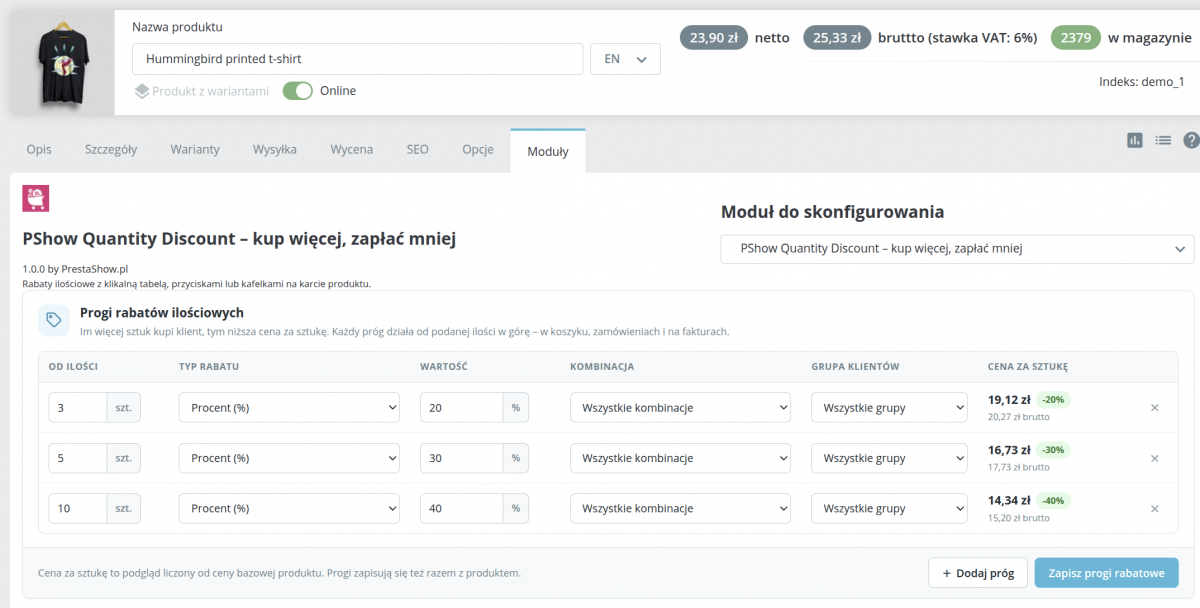
- Thresholds on the product edit page
- Management in the product edit screen
- Three views on the product card
- Quantity discount in the shopping cart
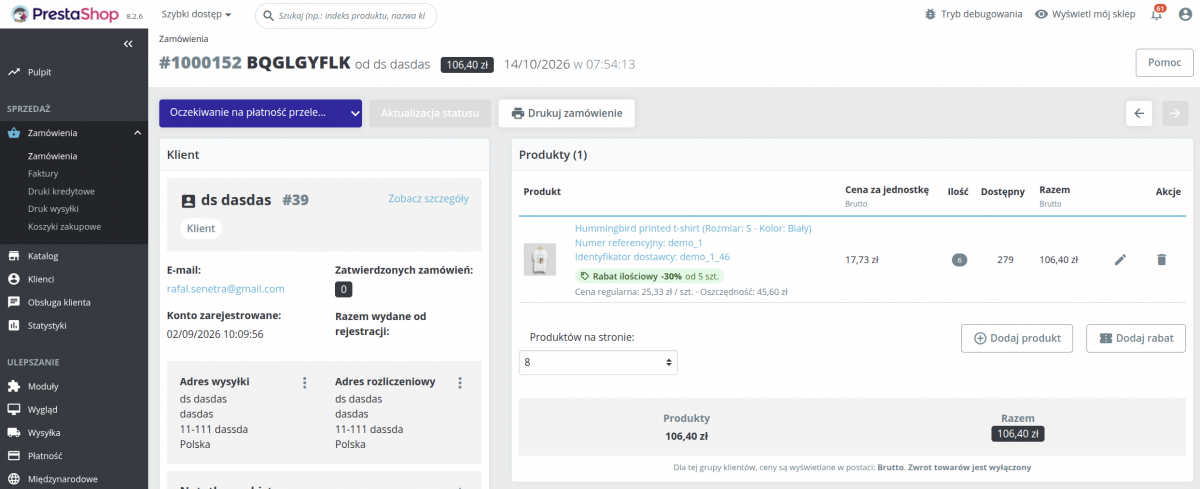
- Discount visible in the order
- Order details in the panel
- Settings with live preview
- Customize the appearance without a developer
- Who is PShow Quantity Discount for?
- For developers
- PrestaShop Hooks
- Technical Requirements
Detailed description
Set the thresholds on the product page
The module adds a tab to the product edit screen where you can set discount thresholds: starting at how many items, and what discount—percentage, fixed amount, or a fixed price per item. You can preview the price immediately, even before saving.
The customer sees how much they’ll save
On the product page, the thresholds are displayed as buttons, a table, or tiles showing the price per unit and the savings. A tooltip indicates how many items are needed to qualify for a better price, and clicking a threshold automatically enters the quantity.
An incentive to buy more is also available in the cart
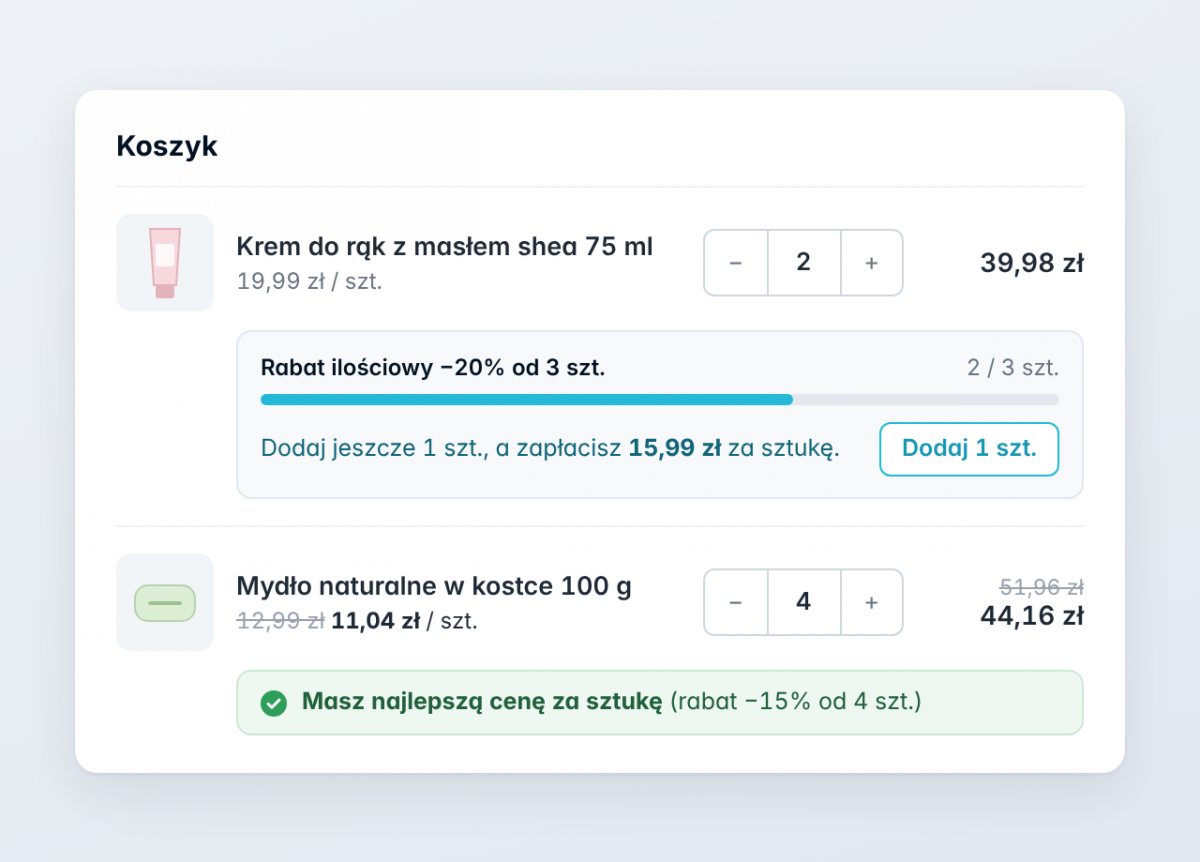
Below the product in the shopping cart, the customer sees the calculated discount, a progress bar leading to the next tier, and an “Add X Items” button that adds the missing items with a single click.
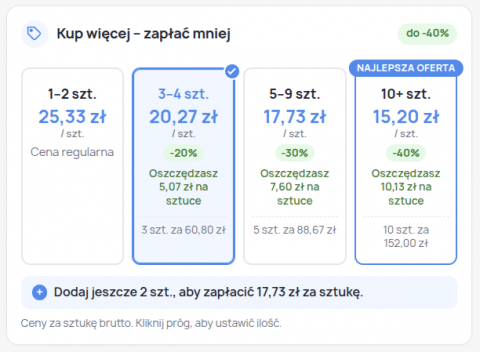
Larger orders
The customer immediately sees that buying 10 items will lower the price per item. The prompt “Add 3 more items to pay…” and the button in the shopping cart turn this information into a larger order.
The most advantageous threshold is highlighted with a “Best Deal” badge.
Native PrestaShop Prices
Each tier is saved as a standard PrestaShop “quantity-based” price. The discount is calculated according to PrestaShop standards—in the cart, order, invoice, email, and API.
Taxes, currencies, customer groups, and net/gross prices work without any additional configuration.
The module does not overwrite your store’s files.
Works with any store
Three designs, three display locations on the product page, custom accent color, and titles in every language.
Works with the Classic and Hummingbird themes and is responsive—it looks great on mobile devices.
Translations for the front end and admin panel have been prepared according to the module specifications in the section above.
PrestaShop’s default volume discounts must be added individually in specific prices. This module allows you to manage them in a single, easy-to-read table.
- Three types of discounts —percentage, amount per unit (gross or net), or a fixed price per unit.
- Combinations and customer groups —separate thresholds for a product variant or only for a selected group, such as wholesale.
- Preview of net and grossprices with the discount percentage for each threshold.
- Warnings —about a threshold that is not cheaper than a lower one, and about a promotion that the threshold would replace.
- Discounts from outside the module are visible for review; conflicts involving the same quantity are flagged rather than overwritten.
- Save using the module button or together with the product; duplicating a product copies the thresholds.
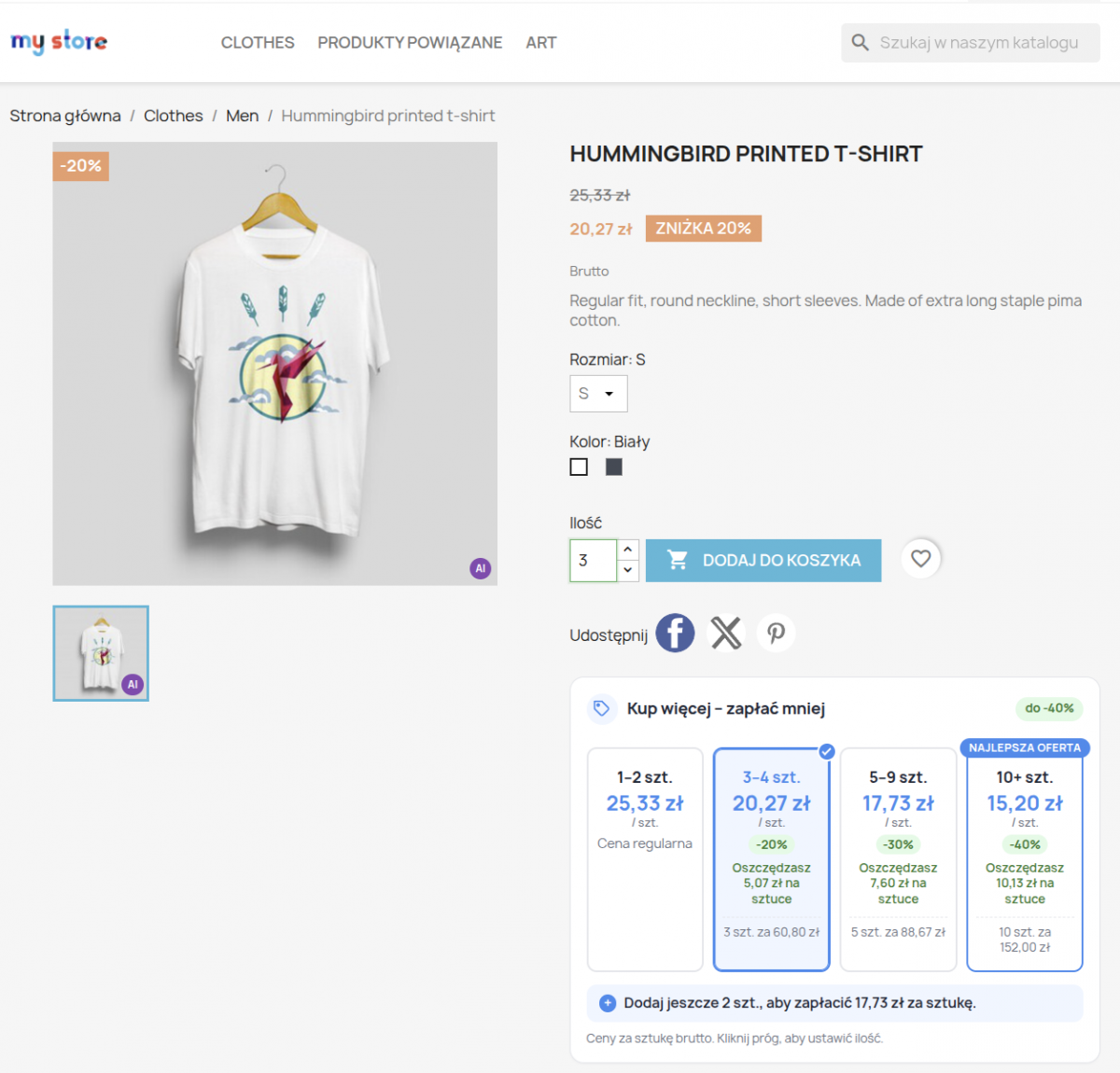
Three views on the product card
Buttons, table, or tiles
- Buttons – clickable tiers with price and discount.
- Table – a classic overview of quantity, price per unit, and savings.
- Tiles – larger cards showing the total per tier and a “Best Deal” badge.
- Clicking a tier populates the quantity, and the matching tier is highlighted—even when changing the quantity using the +/− buttons.
- Changing the combination refreshes the tiers without reloading the page.
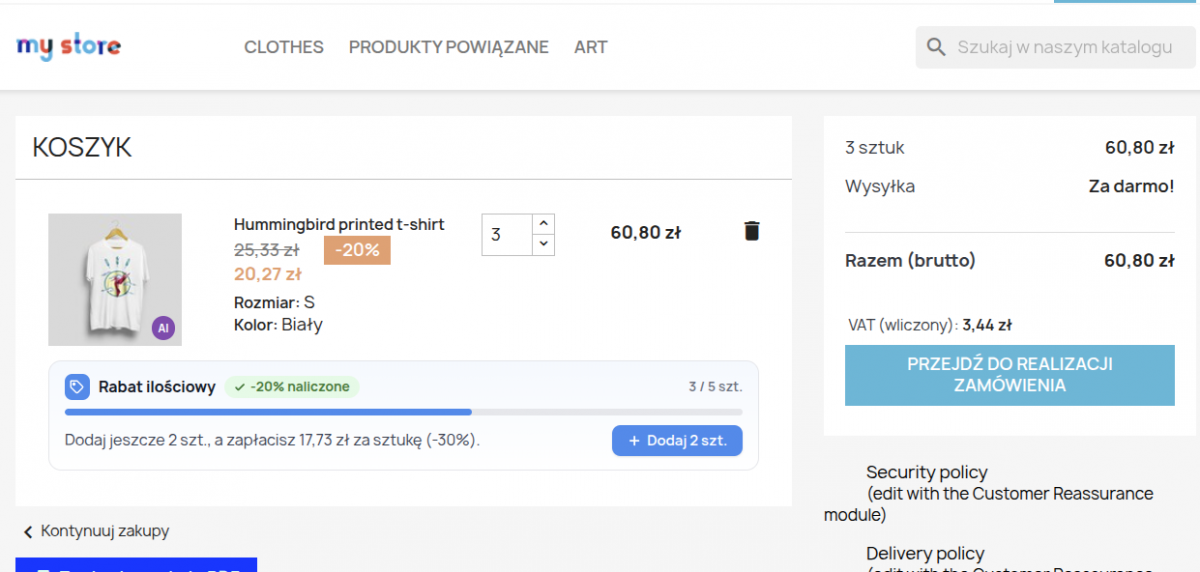
- Below the product: calculated discount and counter, e.g., “6 / 10 items,” with a progress bar.
- Prompt: “Add 4 more items, and you’ll pay… per item” and an “Add 4 items” button—without reloading the page.
- At the highest threshold, a message stating “You’re getting the best price per item.”
- The discount in the cart is calculated based on the price the store actually charges.
- You can enable or disable this information in the cart with a single toggle.
- Under the product name: Volume discount -10% for 5 or more items
- Regular price per unit and the customer’s savings amount.
- The data is saved at the time the order is placed—subsequent changes to the quantity thresholds do not alter it.
- It also works for orders placed before this feature was implemented (in a simplified version).
- Choosethe layout by clicking the thumbnail: buttons, table, or tiles.
- Location: below the “Add to Cart” button, below the price, or below the product.
- Block title in any language, accent color, and background color for the active tier.
- Toggle options: price per unit, savings as a percentage and as an amount, tooltip, clickable thresholds, and hiding the theme’s default table.
- List of discounted products with a search function by name, index (including combinations), and ID.
- User manual built into the dashboard.

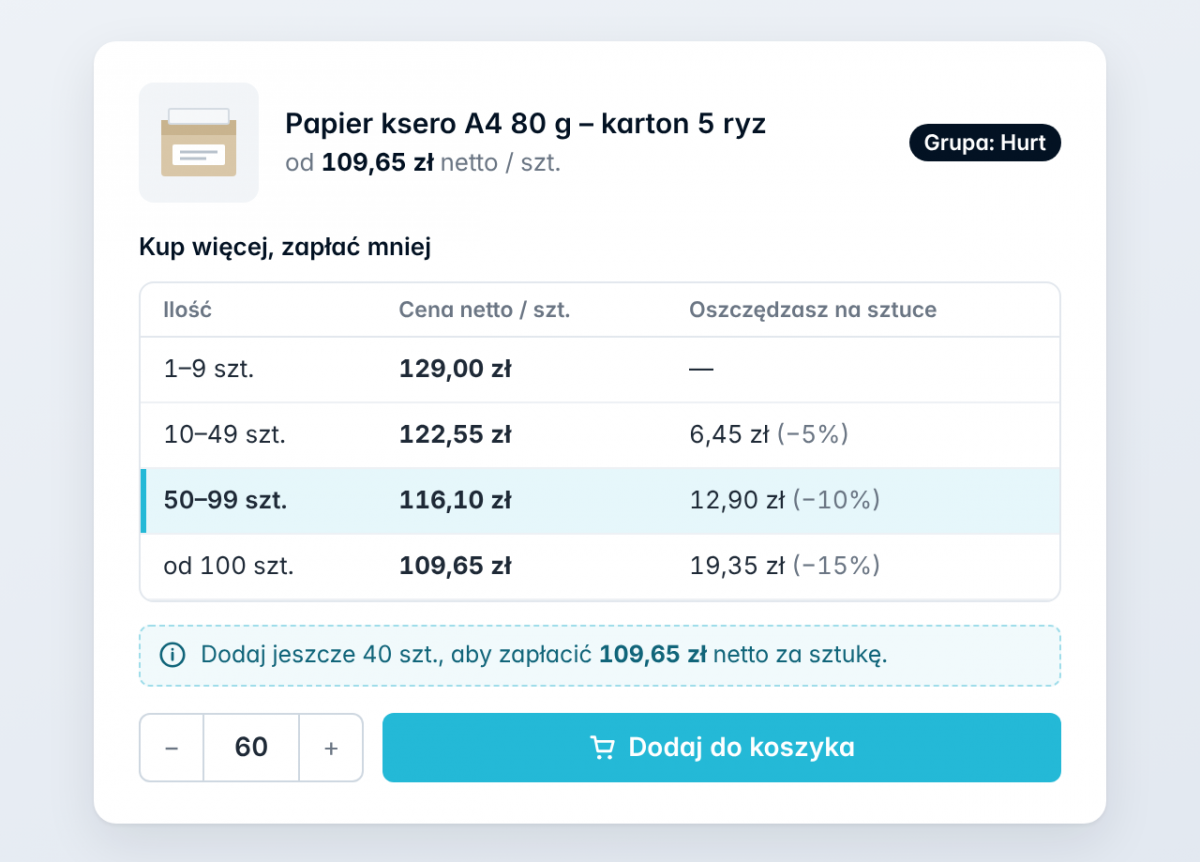
Wholesalers and B2B sales
Volume discounts exclusively for wholesale customers, net prices for businesses, and a clear table that customers recognize from printed price lists.
The module remains fast even with large shopping carts—products without volume thresholds are skipped in a single query.
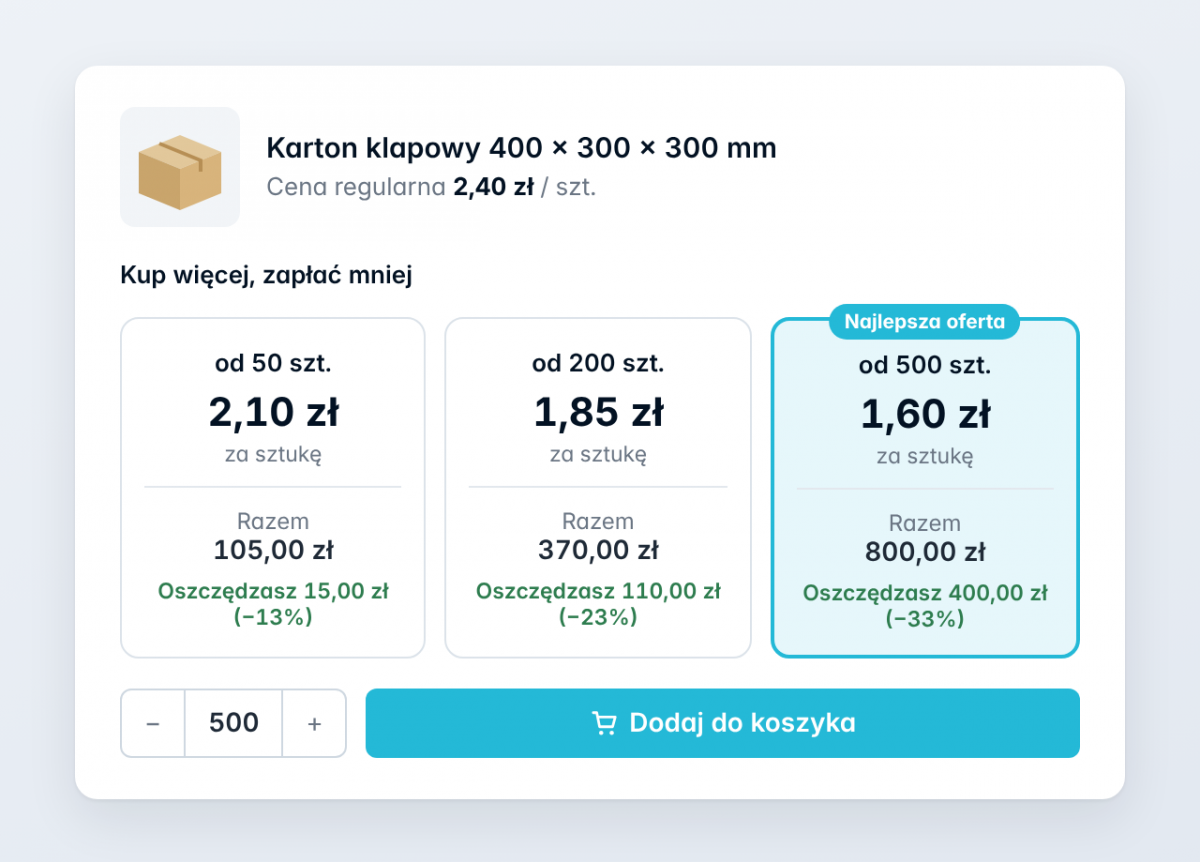
Consumables and packaging
Cardboard boxes, toner cartridges, cosmetics, cleaning supplies—products purchased regularly and in larger quantities.
Tiles displaying the total per threshold immediately show how much the entire order costs.
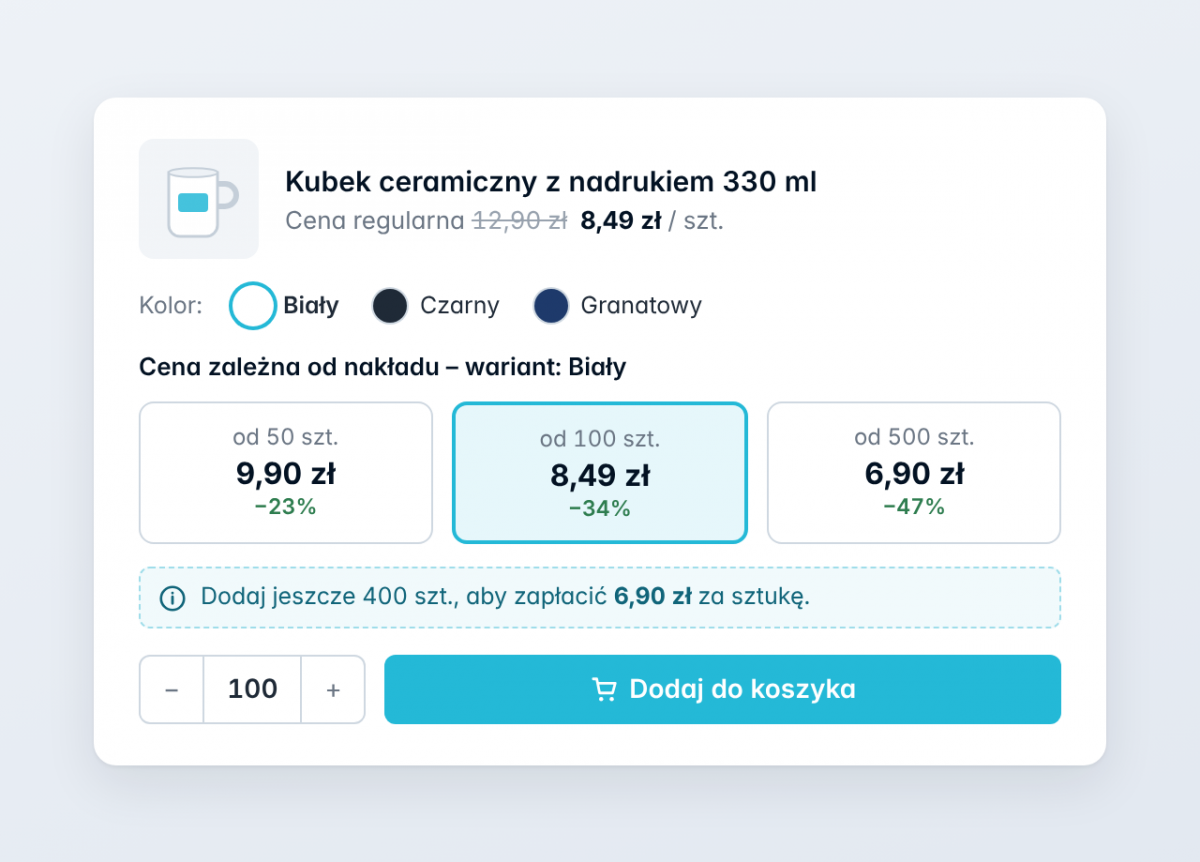
Promotional items and company apparel
Price depends on the order quantity: 50, 100, or 500 pieces—separately for each variant, if necessary.
A fixed price per unit once a certain threshold is reached makes it easier to price large orders.
Retail stores
“Buy 3, pay less per item”—a simple promotion that increases the cart value without discount codes.
A prompt in the shopping cart reminds the customer of the discount exactly when they’re close to the threshold.
For developers
- Thresholds are native PrestaShop-specific prices—visible to other modules, exports, and the Webservice API.
- .tpl, .css, and .js files are available for editing—you can customize the appearance to match your theme.
- No overrides and no changes to the store’s files.
- Multistore—price thresholds for a single store or for all stores.
- Unit and integration tests on a live PrestaShop installation; Polish and English translations.
PrestaShop Hooks
- displayAdminProductsExtra – thresholds in product editing; actionProductUpdate – saves thresholds along with the product.
- actionProductAdd, actionProductDelete – copying thresholds when duplicating products and cleaning up after product deletion.
- displayProductAdditionalInfo, displayProductPriceBlock, displayFooterProduct – a price threshold block in a selected location on the product page and a panel in the shopping cart.
- displayHeader – module styles and scripts in the store (with file versioning).
- actionValidateOrder, actionObjectOrderDeleteAfter – saving the discount when an order is placed and cleaning up after it is deleted.
- displayAdminOrderMain, actionAdminControllerSetMedia – quantity discount in the order details in the admin panel.
Technical Requirements
Compatible with current versions of PrestaShop and PHP.
- PrestaShop: 1.7.7 or later, 8.x and 9.x
- PHP: 7.4 or later (including 8.x)
- Database: MySQL 5.6+ or MariaDB – as required by PrestaShop
- Theme: Classic, Hummingbird, and themes based on them
- No external dependencies —no additional libraries required
Technical requirements
Technical Requirements
- PHP 7.1 - 8.x
- Server extension ionCube Loader
- PrestaShop Importer only: PHP libxml version > 2.9.3
- PrestaShop Facebook Integrator only: PHP 7.2 or higher
- PrestaShop VAT Validator only: PHP SOAP
Support & Updates
Support = Updates + HelpDesk
You get 90 days (3 months) access to the complete PrestaShow support package.
Module updates
Modules will inform you about available updates. Read the changelog and perform a 1-click module update directly from your store.
HelpDesk panel
This is the panel where we will provide you with help. On HelpDesk you can report problems, order free module installation and updates, and order modifications and custom programming work.
Extend support
After support expires, you can use the module without any restrictions. You can extend your support access at any time you need it.
Knowledge Base & FAQ
Free forever
The knowledge base is available to everyone. You will find module documentation as well as instructions, videos and answers to frequently asked questions.
License
Lifetime license for the module
- You can use the module without limitation in 1 store = 1 domain.
- You can use an additional domain, e.g. for developer copy.
- For a small fee you can change the domain for the module yourself.
Additional domains for Multistore
- All our modules support PrestaShop Multistore.
- Supporting unlimited domains for PrestaShop Multistore requires purchasing multistore support for the module.
Modifying the code
- The module code related to the integration with the store and the design (.tpl, .css, .js) has open source code and you can modify it freely.
- The module's source code (.php) is encrypted with ionCube, and modifying it will void the warranty.
No entries yet.
No customer reviews for the moment.